
Ih8billgates19 - Minecraft Skins & Skin History
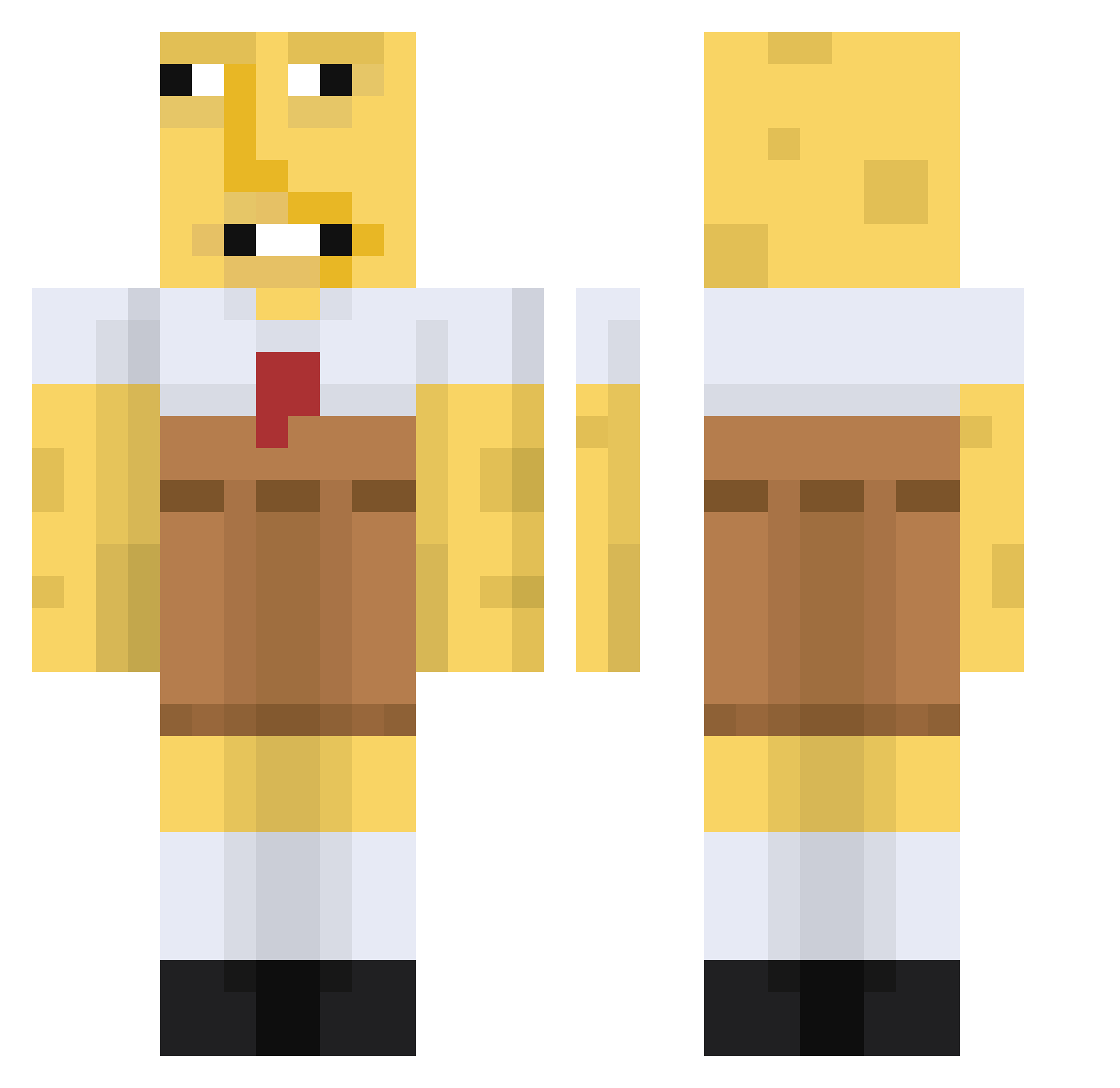
Current Minecraft skin of the player Ih8billgates19, loaded from the official Mojang API. Rotate the 3D model with your mouse or finger, then download the skin as a PNG file and use it in Minecraft: Bedrock Edition or Java Edition for free. When Ih8billgates19 changes their skin, this page updates automatically and the old skin stays in the history below.
Other players with this skin (671)
Ih8billgates19 was the 500th player we have seen with this skin, first spotted on 12.10.2026. The same skin was seen on these players. Open a nickname to see their current skin and skin history.
 TapinshYT CowGoesMoo12 imnotnongbell shakejun Kookykid3663 Cityofburn Daimhin_X kimi69 kmanbob99 CaptainSwedenxxx Albino____ Halabalouba RuggedMaN tkakk Ballszilla TweComb0z googles64 caykay4 colan0 mycatisfat95 feliciawiee roox101 Z3kken XxHIVDogga69xX Bananengamer123 aaronsface82 samuconsazon kasperr_1 Privis FIame Schne1d kingbaco123 Slur_slinger MaciMaci9999 Gumky sendtoephotos DUKUBI piercechadwick gamer_girl237 LE1250 JerryD3US Szymek12341 toazted AGX_Karlito PotatoUtensil TheGreatNeos Vivid____ BiggoBus1 ewgetawayfromme McSwiftie CalebPM1 CumTannoch 30psycho olgapucia13 Cykelpotatis Narcololz_ DauntlessDanker RakiMezesi 187Fichbande Chickenlips96
More Spongebob Minecraft skins
How to install the Ih8billgates19 skin
- Press the Download button above to save the skin as a PNG file.
- Minecraft: Bedrock Edition (PE): open the Dressing Room from the main menu (or tap your character → Edit Character), go to Classic Skins → Owned, press the + (new skin) button, choose the downloaded PNG and pick the Classic (Steve) model. Works on PC and mobile; consoles cannot import custom skins.
- Minecraft: Java Edition: open the Minecraft Launcher, go to the Skins tab, click New Skin, load the PNG, pick the Classic (Steve) model and press Save & Use. You can also upload it at minecraft.net → Profile → Change Skin.
The skin does not show up after import - what should I do?
Restart Minecraft and open the Dressing Room again - imported skins sometimes appear only after a restart. Also make sure you selected the imported skin and picked the Classic (Steve) model.
Which model should I choose, Classic or Slim?
This skin is designed for the Classic (Steve) model. If you pick the wrong model, the arms of the skin will look stretched or squeezed.
Is the skin of Ih8billgates19 free to download?
Yes. Press Download, save the PNG file and use it in Minecraft: Bedrock Edition or Java Edition - no payment or registration needed. The skin also works on multiplayer servers and Realms.
More skins
Looking for more? Go back to all Minecraft skins and check the top skins of the week, month and all time, or find any player's skin by nickname.