
IceTeaPat - Minecraft Skins & Skin History
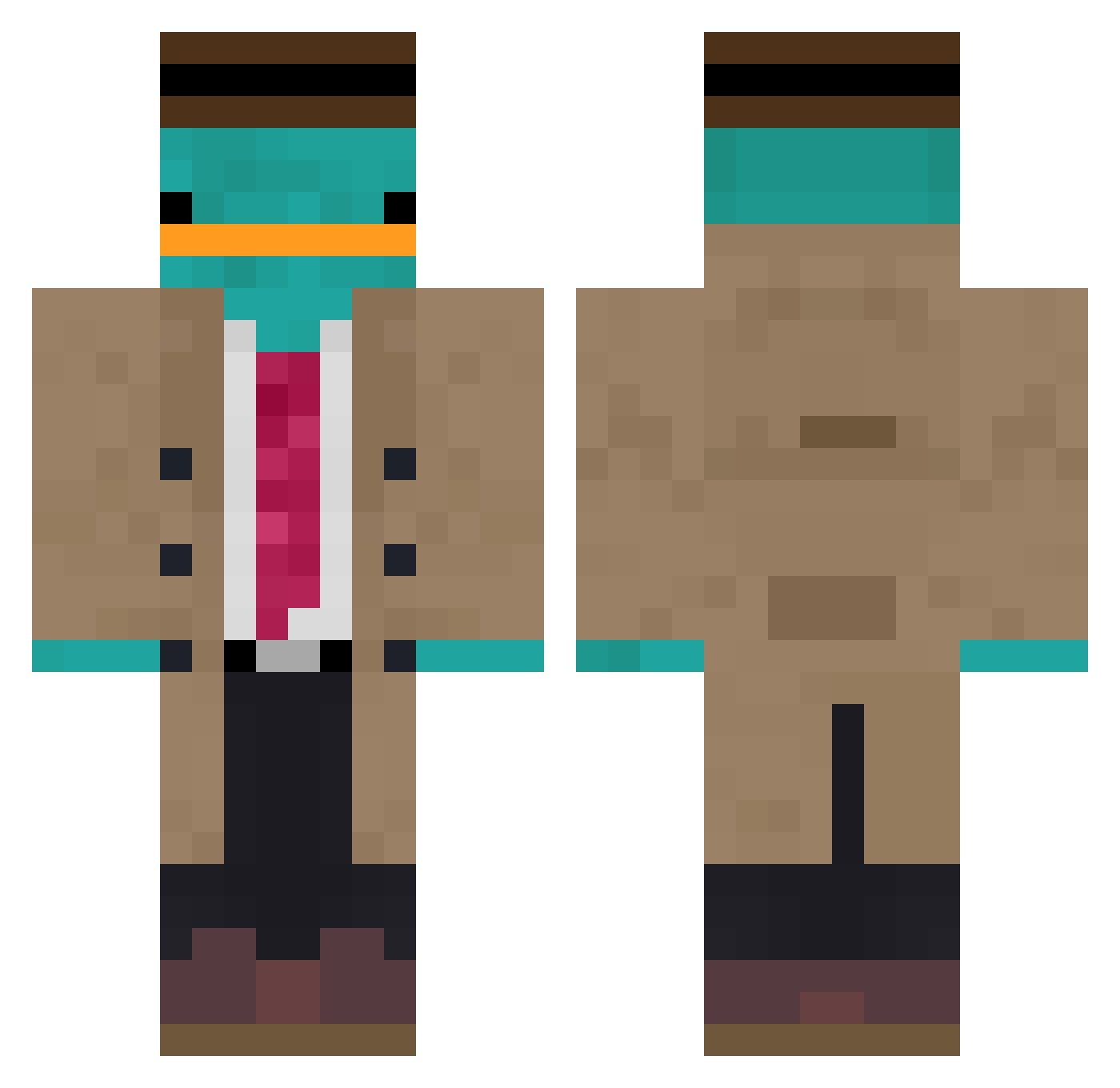
Current Minecraft skin of the player IceTeaPat, loaded from the official Mojang API. Rotate the 3D model with your mouse or finger, then download the skin as a PNG file and use it in Minecraft: Bedrock Edition or Java Edition for free. When IceTeaPat changes their skin, this page updates automatically and the old skin stays in the history below.
Other players with this skin (891)
IceTeaPat was the 475th player we have seen with this skin, first spotted on 16.09.2026. The same skin was seen on these players. Open a nickname to see their current skin and skin history.
 Donkuros DaFlaCla ninjassasin07 Saulus13 Frederico_Z Gaboneitor Slazhy imD1eing _Czernik_ WaffeI alfred2092 Chikin_Flyi Notos17 Reb07 AgentPerryDuHs Cunfuz3d Otizm0 slodkikubus21155 JargonautJ123 schwifty247 Santifer24 schluechti djkoko MistaGee mr_mustang Cryptedhunter ChemicalOrange PrzemkoSeko lil_Brayne ToasterKili mossfujii LagrumeJoestarNp IvaPr01 bramlip B_X_L cherrymerry44 Antek1555 danili7 jared0215 kaeson00 Amr_ zohol TUFLUK AstreaManiac Seauly alynav michaelb132 EricHsiaops4 WHOSMANUU spaccced LaurenKent JPW8 schobik Jongjong6666 jewce15 sadoooo Pietsnot AandA2722 angusbaddy Freakyy__
More Platypus Minecraft skins
How to install the IceTeaPat skin
- Press the Download button above to save the skin as a PNG file.
- Minecraft: Bedrock Edition (PE): open the Dressing Room from the main menu (or tap your character → Edit Character), go to Classic Skins → Owned, press the + (new skin) button, choose the downloaded PNG and pick the Classic (Steve) model. Works on PC and mobile; consoles cannot import custom skins.
- Minecraft: Java Edition: open the Minecraft Launcher, go to the Skins tab, click New Skin, load the PNG, pick the Classic (Steve) model and press Save & Use. You can also upload it at minecraft.net → Profile → Change Skin.
The skin does not show up after import - what should I do?
Restart Minecraft and open the Dressing Room again - imported skins sometimes appear only after a restart. Also make sure you selected the imported skin and picked the Classic (Steve) model.
Which model should I choose, Classic or Slim?
This skin is designed for the Classic (Steve) model. If you pick the wrong model, the arms of the skin will look stretched or squeezed.
Is the skin of IceTeaPat free to download?
Yes. Press Download, save the PNG file and use it in Minecraft: Bedrock Edition or Java Edition - no payment or registration needed. The skin also works on multiplayer servers and Realms.
More skins
Looking for more? Go back to all Minecraft skins and check the top skins of the week, month and all time, or find any player's skin by nickname.