
Icanwin12 - Minecraft Skins & Skin History
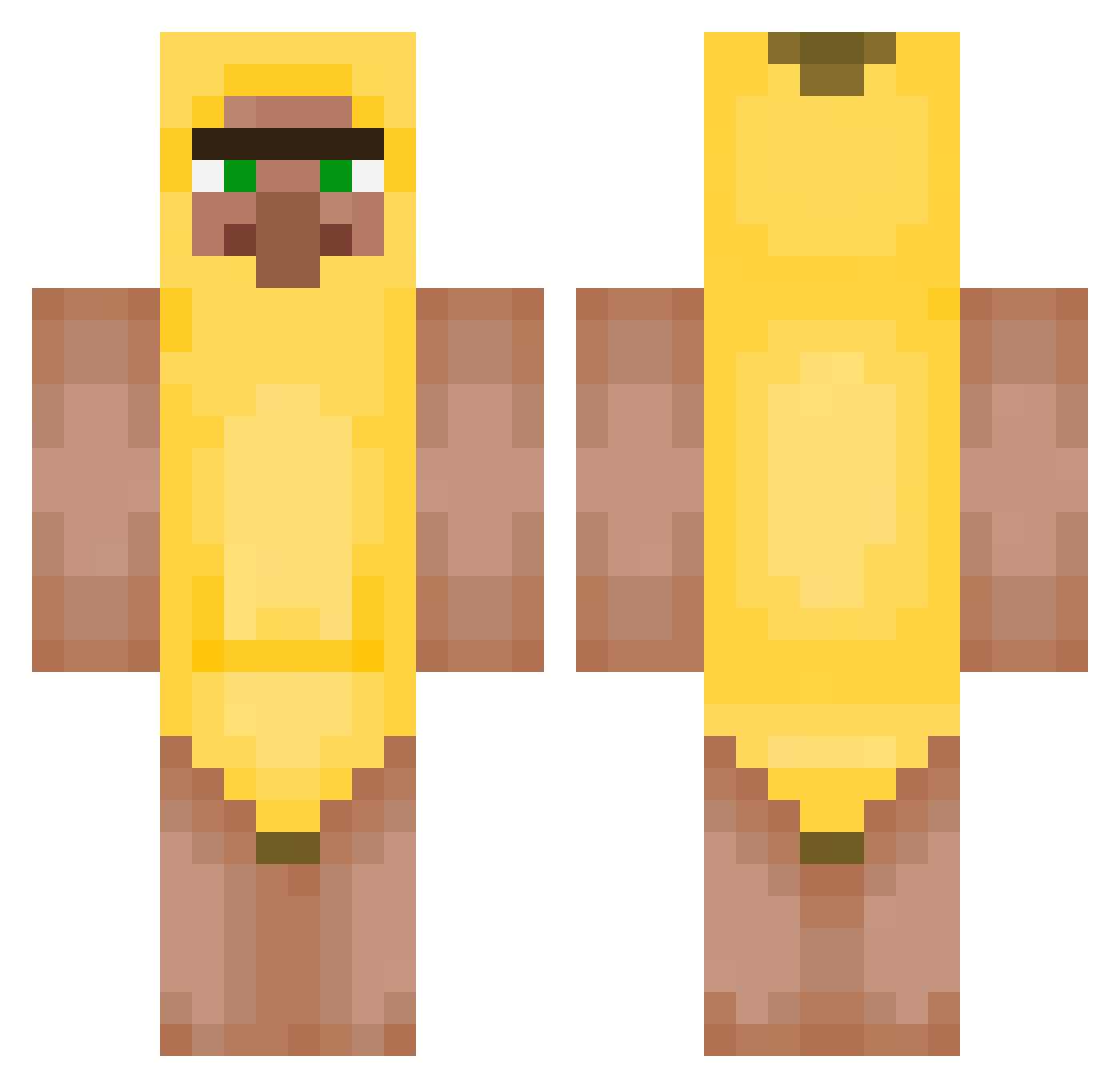
Current Minecraft skin of the player Icanwin12, loaded from the official Mojang API. Rotate the 3D model with your mouse or finger, then download the skin as a PNG file and use it in Minecraft: Bedrock Edition or Java Edition for free. When Icanwin12 changes their skin, this page updates automatically and the old skin stays in the history below.
Other players with this skin (428)
Icanwin12 was the 78th player we have seen with this skin, first spotted on 11.08.2026. The same skin was seen on these players. Open a nickname to see their current skin and skin history.
 jeans2011
 BigMenWithB K08K8 nlvenpn_ RyanHecPlayz Deuce002 FaZe_TaMiK peepEVO SplowIII_HD ToxicBeatxD
 Cats_Neko
 SnaakeMC James_Dean_2007 OatN ThatGarbage masar2 SDHTR Jujucool322 69S4UC3M4573R420 BGK_Karwinki puss_king greenfortnitefn ToeLintBandit beufke Toecyno johnwick77722 9ram_1 smjcw A7MD23 KaczorCraft odimx_mido esuzuki123 Dyeerrr Heyboss69 MrToxicMoose OdirM Zryachiybusy
 Yakym2011 landoxb Bimbo7x dDeadmau skinyboythomas WAD3S FinleyyelniF Bezem7168 connorstinkt yarchemism
 Waffleeesss Mr_Jason1110 Eusian RustyBolls siema2138 Myntyo juleslv2 rrodriiguess faasderoodhari PujsaPepa321 mr_poopypants124 balasuiiiiiiiii DolceBannanna
More Banana Minecraft skins
How to install the Icanwin12 skin
- Press the Download button above to save the skin as a PNG file.
- Minecraft: Bedrock Edition (PE): open the Dressing Room from the main menu (or tap your character → Edit Character), go to Classic Skins → Owned, press the + (new skin) button, choose the downloaded PNG and pick the Classic (Steve) model. Works on PC and mobile; consoles cannot import custom skins.
- Minecraft: Java Edition: open the Minecraft Launcher, go to the Skins tab, click New Skin, load the PNG, pick the Classic (Steve) model and press Save & Use. You can also upload it at minecraft.net → Profile → Change Skin.
The skin does not show up after import - what should I do?
Restart Minecraft and open the Dressing Room again - imported skins sometimes appear only after a restart. Also make sure you selected the imported skin and picked the Classic (Steve) model.
Which model should I choose, Classic or Slim?
This skin is designed for the Classic (Steve) model. If you pick the wrong model, the arms of the skin will look stretched or squeezed.
Is the skin of Icanwin12 free to download?
Yes. Press Download, save the PNG file and use it in Minecraft: Bedrock Edition or Java Edition - no payment or registration needed. The skin also works on multiplayer servers and Realms.
More skins
Looking for more? Go back to all Minecraft skins and check the top skins of the week, month and all time, or find any player's skin by nickname.