
DolceBannanna - Minecraft Skins & Skin History
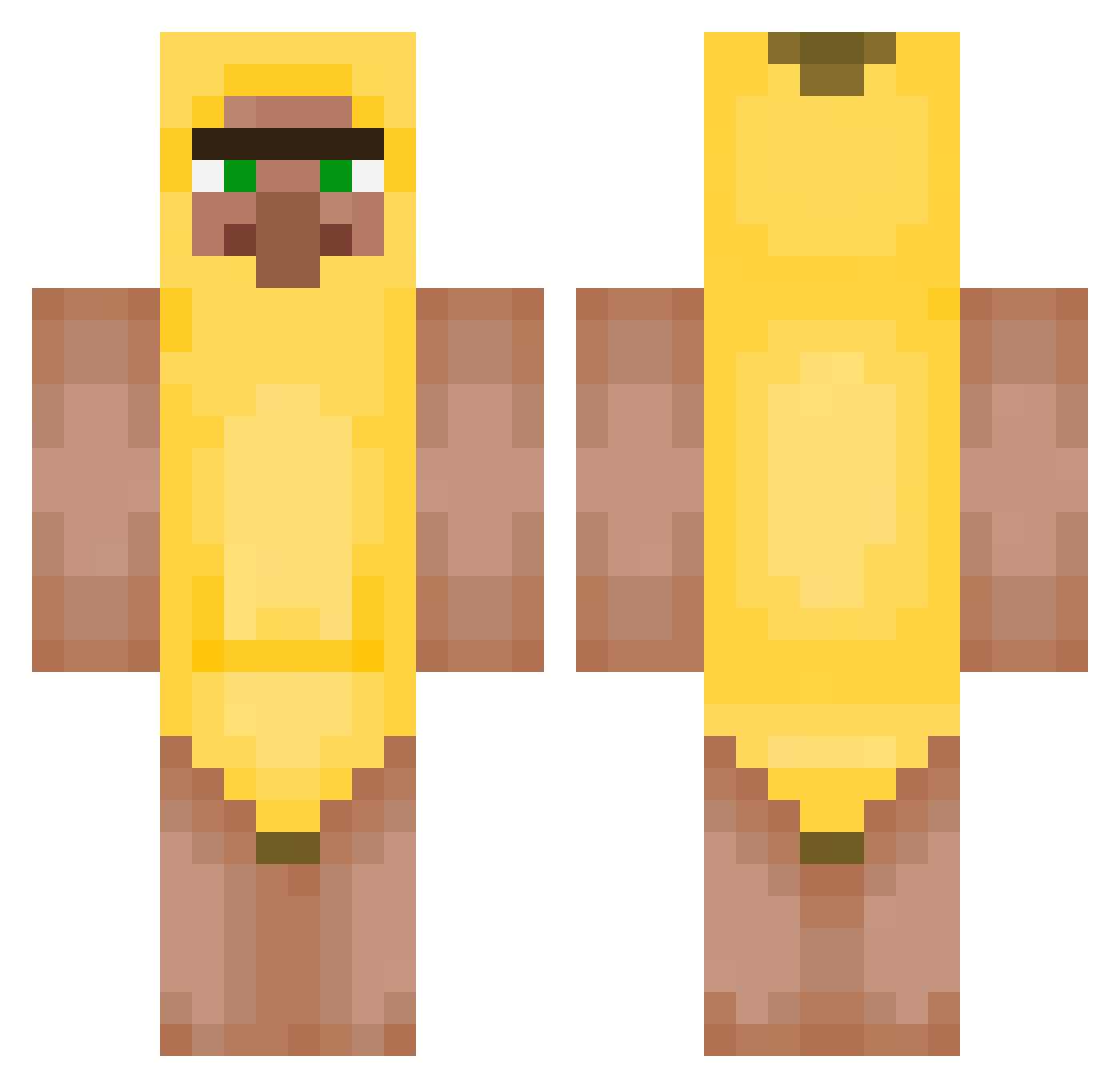
Current Minecraft skin of the player DolceBannanna, loaded from the official Mojang API. Rotate the 3D model with your mouse or finger, then download the skin as a PNG file and use it in Minecraft: Bedrock Edition or Java Edition for free. When DolceBannanna changes their skin, this page updates automatically and the old skin stays in the history below.
Other players with this skin (428)
DolceBannanna was the 48th player we have seen with this skin, first spotted on 04.08.2026. The same skin was seen on these players. Open a nickname to see their current skin and skin history.
 MALIKIWI balasuiiiiiiiii PujsaPepa321 SexMachinery juleslv2 Myntyo siema2138 eckrof RustyBolls Anger99
 Waffleeesss connorstinkt Bezem7168 JHHJ1212 elfacuprogamer21 Anderoain147 OdirM Dyeerrr esuzuki123 nm_cyber KaczorCraft f4stboy A7MD23 smjcw 9ram_1 Aldo_ameno0 Bauty2381 johnwick77722 tomaszjajcarz beufke fsb2010 SRevereST_ 69S4UC3M4573R420 Jujucool322 LeLe729 JoeMama1707 masar2 OatN TheSwampire rawpastaa Tintin14132 ToxicBeatxD SplowIII_HD Angel5kk SokanAri PengiunX2 FaZe_TaMiK Goplen_ RyanHecPlayz nlvenpn_ K08K8
 BigMenWithB Icanwin12 jeans2011 PykiKaki GUDAXR Deuce002 peepEVO LoloCai Drabikowy3
More Banana Minecraft skins
How to install the DolceBannanna skin
- Press the Download button above to save the skin as a PNG file.
- Minecraft: Bedrock Edition (PE): open the Dressing Room from the main menu (or tap your character → Edit Character), go to Classic Skins → Owned, press the + (new skin) button, choose the downloaded PNG and pick the Classic (Steve) model. Works on PC and mobile; consoles cannot import custom skins.
- Minecraft: Java Edition: open the Minecraft Launcher, go to the Skins tab, click New Skin, load the PNG, pick the Classic (Steve) model and press Save & Use. You can also upload it at minecraft.net → Profile → Change Skin.
The skin does not show up after import - what should I do?
Restart Minecraft and open the Dressing Room again - imported skins sometimes appear only after a restart. Also make sure you selected the imported skin and picked the Classic (Steve) model.
Which model should I choose, Classic or Slim?
This skin is designed for the Classic (Steve) model. If you pick the wrong model, the arms of the skin will look stretched or squeezed.
Is the skin of DolceBannanna free to download?
Yes. Press Download, save the PNG file and use it in Minecraft: Bedrock Edition or Java Edition - no payment or registration needed. The skin also works on multiplayer servers and Realms.
More skins
Looking for more? Go back to all Minecraft skins and check the top skins of the week, month and all time, or find any player's skin by nickname.