
Iamblanquet - Minecraft Skins & Skin History
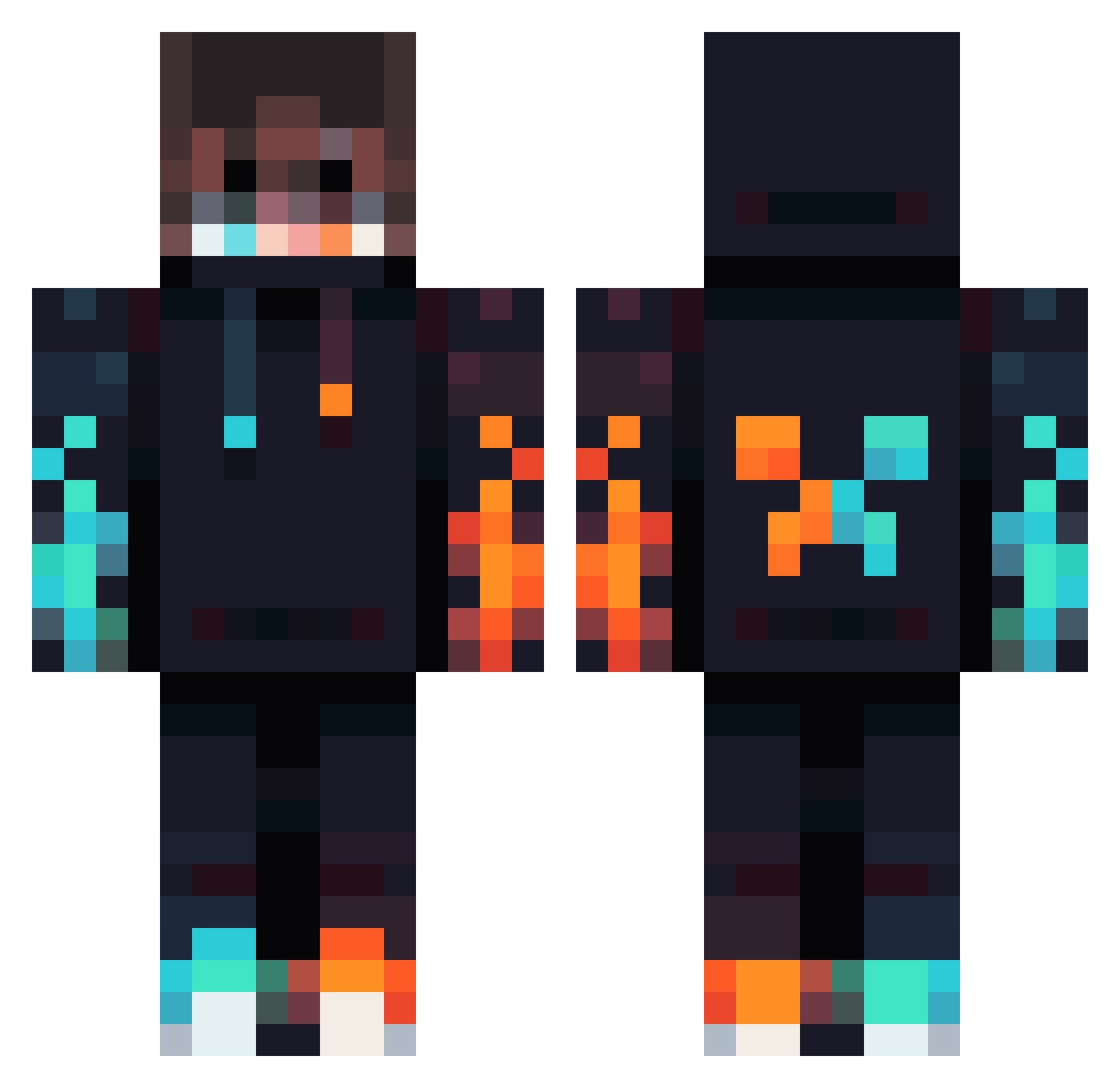
Current Minecraft skin of the player Iamblanquet, loaded from the official Mojang API. Rotate the 3D model with your mouse or finger, then download the skin as a PNG file and use it in Minecraft: Bedrock Edition or Java Edition for free. When Iamblanquet changes their skin, this page updates automatically and the old skin stays in the history below.
Other players with this skin (834)
Iamblanquet was the 214th player we have seen with this skin, first spotted on 23.08.2026. The same skin was seen on these players. Open a nickname to see their current skin and skin history.
 Lilo1417 FinnyBoy77777 DireSky2788 Vjenty IvoroleplayYT CrazyGoD123 AG_Him rileydavies_ RENFECRACK Icewarden2013 Ancrux00 NetherKnox Frezz_95 _FirePhoenix_647 Joelstan skes99 Roumas Mictwz Jerry00614 hithere2008 Divyanshu_Gamer KeyJuggler Jeed_1 mohammed9913 Chenuy SUBJECT1104 Generall__ SheLoveLouis Nerdboi1402 Exx38 Brayden0506 Astro404 Necro1999 thelandmans Mouadbennakhla33 Zyn_1282 MrBertux Szokall wujuichi Zagadou27 Myrimoto TheBySteve Vinnos_57 WhippedCream21 TheManagerSneezy zachary4087 ROrazvan001 OSVALKEV NXT_GAMING Loya1 minecrafterpro15 Cedric5670 Simon050211 Coinharbor82399 cocoBean_Chris GktugTuna Rocketdog501 sese3000 SeVvVen Wynfir
More Fire Minecraft skins
How to install the Iamblanquet skin
- Press the Download button above to save the skin as a PNG file.
- Minecraft: Bedrock Edition (PE): open the Dressing Room from the main menu (or tap your character → Edit Character), go to Classic Skins → Owned, press the + (new skin) button, choose the downloaded PNG and pick the Classic (Steve) model. Works on PC and mobile; consoles cannot import custom skins.
- Minecraft: Java Edition: open the Minecraft Launcher, go to the Skins tab, click New Skin, load the PNG, pick the Classic (Steve) model and press Save & Use. You can also upload it at minecraft.net → Profile → Change Skin.
The skin does not show up after import - what should I do?
Restart Minecraft and open the Dressing Room again - imported skins sometimes appear only after a restart. Also make sure you selected the imported skin and picked the Classic (Steve) model.
Which model should I choose, Classic or Slim?
This skin is designed for the Classic (Steve) model. If you pick the wrong model, the arms of the skin will look stretched or squeezed.
Is the skin of Iamblanquet free to download?
Yes. Press Download, save the PNG file and use it in Minecraft: Bedrock Edition or Java Edition - no payment or registration needed. The skin also works on multiplayer servers and Realms.
More skins
Looking for more? Go back to all Minecraft skins and check the top skins of the week, month and all time, or find any player's skin by nickname.