
IMMA_WAFFLE123 - Minecraft Skins & Skin History
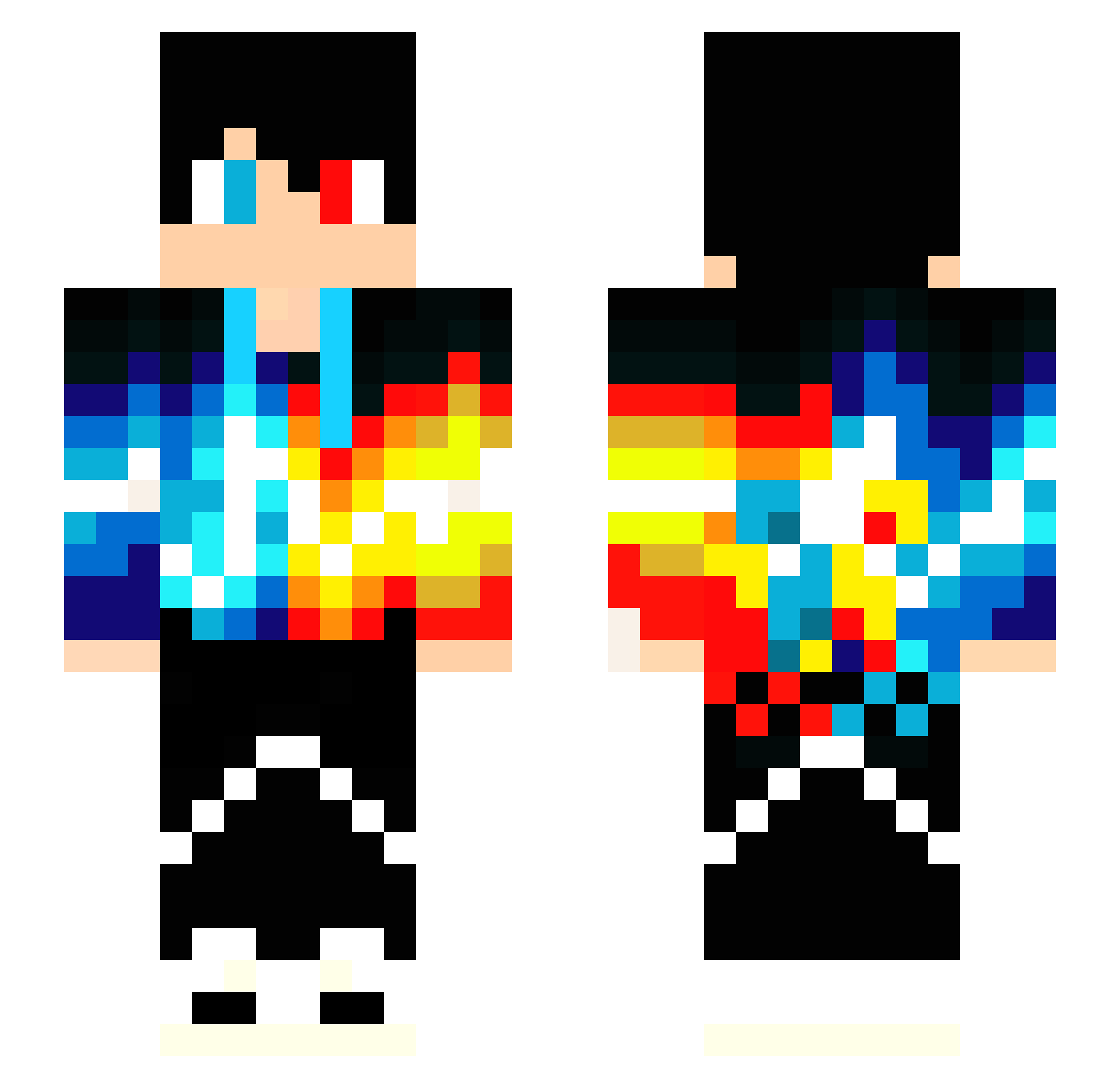
Current Minecraft skin of the player IMMA_WAFFLE123, loaded from the official Mojang API. Rotate the 3D model with your mouse or finger, then download the skin as a PNG file and use it in Minecraft: Bedrock Edition or Java Edition for free. When IMMA_WAFFLE123 changes their skin, this page updates automatically and the old skin stays in the history below.
Other players with this skin (171)
IMMA_WAFFLE123 was the 112th player we have seen with this skin, first spotted on 29.09.2026. The same skin was seen on these players. Open a nickname to see their current skin and skin history.
 TotoRoyalYt minihero2002 anthonyant400 Leon2610 stargame8 DirtyGrass07 Killgerra Marlon79 _haize_ TBRNcorndog kirito9413 SilentEcho79 Rishigod IBURTONI X304 baby2504 Asteio_ Sam_Jill xBlueMaple Beaversonx34x MrFernando821 PoisonBiome263 Schimmelnator XxRedUs VNBest LetsGabe DeathG0D tijuri WallyRT96 opopgaming lolka_lfv srizza ploteem jimbojames18104 Shadows_Reaper UrbanKid sam289 I_likeFries Toxicboy1234 prayedhippo498 DavidSchwenk JenHashi Space_Vortexx nickymatt LuchoPotato zaguuuuuu xxxANDORxxx taylor20040629 TheSnazzy_Dnl The_Punslinger01 Jusawtf Were_wolf2002 RIHITO_0131 beast01234 ajsantana105 NewbiePro DoraemonItachi Joshulot Valtunun Treybear2000
More Heterochromia Minecraft skins
See all 542 Heterochromia skins
How to install the IMMA_WAFFLE123 skin
- Press the Download button above to save the skin as a PNG file.
- Minecraft: Bedrock Edition (PE): open the Dressing Room from the main menu (or tap your character → Edit Character), go to Classic Skins → Owned, press the + (new skin) button, choose the downloaded PNG and pick the Slim (Alex) model. Works on PC and mobile; consoles cannot import custom skins.
- Minecraft: Java Edition: open the Minecraft Launcher, go to the Skins tab, click New Skin, load the PNG, pick the Slim (Alex) model and press Save & Use. You can also upload it at minecraft.net → Profile → Change Skin.
The skin does not show up after import - what should I do?
Restart Minecraft and open the Dressing Room again - imported skins sometimes appear only after a restart. Also make sure you selected the imported skin and picked the Slim (Alex) model.
Which model should I choose, Classic or Slim?
This skin is designed for the Slim (Alex) model. If you pick the wrong model, the arms of the skin will look stretched or squeezed.
Is the skin of IMMA_WAFFLE123 free to download?
Yes. Press Download, save the PNG file and use it in Minecraft: Bedrock Edition or Java Edition - no payment or registration needed. The skin also works on multiplayer servers and Realms.
More skins
Looking for more? Go back to all Minecraft skins and check the top skins of the week, month and all time, or find any player's skin by nickname.