
Hutao_sQvdPSx451 - Minecraft Skins & Skin History
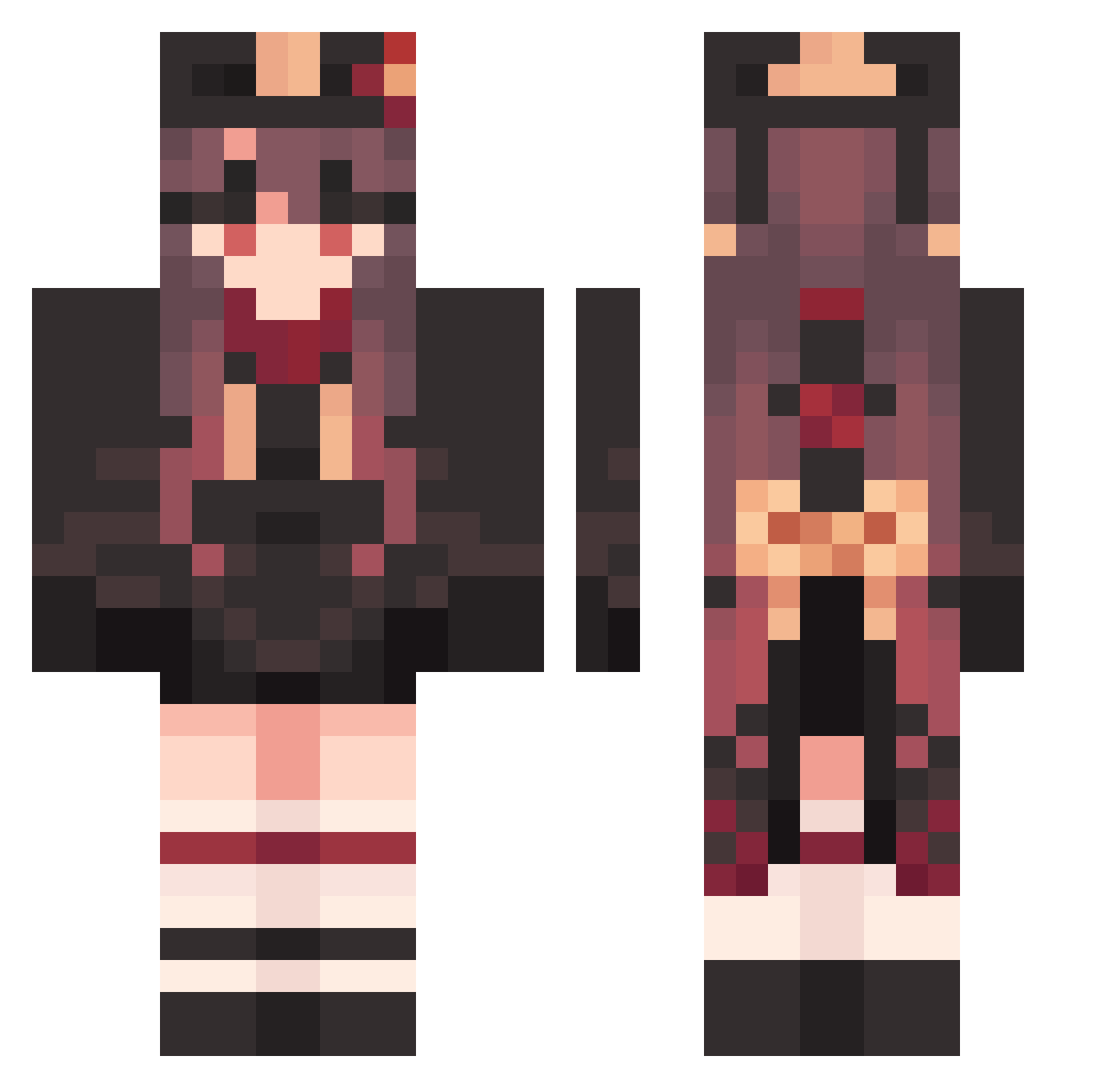
Current Minecraft skin of the player Hutao_sQvdPSx451, loaded from the official Mojang API. Rotate the 3D model with your mouse or finger, then download the skin as a PNG file and use it in Minecraft: Bedrock Edition or Java Edition for free. When Hutao_sQvdPSx451 changes their skin, this page updates automatically and the old skin stays in the history below.
Other players with this skin (1585)
Hutao_sQvdPSx451 was the 513th player we have seen with this skin, first spotted on 31.08.2026. The same skin was seen on these players. Open a nickname to see their current skin and skin history.
 TeaPix_ Hutao_wGAXXIV972 xwyl SedateSupreme246 CoherentFuzzy901 Karlitoooo FixedDiscreet265 werxkaa Hutao_wctLvwU845 Fudokisho OvalHilarious143 Hutao_EfCXDYU467 Hutao_prwoFKc168 Vitrixium RapidGratis704 WildFlat800 frappuccccccino GapingOffbeat360 SigmaEryczek ThankfulMellow68 WideNoiseless600 Hutao_uxrcVUE227 RareVoracious481 FlashyLegal369 EconomicRabid438 jntm24 wID717 Hutao_oMCzOtV624 AdjoiningLazy627 GooseDevil ChiefWise212 YellowCynical120 hachiroooo EmilyStorm Yjot Hutao_WjGjAsF184 ITq865 Azureus821 RepulsiveOval547 SuperJuicy605 UnadvisedSpicy33 Hutao_YpCdsgh653 Hutao_EUn52 LateTruculent766 R35X ChrisReis RandomKD Jtrweed AveragePlastic24 Ch0ppppaa kami3141 Hutao_kCqMyYh750 GanYu1610 HarshOrganic689 jerry_Edition MercifulJolly820 DiligentBlack378 xofud5577 DrabAromatic462 SpuriousSilky258
More Hu Tao Minecraft skins
How to install the Hutao_sQvdPSx451 skin
- Press the Download button above to save the skin as a PNG file.
- Minecraft: Bedrock Edition (PE): open the Dressing Room from the main menu (or tap your character → Edit Character), go to Classic Skins → Owned, press the + (new skin) button, choose the downloaded PNG and pick the Classic (Steve) model. Works on PC and mobile; consoles cannot import custom skins.
- Minecraft: Java Edition: open the Minecraft Launcher, go to the Skins tab, click New Skin, load the PNG, pick the Classic (Steve) model and press Save & Use. You can also upload it at minecraft.net → Profile → Change Skin.
The skin does not show up after import - what should I do?
Restart Minecraft and open the Dressing Room again - imported skins sometimes appear only after a restart. Also make sure you selected the imported skin and picked the Classic (Steve) model.
Which model should I choose, Classic or Slim?
This skin is designed for the Classic (Steve) model. If you pick the wrong model, the arms of the skin will look stretched or squeezed.
Is the skin of Hutao_sQvdPSx451 free to download?
Yes. Press Download, save the PNG file and use it in Minecraft: Bedrock Edition or Java Edition - no payment or registration needed. The skin also works on multiplayer servers and Realms.
More skins
Looking for more? Go back to all Minecraft skins and check the top skins of the week, month and all time, or find any player's skin by nickname.