
Husoo - Minecraft Skins & Skin History
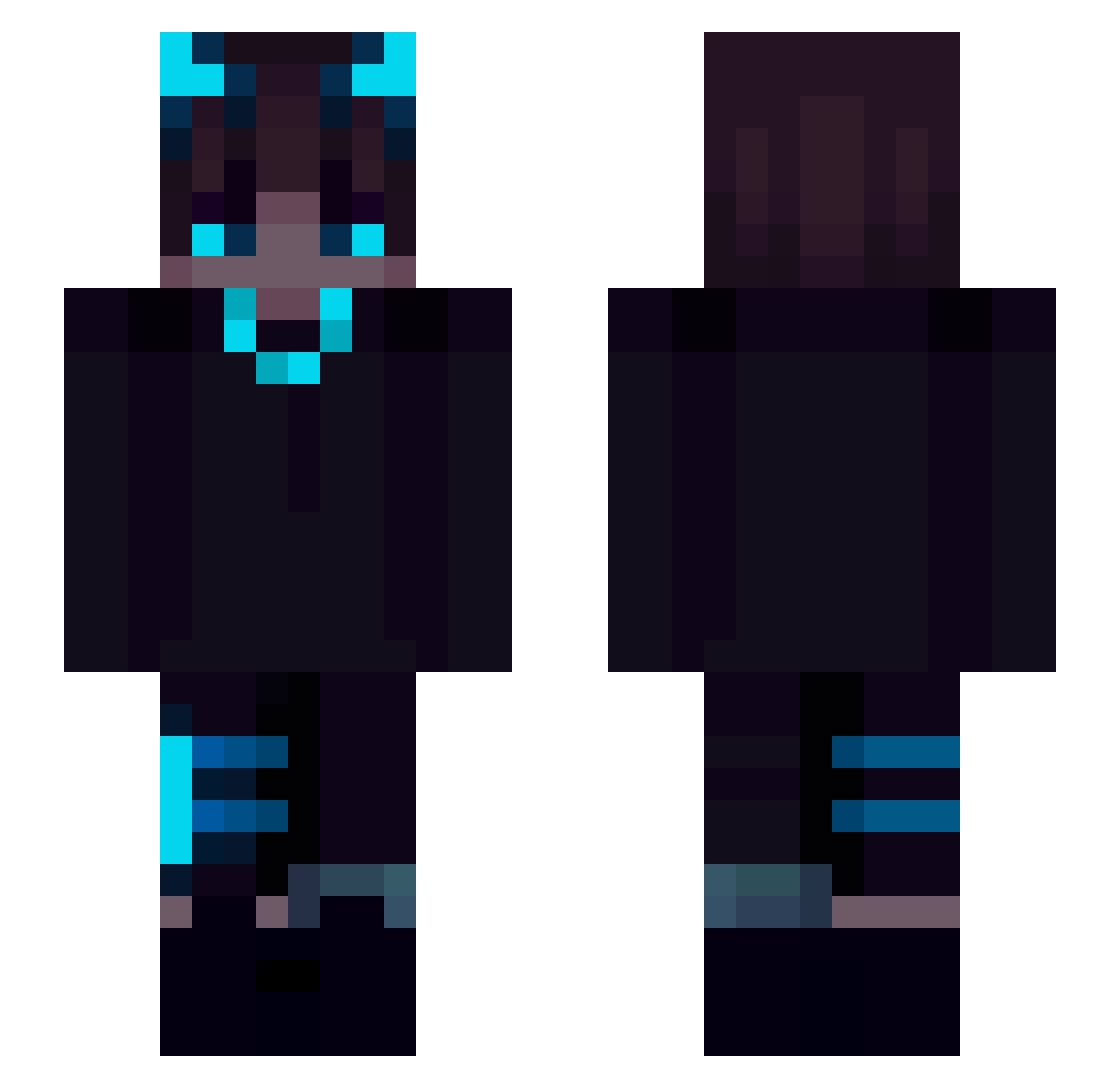
Current Minecraft skin of the player Husoo, loaded from the official Mojang API. Rotate the 3D model with your mouse or finger, then download the skin as a PNG file and use it in Minecraft: Bedrock Edition or Java Edition for free. When Husoo changes their skin, this page updates automatically and the old skin stays in the history below.
Other players with this skin (168)
Husoo was the 134th player we have seen with this skin, first spotted on 05.10.2026. The same skin was seen on these players. Open a nickname to see their current skin and skin history.
 xmega_player wefewf Tblaze2025 Tobias47 EmilioDiFalco Ka1le Reazzonz Rcoh7s jgjusach gixx14 Mxrchelly Kruglik MrPops201 9amole Zenty DragonLunatic dark_ice_lord Kymooose bookofchaos nightshift23 ethanethan890 ithrowf7 XoX_Aldair_XoX FlovoDF Extompis Laargee GalaxyYT2Z Raphinox Ehly209 QuatroVision murkysoup xAlpxo_ YamatoSeinEnkel GHOULXMOOMA84888 Psycopat_ Slowzy_1 NigelOuO ForceFreak Stageint Dem0n6666 gangmeow dragontamer404 Creep3r098 fKLunara AverageGamer122 Txxhx Mirior935 Z0KS Hadesszz madpeak satuimo HamdulliahGHG _m3mo_ SiriusAkuma fdnsjda BlockBuster24989 resonnance 7Nosky AleksaProto_YT SnowySamford
More Glowing Eyes Minecraft skins
See all 2332 Glowing Eyes skins
How to install the Husoo skin
- Press the Download button above to save the skin as a PNG file.
- Minecraft: Bedrock Edition (PE): open the Dressing Room from the main menu (or tap your character → Edit Character), go to Classic Skins → Owned, press the + (new skin) button, choose the downloaded PNG and pick the Slim (Alex) model. Works on PC and mobile; consoles cannot import custom skins.
- Minecraft: Java Edition: open the Minecraft Launcher, go to the Skins tab, click New Skin, load the PNG, pick the Slim (Alex) model and press Save & Use. You can also upload it at minecraft.net → Profile → Change Skin.
The skin does not show up after import - what should I do?
Restart Minecraft and open the Dressing Room again - imported skins sometimes appear only after a restart. Also make sure you selected the imported skin and picked the Slim (Alex) model.
Which model should I choose, Classic or Slim?
This skin is designed for the Slim (Alex) model. If you pick the wrong model, the arms of the skin will look stretched or squeezed.
Is the skin of Husoo free to download?
Yes. Press Download, save the PNG file and use it in Minecraft: Bedrock Edition or Java Edition - no payment or registration needed. The skin also works on multiplayer servers and Realms.
More skins
Looking for more? Go back to all Minecraft skins and check the top skins of the week, month and all time, or find any player's skin by nickname.