
HuskyBell2810 - Minecraft Skins & Skin History
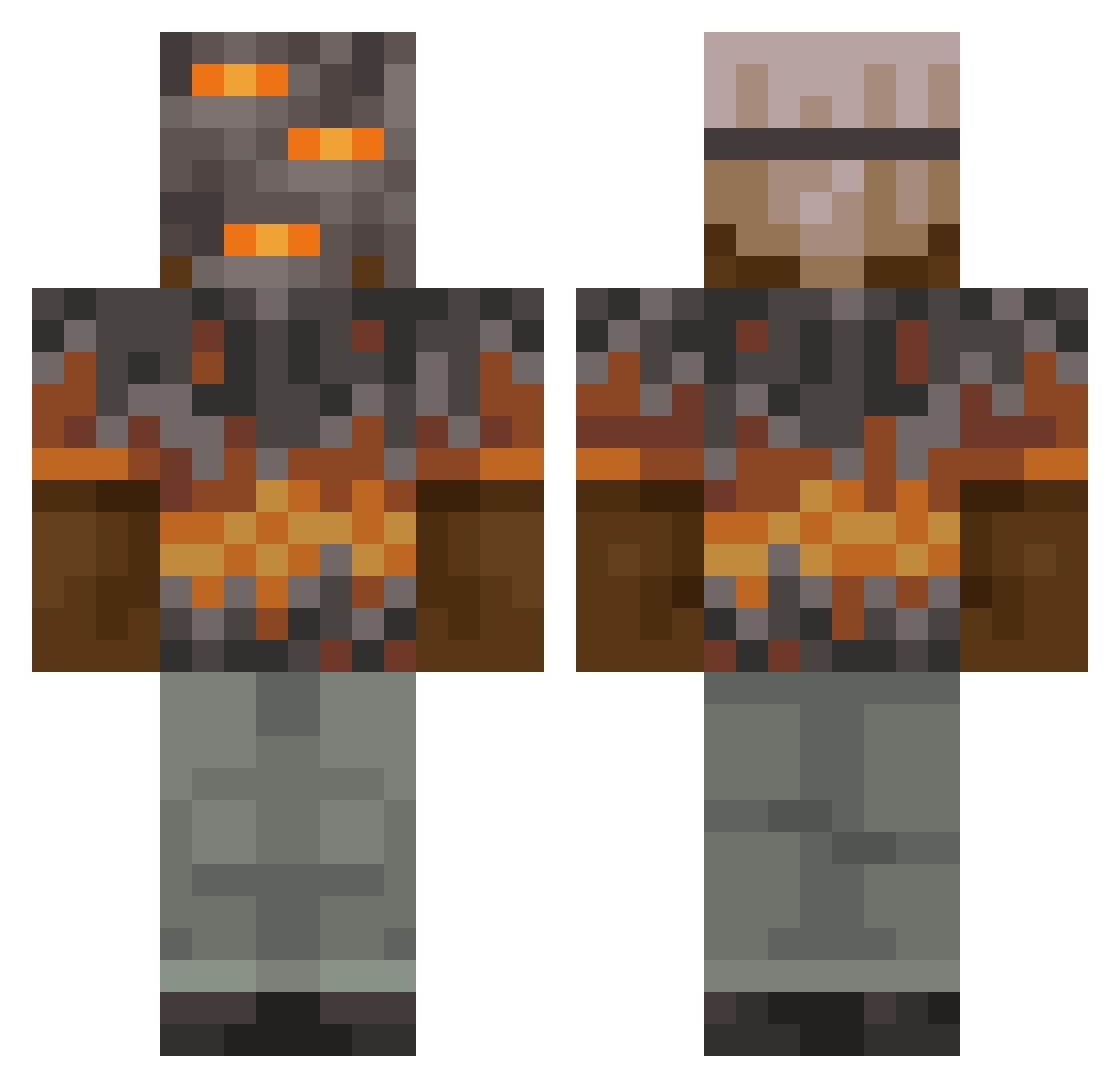
Current Minecraft skin of the player HuskyBell2810, loaded from the official Mojang API. Rotate the 3D model with your mouse or finger, then download the skin as a PNG file and use it in Minecraft: Bedrock Edition or Java Edition for free. When HuskyBell2810 changes their skin, this page updates automatically and the old skin stays in the history below.
Other players with this skin (1033)
HuskyBell2810 was the 551st player we have seen with this skin, first spotted on 24.09.2026. The same skin was seen on these players. Open a nickname to see their current skin and skin history.
 Dainelsss SHATTENKRIGER lwsonspotify SweetBrownie013 LinhGlowf53UwU yeetboy506 jackthegoat14 RojangX JORDAN321498 Tribez03 mirindos11 mooooooogen GustavVA20 nRelentless MORENODEORO lolong08 chowy04 DefaulT_Fx Bonezard ParksAllen FourPandora2112 pazi18 NameFrost Deathzzzz Shogun0724 BadKarmaz DaBigCheeze forcerx14 Jotpe92 Keyboard_Smash5 pRoGrAmMeR1805 WildCraft2000 THE875 Dreadxl SilasLostAccount KRAFTER_01 Centerguns HyperMilan Sv2QIqwBfg12USv2 UNeonXZ JuangabrielM BustinNever FritzFon ErnestRY STANGEI_II ghost81816 slimjickie CacaMan1234569 SBG_Faithful Low82 Migva1 ColdBlooded532 joacon123 ksyzISchefTXMIj _Sven09_ DryGamer1820 BassMaster69420 xVaren05 Hazza7757 wisii
More Rock Minecraft skins
How to install the HuskyBell2810 skin
- Press the Download button above to save the skin as a PNG file.
- Minecraft: Bedrock Edition (PE): open the Dressing Room from the main menu (or tap your character → Edit Character), go to Classic Skins → Owned, press the + (new skin) button, choose the downloaded PNG and pick the Classic (Steve) model. Works on PC and mobile; consoles cannot import custom skins.
- Minecraft: Java Edition: open the Minecraft Launcher, go to the Skins tab, click New Skin, load the PNG, pick the Classic (Steve) model and press Save & Use. You can also upload it at minecraft.net → Profile → Change Skin.
The skin does not show up after import - what should I do?
Restart Minecraft and open the Dressing Room again - imported skins sometimes appear only after a restart. Also make sure you selected the imported skin and picked the Classic (Steve) model.
Which model should I choose, Classic or Slim?
This skin is designed for the Classic (Steve) model. If you pick the wrong model, the arms of the skin will look stretched or squeezed.
Is the skin of HuskyBell2810 free to download?
Yes. Press Download, save the PNG file and use it in Minecraft: Bedrock Edition or Java Edition - no payment or registration needed. The skin also works on multiplayer servers and Realms.
More skins
Looking for more? Go back to all Minecraft skins and check the top skins of the week, month and all time, or find any player's skin by nickname.