
HoopsCityCentral - Minecraft Skins & Skin History
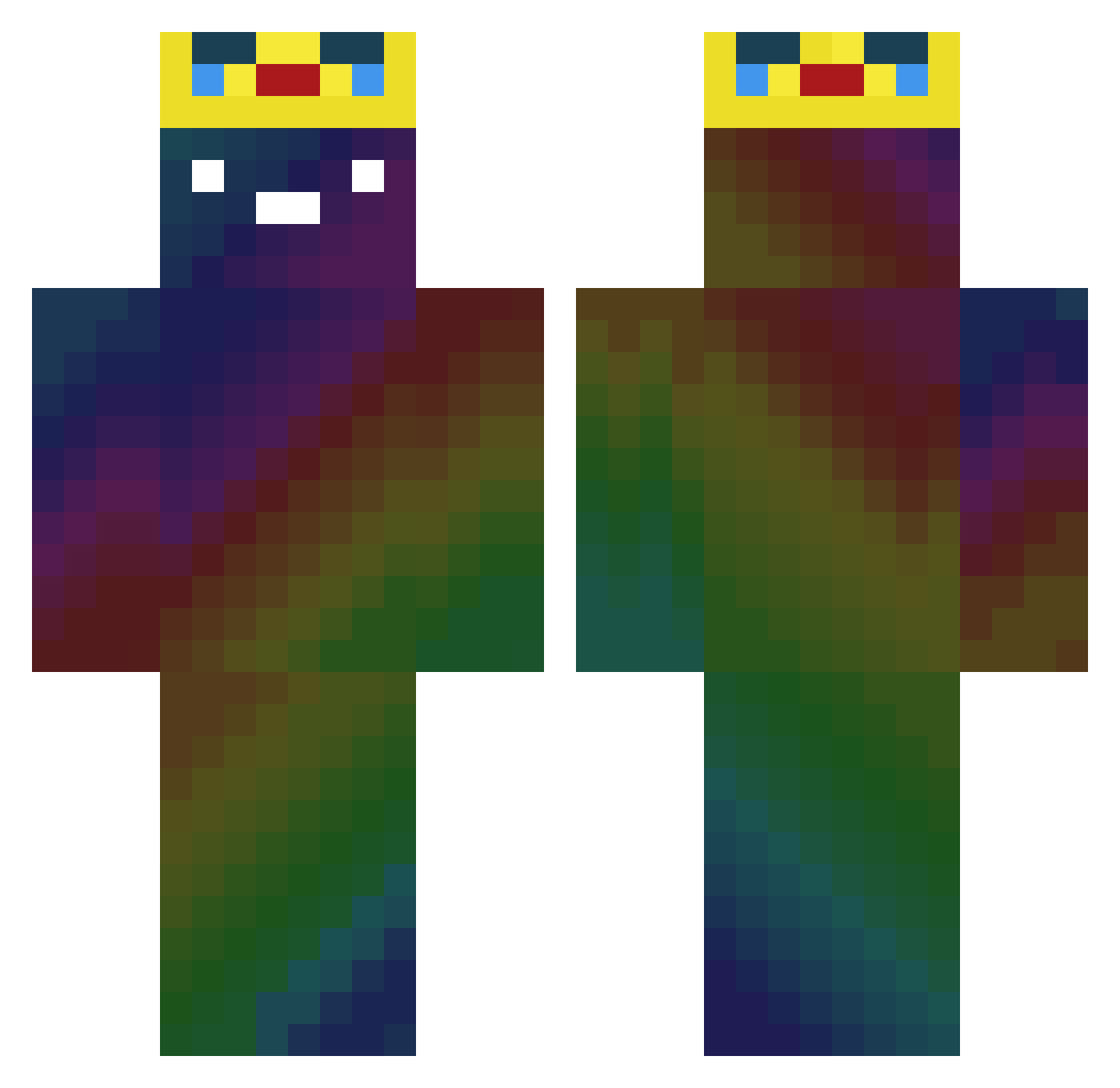
Current Minecraft skin of the player HoopsCityCentral, loaded from the official Mojang API. Rotate the 3D model with your mouse or finger, then download the skin as a PNG file and use it in Minecraft: Bedrock Edition or Java Edition for free. When HoopsCityCentral changes their skin, this page updates automatically and the old skin stays in the history below.
Other players with this skin (354)
HoopsCityCentral was the 55th player we have seen with this skin, first spotted on 14.08.2026. The same skin was seen on these players. Open a nickname to see their current skin and skin history.
 Relixx_TV Ponyman360 Gjdkzdk DireitoPenal uma_helmet Kai8823 StarInAJar23 KML1221 Stahlaxt XxValadez13xX VillageJoke GuAvA888888 Ramowipes fkRjffk12345 Ungbi GPX_555 technicalfishy Maxemas3 KORmw08 Dripyy OQUITA MiiTCHYx BeanBoi2005 me7347 MuJiu00100 end2538 GoldDrake04 WAWUBR SwadekXPOMPA seojin89 dev_latte Sup_Re_Me thanhkuco147 ard4_mng Bigeyes99 EzEasyy10 biven_ H3llfix Zincik Maxendary1 ToXen_ mideals Matikjusz FATE_tommykwan Yeoljin Eric2202 Kaempfer_Moeve Gold_Mandarin ParkTaeHoon creeper_Luci galchi_ MightyKiller589 JONG1114 iMigor_ Spud0o0 You_stinkLol_cap mAk3nzI0 SarunasLion TripJH_ Jshyun_
More Galaxy Minecraft skins
How to install the HoopsCityCentral skin
- Press the Download button above to save the skin as a PNG file.
- Minecraft: Bedrock Edition (PE): open the Dressing Room from the main menu (or tap your character → Edit Character), go to Classic Skins → Owned, press the + (new skin) button, choose the downloaded PNG and pick the Classic (Steve) model. Works on PC and mobile; consoles cannot import custom skins.
- Minecraft: Java Edition: open the Minecraft Launcher, go to the Skins tab, click New Skin, load the PNG, pick the Classic (Steve) model and press Save & Use. You can also upload it at minecraft.net → Profile → Change Skin.
The skin does not show up after import - what should I do?
Restart Minecraft and open the Dressing Room again - imported skins sometimes appear only after a restart. Also make sure you selected the imported skin and picked the Classic (Steve) model.
Which model should I choose, Classic or Slim?
This skin is designed for the Classic (Steve) model. If you pick the wrong model, the arms of the skin will look stretched or squeezed.
Is the skin of HoopsCityCentral free to download?
Yes. Press Download, save the PNG file and use it in Minecraft: Bedrock Edition or Java Edition - no payment or registration needed. The skin also works on multiplayer servers and Realms.
More skins
Looking for more? Go back to all Minecraft skins and check the top skins of the week, month and all time, or find any player's skin by nickname.