
Heart1117 - Minecraft Skins & Skin History
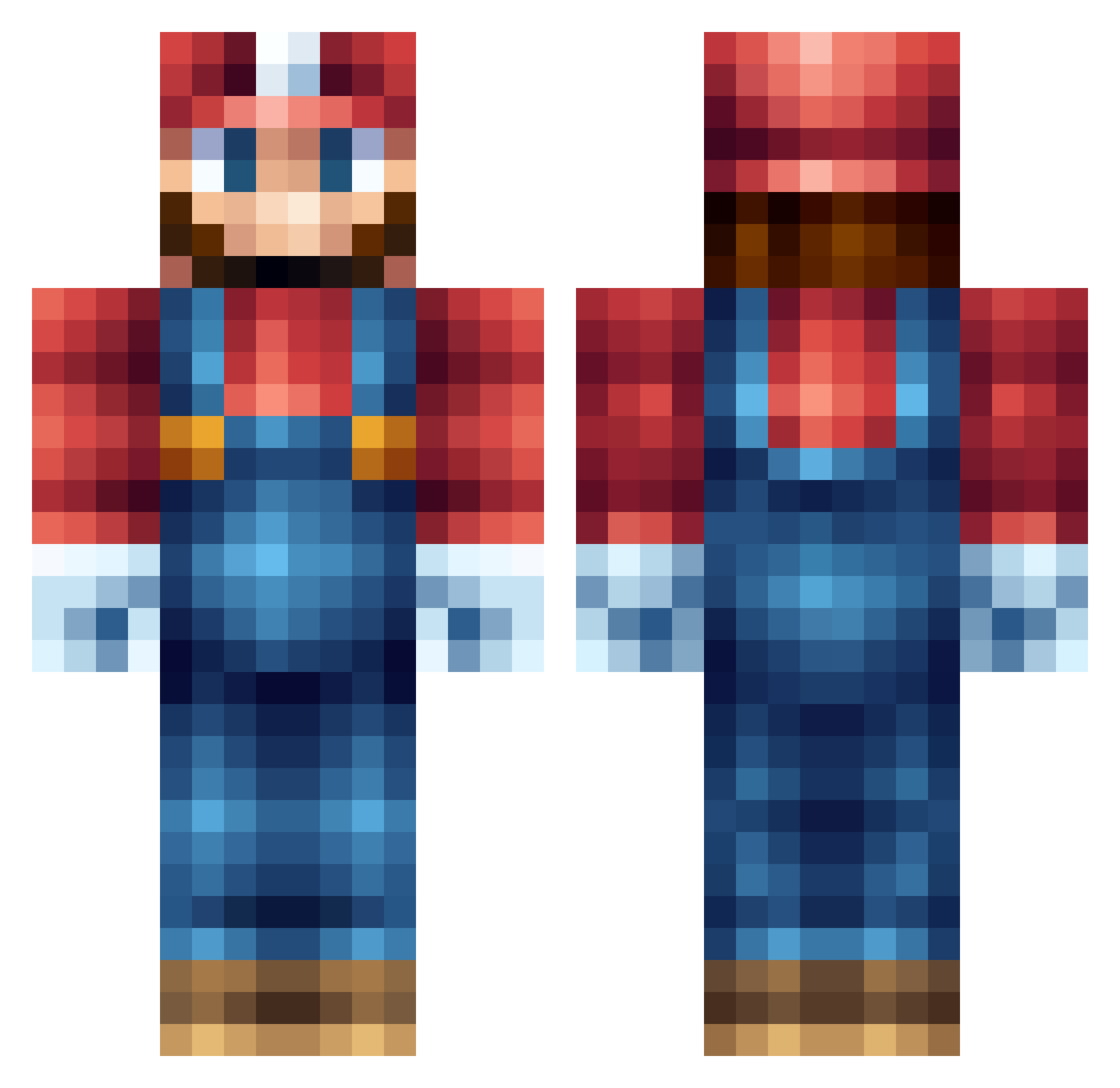
Current Minecraft skin of the player Heart1117, loaded from the official Mojang API. Rotate the 3D model with your mouse or finger, then download the skin as a PNG file and use it in Minecraft: Bedrock Edition or Java Edition for free. When Heart1117 changes their skin, this page updates automatically and the old skin stays in the history below.
Other players with this skin (235)
Heart1117 was the 127th player we have seen with this skin, first spotted on 27.09.2026. The same skin was seen on these players. Open a nickname to see their current skin and skin history.
 jonasbl JokerMolu TTDKun yyzl_ H4SS4NKA bullet_kake benk1144 Crack_Koolaid sneakyfishh mrmaxen06 Cubenator jagupp yumipo4126 hoemoetikdawete Awesomeleek BernyBurny MrMalekMan alter_harry Coliwogg gingerpuff26 Merran05 Guitardude0079 arshgaziana xSchlitzohr MMHKF jensen0722 geniousz Tappsters GuusTheGoose ADORAxxx Tonje0008 Kalitas66 Simpanssi_123 YMZSNX jayyao Enma___Ai SuperBros05 namek7777 rita8920 Tuvis1234 asleepme NEEG0 pinkvillager Maxpowerdu27 CletusTheFetus6 muzzie2006 LeviR7 EndGamer0912 YuQHui HardHunk FANHL MrCrobe chillbrc Abs0lem_ Wolfy451 Loftz MeinHerzBrennt01 BaBo_HoDu BaconDude22 mata778
More Nintendo Minecraft skins
How to install the Heart1117 skin
- Press the Download button above to save the skin as a PNG file.
- Minecraft: Bedrock Edition (PE): open the Dressing Room from the main menu (or tap your character → Edit Character), go to Classic Skins → Owned, press the + (new skin) button, choose the downloaded PNG and pick the Classic (Steve) model. Works on PC and mobile; consoles cannot import custom skins.
- Minecraft: Java Edition: open the Minecraft Launcher, go to the Skins tab, click New Skin, load the PNG, pick the Classic (Steve) model and press Save & Use. You can also upload it at minecraft.net → Profile → Change Skin.
The skin does not show up after import - what should I do?
Restart Minecraft and open the Dressing Room again - imported skins sometimes appear only after a restart. Also make sure you selected the imported skin and picked the Classic (Steve) model.
Which model should I choose, Classic or Slim?
This skin is designed for the Classic (Steve) model. If you pick the wrong model, the arms of the skin will look stretched or squeezed.
Is the skin of Heart1117 free to download?
Yes. Press Download, save the PNG file and use it in Minecraft: Bedrock Edition or Java Edition - no payment or registration needed. The skin also works on multiplayer servers and Realms.
More skins
Looking for more? Go back to all Minecraft skins and check the top skins of the week, month and all time, or find any player's skin by nickname.