
HappyChicken2988 - Minecraft Skins & Skin History
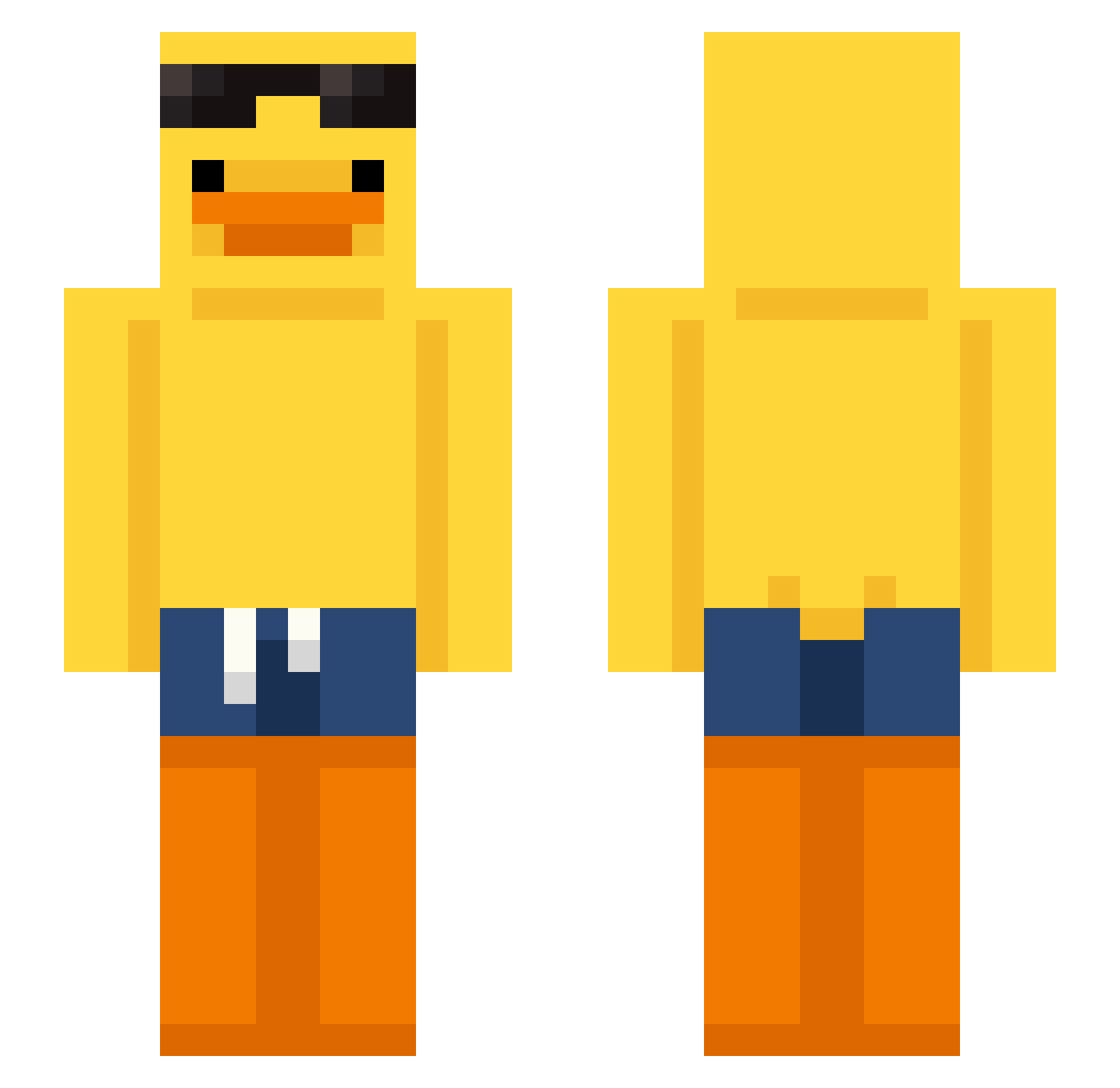
Current Minecraft skin of the player HappyChicken2988, loaded from the official Mojang API. Rotate the 3D model with your mouse or finger, then download the skin as a PNG file and use it in Minecraft: Bedrock Edition or Java Edition for free. When HappyChicken2988 changes their skin, this page updates automatically and the old skin stays in the history below.
Other players with this skin (166)
HappyChicken2988 was the 155th player we have seen with this skin, first spotted on 22.10.2026. The same skin was seen on these players. Open a nickname to see their current skin and skin history.
 patatina_fritta p_ite Diamond_Pig_4444 Hambr1ck El_Pinguelon GANGMEMBERGBK naud3a ynitv Davey692 Dip233 krzyxiu Rainer1145 QQL123 darkbringer8998 YugalTheBest _MystVoid Tavizaur Noeleng JawsBalls706 Haydenray123 VitorSales yuchan082914 MNSVIPEXX Z0RbY heli_coptere SweetSomalis Excelsior59 ArtyomCheeky ClickBoomDie migel32 mochilog Kangawoooo Nikks_Gon FNLFISH Jakubeusz883 ECID_ECID StrangeRobot404 pHzYT Kevisapig TheFerrari812 hyeon7717 PlutoKiddo Not_Atlas xeziii qmangee jongsan9725 Simpans Rhino1080 GODSONGUN szele777 Dropix007 JESUShk M3SK0S bakusito0_ pms8242 TatakaiBunny m4ttg4m1ng sweetrolllllllll thxsmch thememegod44
More Duck Minecraft skins
How to install the HappyChicken2988 skin
- Press the Download button above to save the skin as a PNG file.
- Minecraft: Bedrock Edition (PE): open the Dressing Room from the main menu (or tap your character → Edit Character), go to Classic Skins → Owned, press the + (new skin) button, choose the downloaded PNG and pick the Slim (Alex) model. Works on PC and mobile; consoles cannot import custom skins.
- Minecraft: Java Edition: open the Minecraft Launcher, go to the Skins tab, click New Skin, load the PNG, pick the Slim (Alex) model and press Save & Use. You can also upload it at minecraft.net → Profile → Change Skin.
The skin does not show up after import - what should I do?
Restart Minecraft and open the Dressing Room again - imported skins sometimes appear only after a restart. Also make sure you selected the imported skin and picked the Slim (Alex) model.
Which model should I choose, Classic or Slim?
This skin is designed for the Slim (Alex) model. If you pick the wrong model, the arms of the skin will look stretched or squeezed.
Is the skin of HappyChicken2988 free to download?
Yes. Press Download, save the PNG file and use it in Minecraft: Bedrock Edition or Java Edition - no payment or registration needed. The skin also works on multiplayer servers and Realms.
More skins
Looking for more? Go back to all Minecraft skins and check the top skins of the week, month and all time, or find any player's skin by nickname.