
HELL_MAN - Minecraft Skins & Skin History
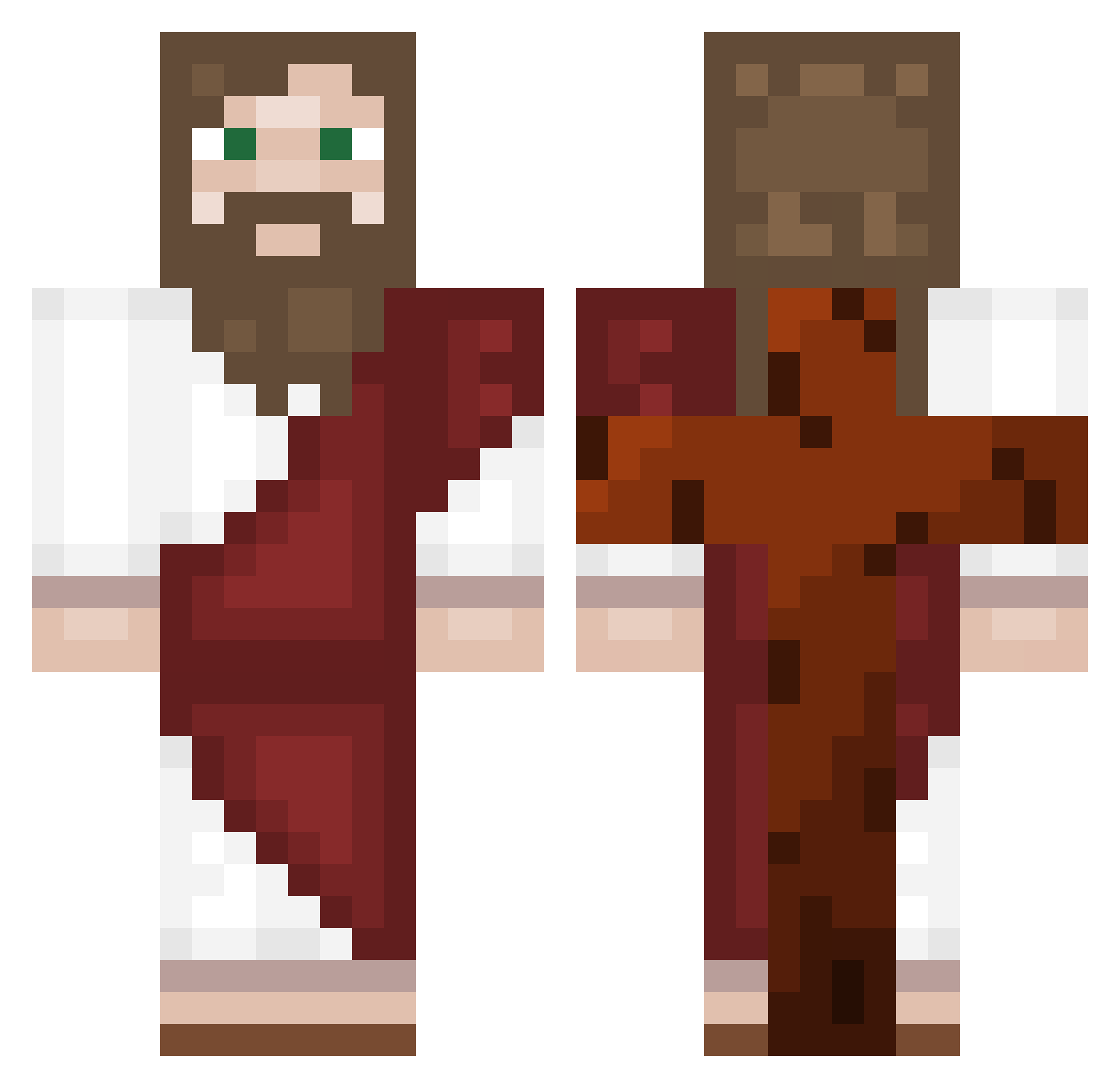
Current Minecraft skin of the player HELL_MAN, loaded from the official Mojang API. Rotate the 3D model with your mouse or finger, then download the skin as a PNG file and use it in Minecraft: Bedrock Edition or Java Edition for free. When HELL_MAN changes their skin, this page updates automatically and the old skin stays in the history below.
Other players with this skin (557)
HELL_MAN was the 37th player we have seen with this skin, first spotted on 01.08.2026. The same skin was seen on these players. Open a nickname to see their current skin and skin history.
 Arczigoo Pookieduck GuiQing233 Selkz flashboy219974 YOTOwinn Shark_009 plorpk LordOfKevin HaboszBabosz2137 oLucasD PercyPower240 Andreees30 Estopheles01 Ghost_Lx Misak108 Fede0511 KauaCarlos22 gimmary_1 DerangedTrash LiLBaoBa0 El_Inquisidor_ RikuKaroshi DIEG9123 CristoIsBack levilukacs jesuschrist111 AUROR3110 cide1234 NOOVAK NatalieWood5748 Remo000 k0spr1o BIT4398 Usby12 TIRABUZONCONFLOW Andromeda3092005 renatuuh Valeto Zeke_Yeagay KadePlayzz
 ArcticJack8
 MAksi_10 linliu666 BobbyTrill69
 tenshixxxxxxxx play_gamer PhantomGh05t koenpai LechugaWizard tevbq robertnanggahi Hydra_Eurospin theestermos
 ikaioss creeperfan1962 stephbecks Fergoli Bozzziii MajesticMiner253
More Biblical Minecraft skins
How to install the HELL_MAN skin
- Press the Download button above to save the skin as a PNG file.
- Minecraft: Bedrock Edition (PE): open the Dressing Room from the main menu (or tap your character → Edit Character), go to Classic Skins → Owned, press the + (new skin) button, choose the downloaded PNG and pick the Classic (Steve) model. Works on PC and mobile; consoles cannot import custom skins.
- Minecraft: Java Edition: open the Minecraft Launcher, go to the Skins tab, click New Skin, load the PNG, pick the Classic (Steve) model and press Save & Use. You can also upload it at minecraft.net → Profile → Change Skin.
The skin does not show up after import - what should I do?
Restart Minecraft and open the Dressing Room again - imported skins sometimes appear only after a restart. Also make sure you selected the imported skin and picked the Classic (Steve) model.
Which model should I choose, Classic or Slim?
This skin is designed for the Classic (Steve) model. If you pick the wrong model, the arms of the skin will look stretched or squeezed.
Is the skin of HELL_MAN free to download?
Yes. Press Download, save the PNG file and use it in Minecraft: Bedrock Edition or Java Edition - no payment or registration needed. The skin also works on multiplayer servers and Realms.
More skins
Looking for more? Go back to all Minecraft skins and check the top skins of the week, month and all time, or find any player's skin by nickname.