
Guyu_ - Minecraft Skins & Skin History
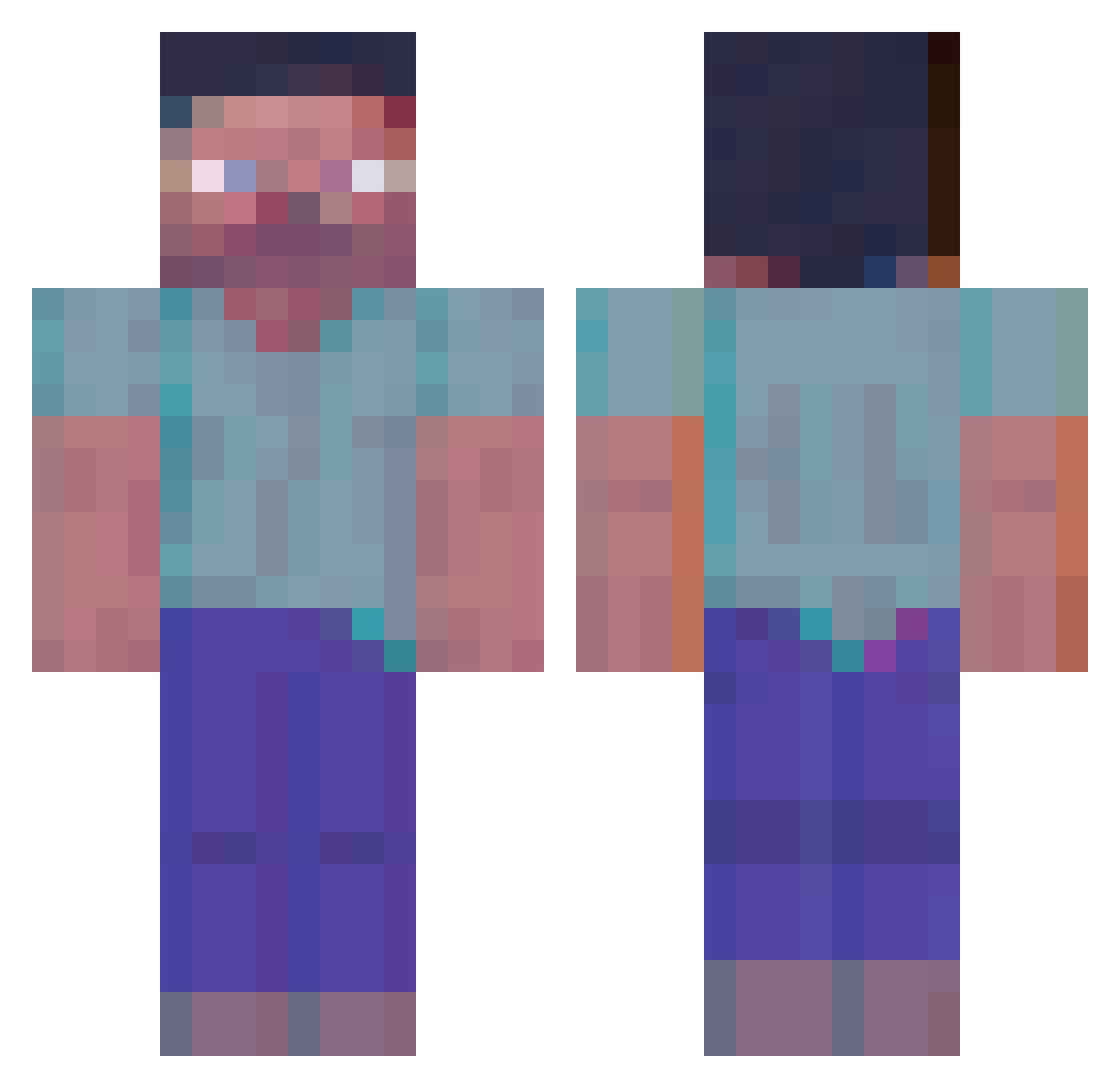
Current Minecraft skin of the player Guyu_, loaded from the official Mojang API. Rotate the 3D model with your mouse or finger, then download the skin as a PNG file and use it in Minecraft: Bedrock Edition or Java Edition for free. When Guyu_ changes their skin, this page updates automatically and the old skin stays in the history below.
Other players with this skin (364)
Guyu_ was the 254th player we have seen with this skin, first spotted on 10.10.2026. The same skin was seen on these players. Open a nickname to see their current skin and skin history.
 HB465 spixy12 SwichzVAPE Edward422 VVIKC _M00NNIGHT MrFishy_yt AndreyJumaisinba Ilishtprot228 Hatexmas Benitoboii AlecDaChip Saucy4322 Lis_kai WorkingFan18123 P0QQ SMOR3 Diaster_ GYZZO Macrodose CurryEMRE fugu_22 Jozeppe Lord_Bo3rek CryLikeSam Kitsune_Yokai Zoomstar43 Dronczek gokillagorilla Carlonguis22 Azrathios Bios01 leeinseok Theox55 DEKAgent HoLloLlolo_ Glashoi Davefeer7 ExtraDig5028202 MirageOk _vnvv_ 5zreal Sh4dowStorm ShimiNeutron hahacream victouneet Person61 peepoShrug SABONETEE Toxicade unison8695 Girijiro Yoshizawa_ jmburn 4ek_Puk_XXL yo__oy_H_uo__ou Moonkeki Sahasrahla9 Direhart AlexeyQ_
More Herobrine Minecraft skins
How to install the Guyu_ skin
- Press the Download button above to save the skin as a PNG file.
- Minecraft: Bedrock Edition (PE): open the Dressing Room from the main menu (or tap your character → Edit Character), go to Classic Skins → Owned, press the + (new skin) button, choose the downloaded PNG and pick the Classic (Steve) model. Works on PC and mobile; consoles cannot import custom skins.
- Minecraft: Java Edition: open the Minecraft Launcher, go to the Skins tab, click New Skin, load the PNG, pick the Classic (Steve) model and press Save & Use. You can also upload it at minecraft.net → Profile → Change Skin.
The skin does not show up after import - what should I do?
Restart Minecraft and open the Dressing Room again - imported skins sometimes appear only after a restart. Also make sure you selected the imported skin and picked the Classic (Steve) model.
Which model should I choose, Classic or Slim?
This skin is designed for the Classic (Steve) model. If you pick the wrong model, the arms of the skin will look stretched or squeezed.
Is the skin of Guyu_ free to download?
Yes. Press Download, save the PNG file and use it in Minecraft: Bedrock Edition or Java Edition - no payment or registration needed. The skin also works on multiplayer servers and Realms.
More skins
Looking for more? Go back to all Minecraft skins and check the top skins of the week, month and all time, or find any player's skin by nickname.