
Grege_GU - Minecraft Skins & Skin History
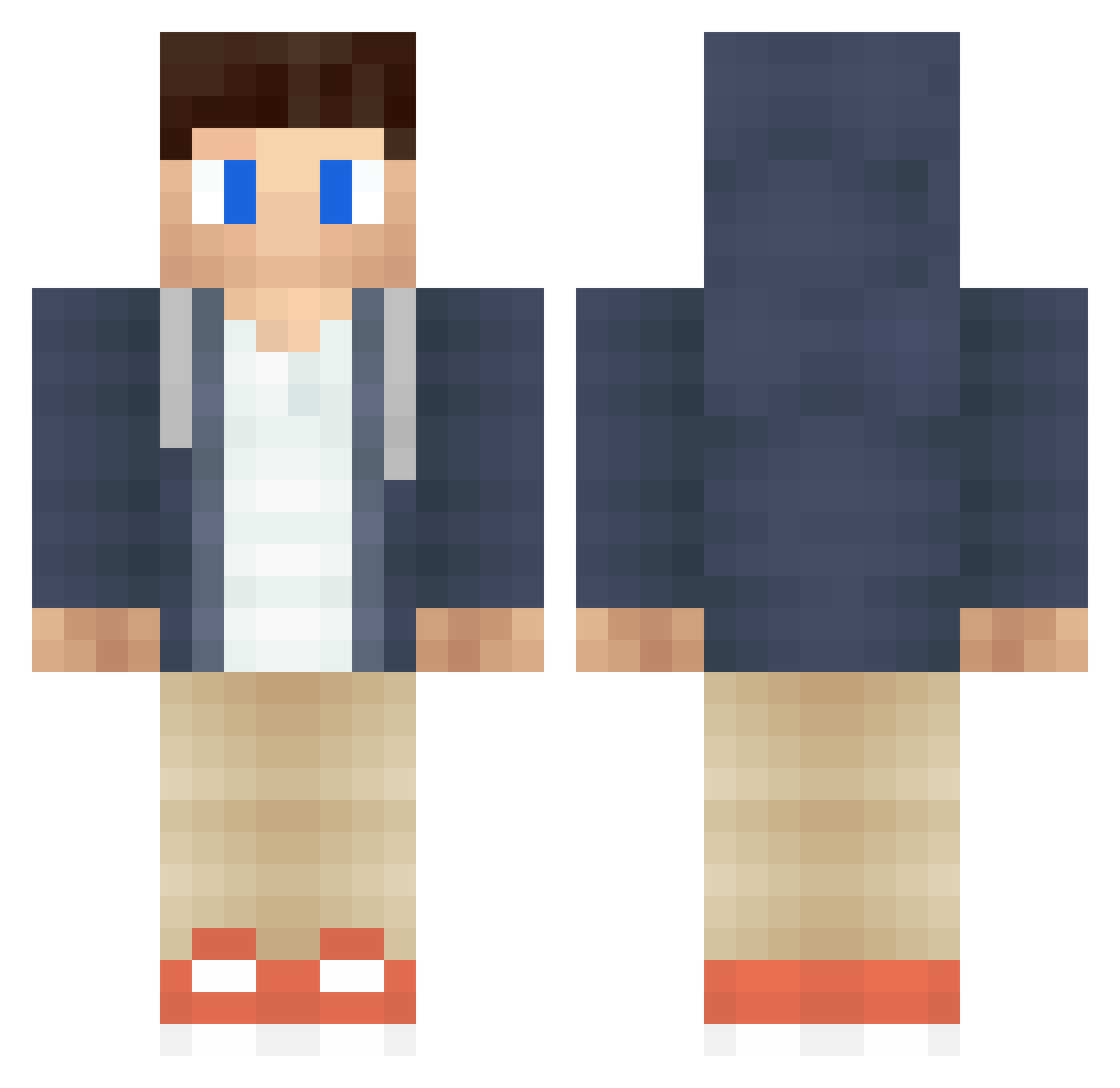
Current Minecraft skin of the player Grege_GU, loaded from the official Mojang API. Rotate the 3D model with your mouse or finger, then download the skin as a PNG file and use it in Minecraft: Bedrock Edition or Java Edition for free. When Grege_GU changes their skin, this page updates automatically and the old skin stays in the history below.
Other players with this skin (150)
Grege_GU was the 107th player we have seen with this skin, first spotted on 01.10.2026. The same skin was seen on these players. Open a nickname to see their current skin and skin history.
 spaenleh MinikBeyaz Pestack SwifteyTrick StevenZhu dennyyou hitsumabushin HONGsansui prijindal TheHollowBryan Hei_miao ShiestyAkin Winbugs RealResa Joepahh Wesley_Star Spike1111 LuckyMinecraft Powerboydk AdamOrigins jebacliwke60 Apple2537881 AshdeuzoFR TheDevine0ne qiyueya MrLonely2801 Norbid8 zinooooooooo BrokenBats SLANESHE mcJokers Edmund233 eloydrummerboy aketa_pop RockinOnCola DemonioxX Tianyu12138 xLuDDe feveack holaworld wassfg Blackbood davidantonius windy_0927 Tom_Rowgan EdwardMLS Quentyn01 JarkusLP Wu_Wei Pepinillosalvaje d4rkd0s Bextr flexy1029 X1_A_ng Akustyk_2137 Cw_ac TRSVIPER ZeYuanX Koolmeyer NotLooney
More Casual Minecraft skins
How to install the Grege_GU skin
- Press the Download button above to save the skin as a PNG file.
- Minecraft: Bedrock Edition (PE): open the Dressing Room from the main menu (or tap your character → Edit Character), go to Classic Skins → Owned, press the + (new skin) button, choose the downloaded PNG and pick the Classic (Steve) model. Works on PC and mobile; consoles cannot import custom skins.
- Minecraft: Java Edition: open the Minecraft Launcher, go to the Skins tab, click New Skin, load the PNG, pick the Classic (Steve) model and press Save & Use. You can also upload it at minecraft.net → Profile → Change Skin.
The skin does not show up after import - what should I do?
Restart Minecraft and open the Dressing Room again - imported skins sometimes appear only after a restart. Also make sure you selected the imported skin and picked the Classic (Steve) model.
Which model should I choose, Classic or Slim?
This skin is designed for the Classic (Steve) model. If you pick the wrong model, the arms of the skin will look stretched or squeezed.
Is the skin of Grege_GU free to download?
Yes. Press Download, save the PNG file and use it in Minecraft: Bedrock Edition or Java Edition - no payment or registration needed. The skin also works on multiplayer servers and Realms.
More skins
Looking for more? Go back to all Minecraft skins and check the top skins of the week, month and all time, or find any player's skin by nickname.