
 Einfaxhes_David ___carter___ Hamada11qw ArchiGarchi itsnotandyy HengSheng Andreidoo97 miko0329 Shaggy2929 SHARK_HEAD_ jojo_qiao Rarasek___ Jim_Beam Mr_Jager_ bromista_asesor3 kowalski1132 raw27 Minalex_YT Outdraw Qzocai Tom0924 Ricky_18 teunisgeurtsen TPasha ju98 plantunes yanzhiyouli Thomas160803 SrTheMarkZ YunZHuo Carlosvagyok Bubbathegreat202 THOMAS_INCH Saw16 _Selfmade_ lil187maroc TargetOverdrives DMNKBKR FadeXP xiaopi6585 Horizon7326 iAmProgramr DavidGTx Hae_Bap syh__ ASD1900 smithcott Maarten47 Koolmeyer ZeYuanX TRSVIPER Cw_ac Akustyk_2137 X1_A_ng Bextr d4rkd0s Pepinillosalvaje JarkusLP EdwardMLS Tom_Rowgan
Minecraft skin of andresLPC. Rotate the 3D model with your mouse or finger to view the skin from every angle, then download it as a PNG file and use it in Minecraft: Bedrock Edition or Java Edition for free. Rate the skin with stars to help other players find the best skins in our collection.
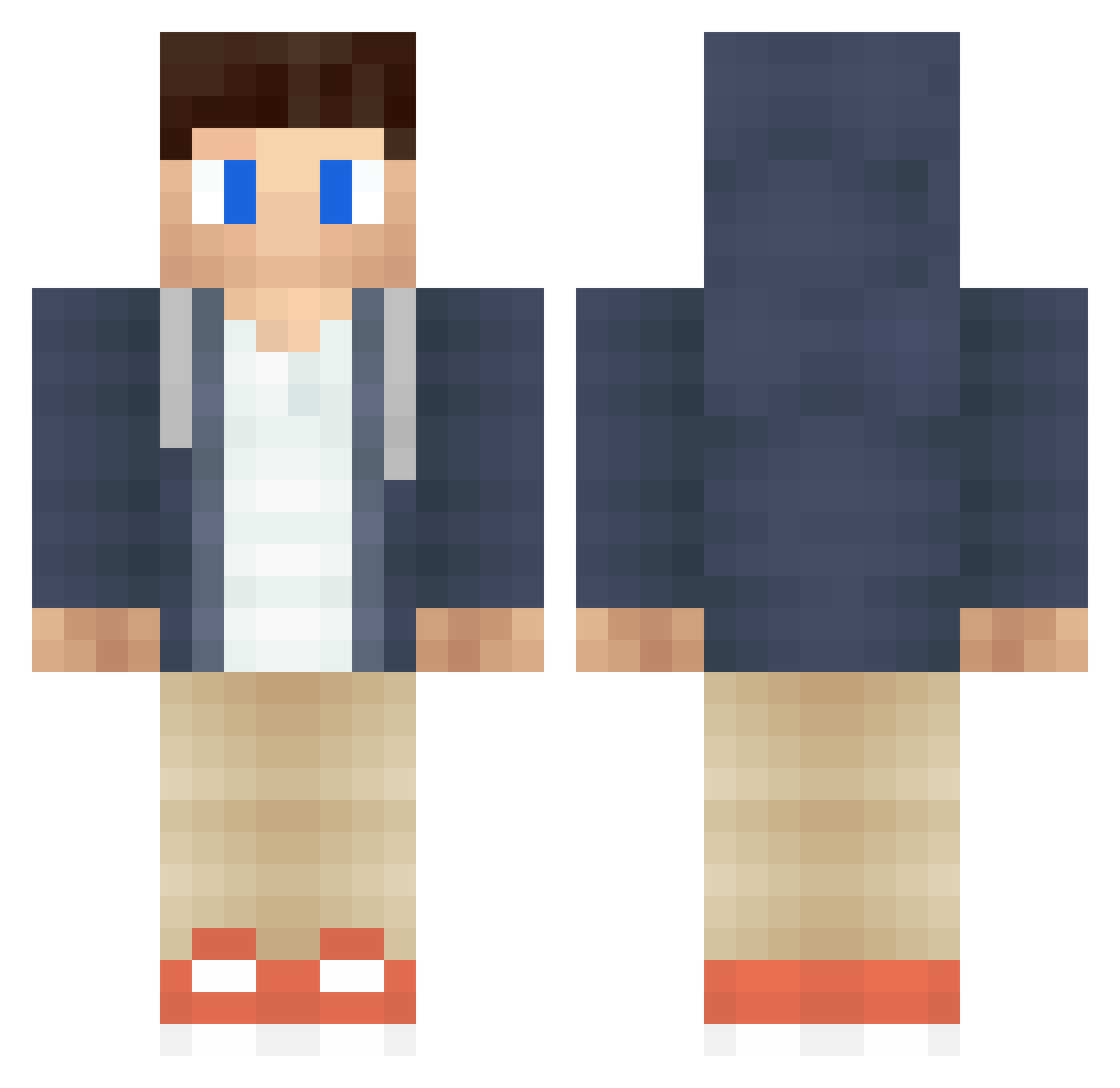
How to install the andresLPC skin
- Press the Download button above to save the skin as a PNG file.
- Minecraft: Bedrock Edition (PE): open the Dressing Room from the main menu (or tap your character → Edit Character), go to Classic Skins → Owned, press the + (new skin) button, choose the downloaded PNG and pick the Classic (Steve) model. Works on PC and mobile; consoles cannot import custom skins.
- Minecraft: Java Edition: open the Minecraft Launcher, go to the Skins tab, click New Skin, load the PNG, pick the Classic (Steve) model and press Save & Use. You can also upload it at minecraft.net → Profile → Change Skin.
The skin does not show up after import - what should I do?
Restart Minecraft and open the Dressing Room again - imported skins sometimes appear only after a restart. Also make sure you selected the imported skin and picked the Classic (Steve) model.
Which model should I choose, Classic or Slim?
This skin is designed for the Classic (Steve) model. If you pick the wrong model, the arms of the skin will look stretched or squeezed.
Is this skin free to use?
Yes. Press Download, save the PNG file and use it in Minecraft: Bedrock Edition or Java Edition - no payment or registration needed. The skin also works on multiplayer servers and Realms.
More Casual Minecraft skins
More skins
Looking for more? Go back to all Minecraft skins and check the top skins of the week, month and all time, or find any player's skin by nickname.