
GitL - Minecraft Skins & Skin History
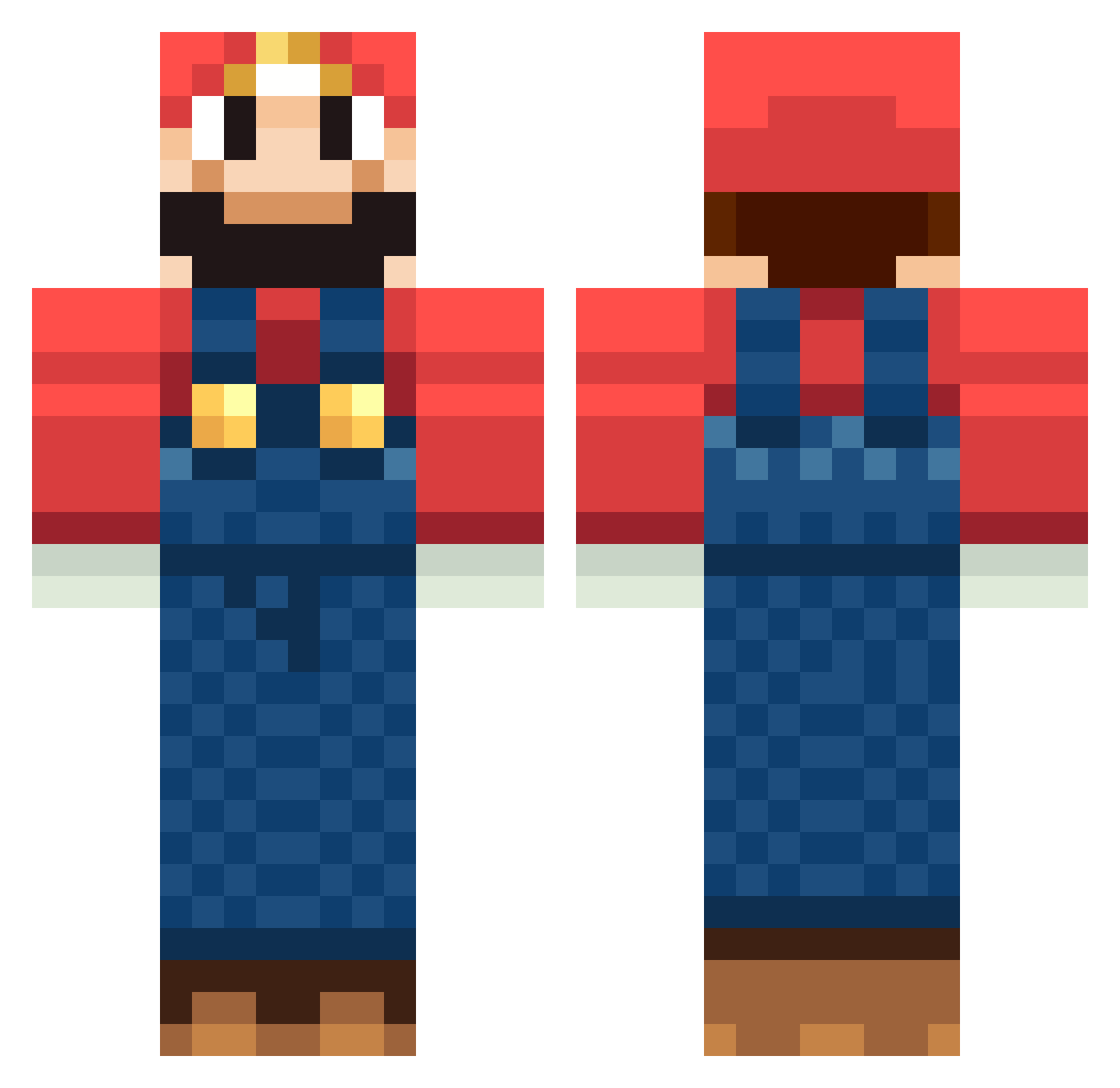
Current Minecraft skin of the player GitL, loaded from the official Mojang API. Rotate the 3D model with your mouse or finger, then download the skin as a PNG file and use it in Minecraft: Bedrock Edition or Java Edition for free. When GitL changes their skin, this page updates automatically and the old skin stays in the history below.
Other players with this skin (1266)
GitL was the 782nd player we have seen with this skin, first spotted on 01.10.2026. The same skin was seen on these players. Open a nickname to see their current skin and skin history.
 SE4WEED red1sr LiuJin karaage12 fotbollen777 MattyMagma sjef87 leonardo100th PenguinJrII KK_1973 MLE1997 BillyMaysHere43 NEFELUM Tsthuuu tafflan12312 shin_ichi80 Atomtee Leonoraostrup UnstopableMario TommyGunsz11 ZELLITO NathanTrooper ChristyM555 dannym1 Cyanidejunkie Zeoafpwn soopermario01 rockdogpro terByrienas Rizoo johnolve xYevon bogartxxx Verdammt89 Skits05 Florin92 jackniccol Lasse407 Zerkoo Elzax UrbanBl HypnosisOut jz41523 Xx_BradderZ_xX osxnop Zelevan matt_4902 rage123910 MrBookie339 oso13 Brady254 nikolajd niek_crafter Grotas TheRugg cebolapop crashpoint1 flipe_es johnboymaloy binkz724
More Mario Minecraft skins
How to install the GitL skin
- Press the Download button above to save the skin as a PNG file.
- Minecraft: Bedrock Edition (PE): open the Dressing Room from the main menu (or tap your character → Edit Character), go to Classic Skins → Owned, press the + (new skin) button, choose the downloaded PNG and pick the Classic (Steve) model. Works on PC and mobile; consoles cannot import custom skins.
- Minecraft: Java Edition: open the Minecraft Launcher, go to the Skins tab, click New Skin, load the PNG, pick the Classic (Steve) model and press Save & Use. You can also upload it at minecraft.net → Profile → Change Skin.
The skin does not show up after import - what should I do?
Restart Minecraft and open the Dressing Room again - imported skins sometimes appear only after a restart. Also make sure you selected the imported skin and picked the Classic (Steve) model.
Which model should I choose, Classic or Slim?
This skin is designed for the Classic (Steve) model. If you pick the wrong model, the arms of the skin will look stretched or squeezed.
Is the skin of GitL free to download?
Yes. Press Download, save the PNG file and use it in Minecraft: Bedrock Edition or Java Edition - no payment or registration needed. The skin also works on multiplayer servers and Realms.
More skins
Looking for more? Go back to all Minecraft skins and check the top skins of the week, month and all time, or find any player's skin by nickname.