
Gilmawr - Minecraft Skins & Skin History
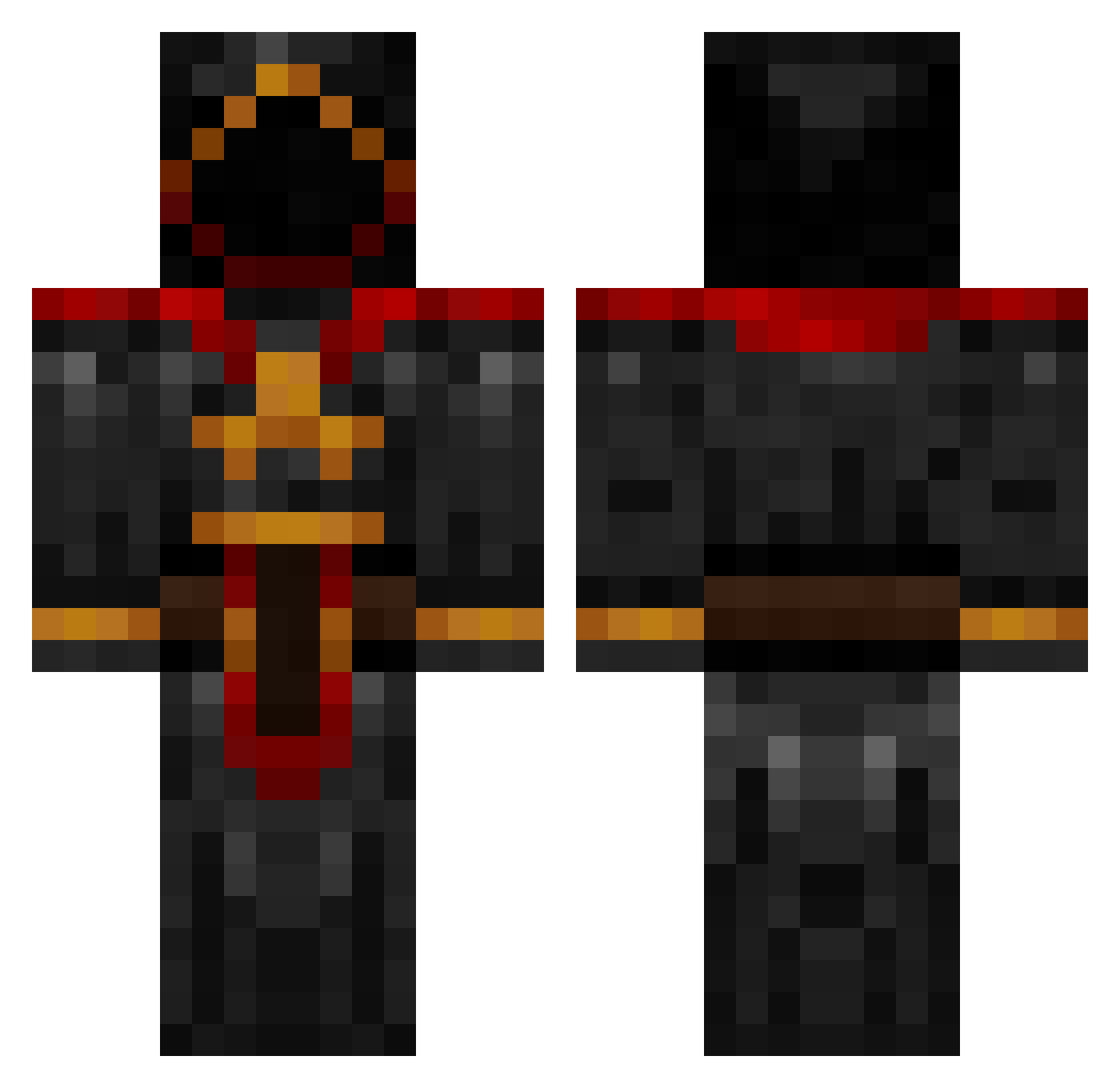
Current Minecraft skin of the player Gilmawr, loaded from the official Mojang API. Rotate the 3D model with your mouse or finger, then download the skin as a PNG file and use it in Minecraft: Bedrock Edition or Java Edition for free. When Gilmawr changes their skin, this page updates automatically and the old skin stays in the history below.
Other players with this skin (884)
Gilmawr was the 769th player we have seen with this skin, first spotted on 21.10.2026. The same skin was seen on these players. Open a nickname to see their current skin and skin history.
 Daedalus93 HaiDerItsDylan krondogg pixelator6893 MarkCS Clewlow1993 Cpt_Cartoffel Guardianz cake_is_a_lie RibiZWEI voiceactionman Mcbiggie iwasneverhere adellie24 Terminator_S TenseBubbles6O wisardmaker Odous7 mitchboy2004 JMWraith13 Brodyne johnhardman2 Excruciation Shici sebinatoren TakeYourMedicine SourceX Steal15 whizr chriscooney _kanmanju Noxon95 CoreSeeker Wizardie Elite_Paradox Myfriendforcedme Black_Out22 GamerNUT vismee Antphoney Mc_Loli FlawFN Lukins789 corey12 CRPFire zachariahcoombes jopieteams ayjking jerseybrownie CakeAlt12 Mike1711 fcschalke05 Pa_Pendragon Stormgiggle assninja69 ruckininja brianbud1231 thriveinchaos 5awky CB232
More Cultist Minecraft skins
How to install the Gilmawr skin
- Press the Download button above to save the skin as a PNG file.
- Minecraft: Bedrock Edition (PE): open the Dressing Room from the main menu (or tap your character → Edit Character), go to Classic Skins → Owned, press the + (new skin) button, choose the downloaded PNG and pick the Classic (Steve) model. Works on PC and mobile; consoles cannot import custom skins.
- Minecraft: Java Edition: open the Minecraft Launcher, go to the Skins tab, click New Skin, load the PNG, pick the Classic (Steve) model and press Save & Use. You can also upload it at minecraft.net → Profile → Change Skin.
The skin does not show up after import - what should I do?
Restart Minecraft and open the Dressing Room again - imported skins sometimes appear only after a restart. Also make sure you selected the imported skin and picked the Classic (Steve) model.
Which model should I choose, Classic or Slim?
This skin is designed for the Classic (Steve) model. If you pick the wrong model, the arms of the skin will look stretched or squeezed.
Is the skin of Gilmawr free to download?
Yes. Press Download, save the PNG file and use it in Minecraft: Bedrock Edition or Java Edition - no payment or registration needed. The skin also works on multiplayer servers and Realms.
More skins
Looking for more? Go back to all Minecraft skins and check the top skins of the week, month and all time, or find any player's skin by nickname.