
Geitenkaas2_0 - Minecraft Skins & Skin History
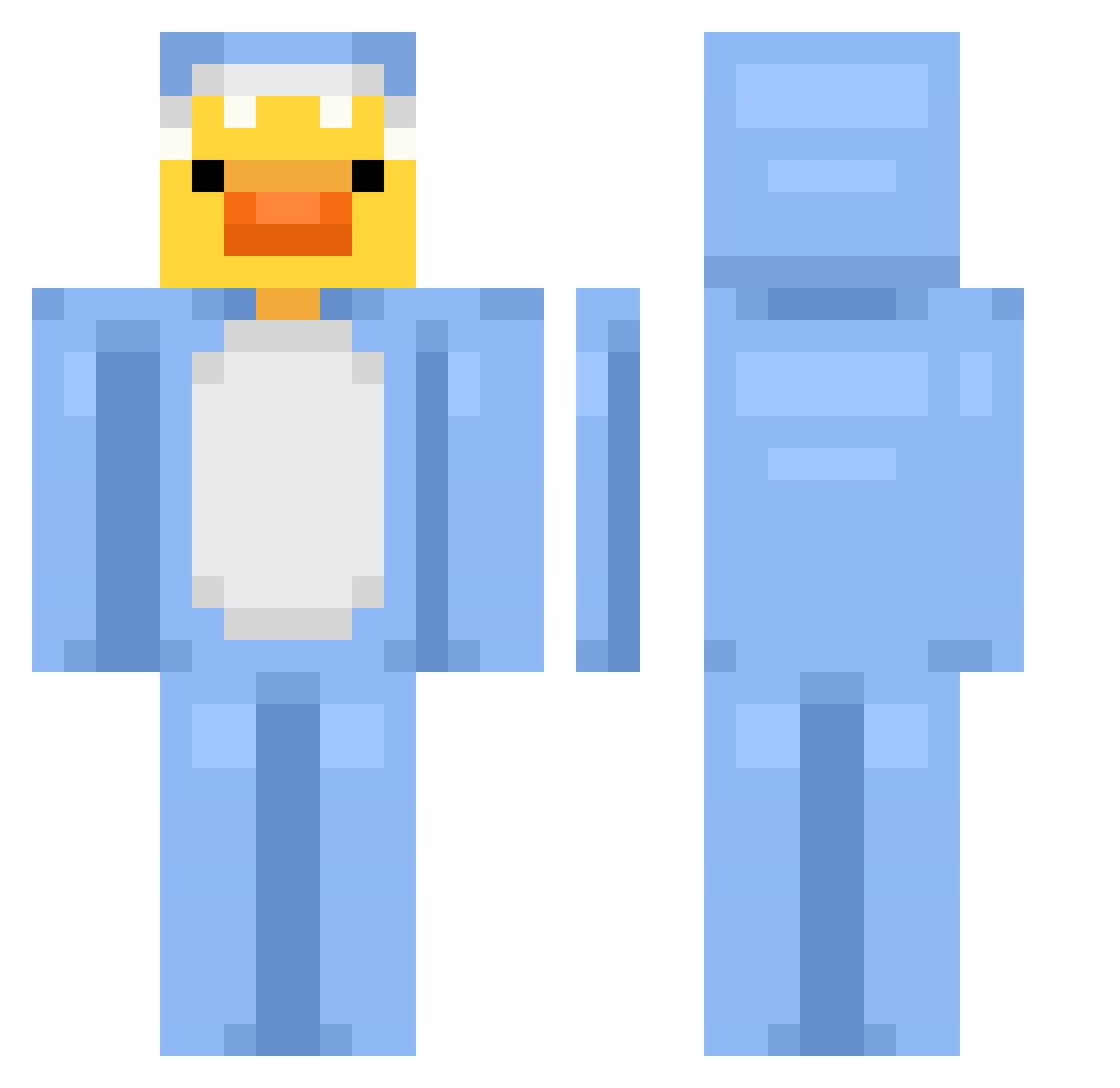
Current Minecraft skin of the player Geitenkaas2_0, loaded from the official Mojang API. Rotate the 3D model with your mouse or finger, then download the skin as a PNG file and use it in Minecraft: Bedrock Edition or Java Edition for free. When Geitenkaas2_0 changes their skin, this page updates automatically and the old skin stays in the history below.
Other players with this skin (820)
Geitenkaas2_0 was the 299th player we have seen with this skin, first spotted on 04.09.2026. The same skin was seen on these players. Open a nickname to see their current skin and skin history.
 ItsLuis1 Shixsui07
 GloomY_903 Porsche_62 Siraxolotll GotTheMilk Kleioo dbf2222 yesang007 Ouatedefoxxx Xtilionn SquidzBop MDvvX Ridvan_Alsancak meeyuu1 mhaawi TTvPurpleHazexe Oneirossss damenBdoell InesOliveira120 Axgst kokosxc45 infestedjello CosmicMoth2000 Armiin999 Zanely gamerlfoss55 Julxxy VersXCV GAMINGOCOOKED itshemingway igorr0854 Erkalla EntENul di_ttoe Alphamon_
 EZEROMESERO FEXzinho captainsuperboy Dwelled3196 Mac_xo Mathildamarie iTinksss _mix08 Nyaah20 HJcore so_0505 02Cleo Jiayinq aqtai LukasGMZ Mooraalees Gabuuuuuuu Umbra816 BUSANEKO777 Askito51 SIVILD Tqxsn alexisgenix Jazzbum
More Onesie Minecraft skins
How to install the Geitenkaas2_0 skin
- Press the Download button above to save the skin as a PNG file.
- Minecraft: Bedrock Edition (PE): open the Dressing Room from the main menu (or tap your character → Edit Character), go to Classic Skins → Owned, press the + (new skin) button, choose the downloaded PNG and pick the Classic (Steve) model. Works on PC and mobile; consoles cannot import custom skins.
- Minecraft: Java Edition: open the Minecraft Launcher, go to the Skins tab, click New Skin, load the PNG, pick the Classic (Steve) model and press Save & Use. You can also upload it at minecraft.net → Profile → Change Skin.
The skin does not show up after import - what should I do?
Restart Minecraft and open the Dressing Room again - imported skins sometimes appear only after a restart. Also make sure you selected the imported skin and picked the Classic (Steve) model.
Which model should I choose, Classic or Slim?
This skin is designed for the Classic (Steve) model. If you pick the wrong model, the arms of the skin will look stretched or squeezed.
Is the skin of Geitenkaas2_0 free to download?
Yes. Press Download, save the PNG file and use it in Minecraft: Bedrock Edition or Java Edition - no payment or registration needed. The skin also works on multiplayer servers and Realms.
More skins
Looking for more? Go back to all Minecraft skins and check the top skins of the week, month and all time, or find any player's skin by nickname.