
Gab1006_ - Minecraft Skins & Skin History
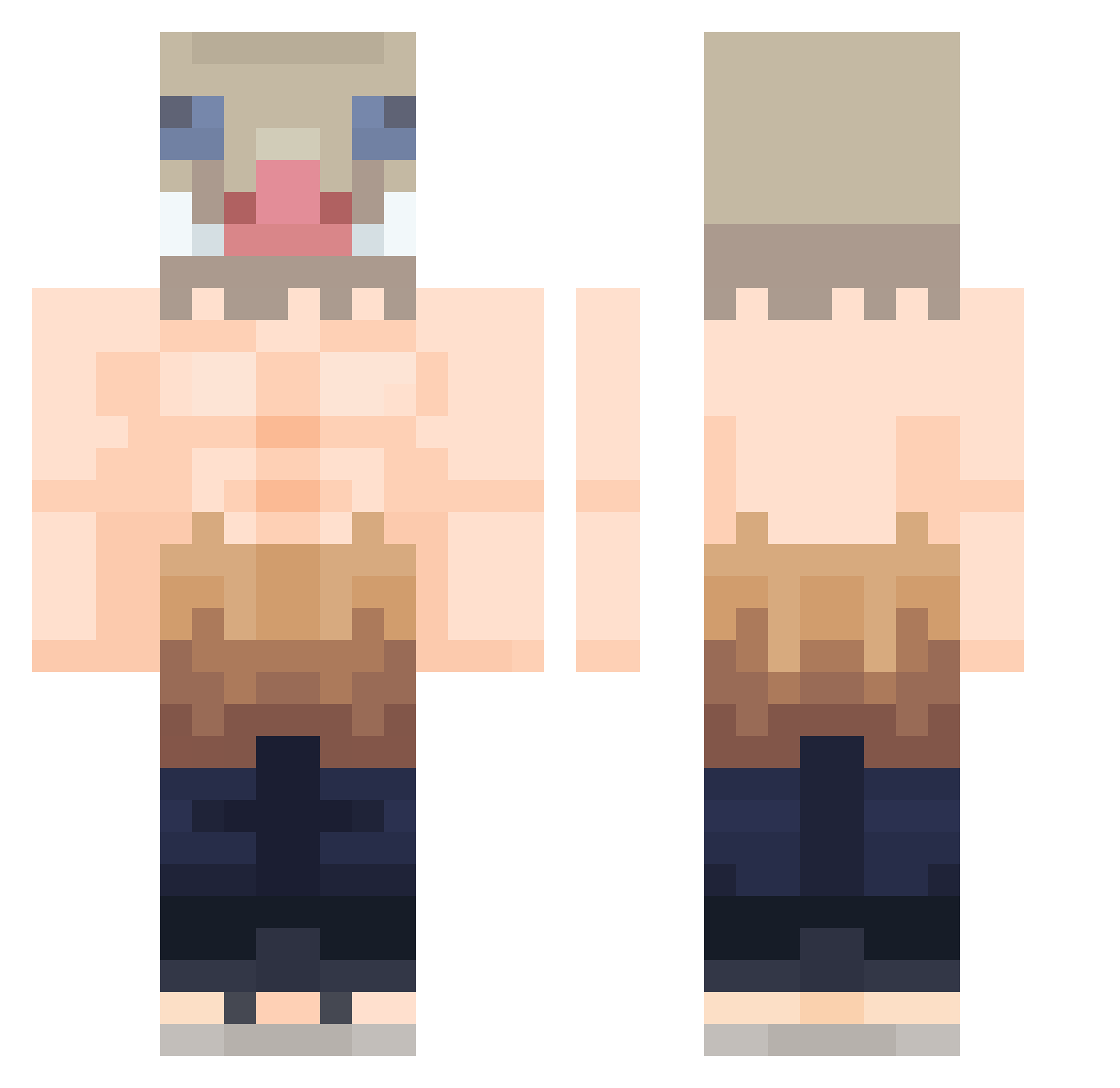
Current Minecraft skin of the player Gab1006_, loaded from the official Mojang API. Rotate the 3D model with your mouse or finger, then download the skin as a PNG file and use it in Minecraft: Bedrock Edition or Java Edition for free. When Gab1006_ changes their skin, this page updates automatically and the old skin stays in the history below.
Other players with this skin (375)
Gab1006_ was the 25th player we have seen with this skin, first spotted on 30.07.2026. The same skin was seen on these players. Open a nickname to see their current skin and skin history.
 BREADMEAN EmilioALV Nerlag20 lilsnorlaxl Lainax21 IonizedOverThere PaidTexx Vocro jinok2245 SlavaKrasava_ CS_MAGE TBKxAF Susote013 SirFlack Chinski_pierog JOEY90210 Inxsuke Anocar TheDarkAngel Schmar33 Ang3lcry XD_PK_XD Denos117 Stelios96 inosukke pmForever10 gamerhun01 SirCalamityCat shunichi0328 DonVitorio chlrkdwlwhs SalvadorDaIi Lansmica Thesamuel07 Just_a_snake UlisesVz AimK0l0r EhYuTen Skollati Oivund Lostcrown
 He3ShOt Cripless Luka_Omg1 wldbss orchaix Chino_2 momomo8279 oh9od caewoon GareebGamer big_monkey2011 Slxya ThreeFingerslll Gimzy16 BuckHammond EdzuEbezoga XpaulowX Pumbalighe oni121
More Boar Mask Minecraft skins
How to install the Gab1006_ skin
- Press the Download button above to save the skin as a PNG file.
- Minecraft: Bedrock Edition (PE): open the Dressing Room from the main menu (or tap your character → Edit Character), go to Classic Skins → Owned, press the + (new skin) button, choose the downloaded PNG and pick the Classic (Steve) model. Works on PC and mobile; consoles cannot import custom skins.
- Minecraft: Java Edition: open the Minecraft Launcher, go to the Skins tab, click New Skin, load the PNG, pick the Classic (Steve) model and press Save & Use. You can also upload it at minecraft.net → Profile → Change Skin.
The skin does not show up after import - what should I do?
Restart Minecraft and open the Dressing Room again - imported skins sometimes appear only after a restart. Also make sure you selected the imported skin and picked the Classic (Steve) model.
Which model should I choose, Classic or Slim?
This skin is designed for the Classic (Steve) model. If you pick the wrong model, the arms of the skin will look stretched or squeezed.
Is the skin of Gab1006_ free to download?
Yes. Press Download, save the PNG file and use it in Minecraft: Bedrock Edition or Java Edition - no payment or registration needed. The skin also works on multiplayer servers and Realms.
More skins
Looking for more? Go back to all Minecraft skins and check the top skins of the week, month and all time, or find any player's skin by nickname.