
GURU_0710 - Minecraft Skins & Skin History
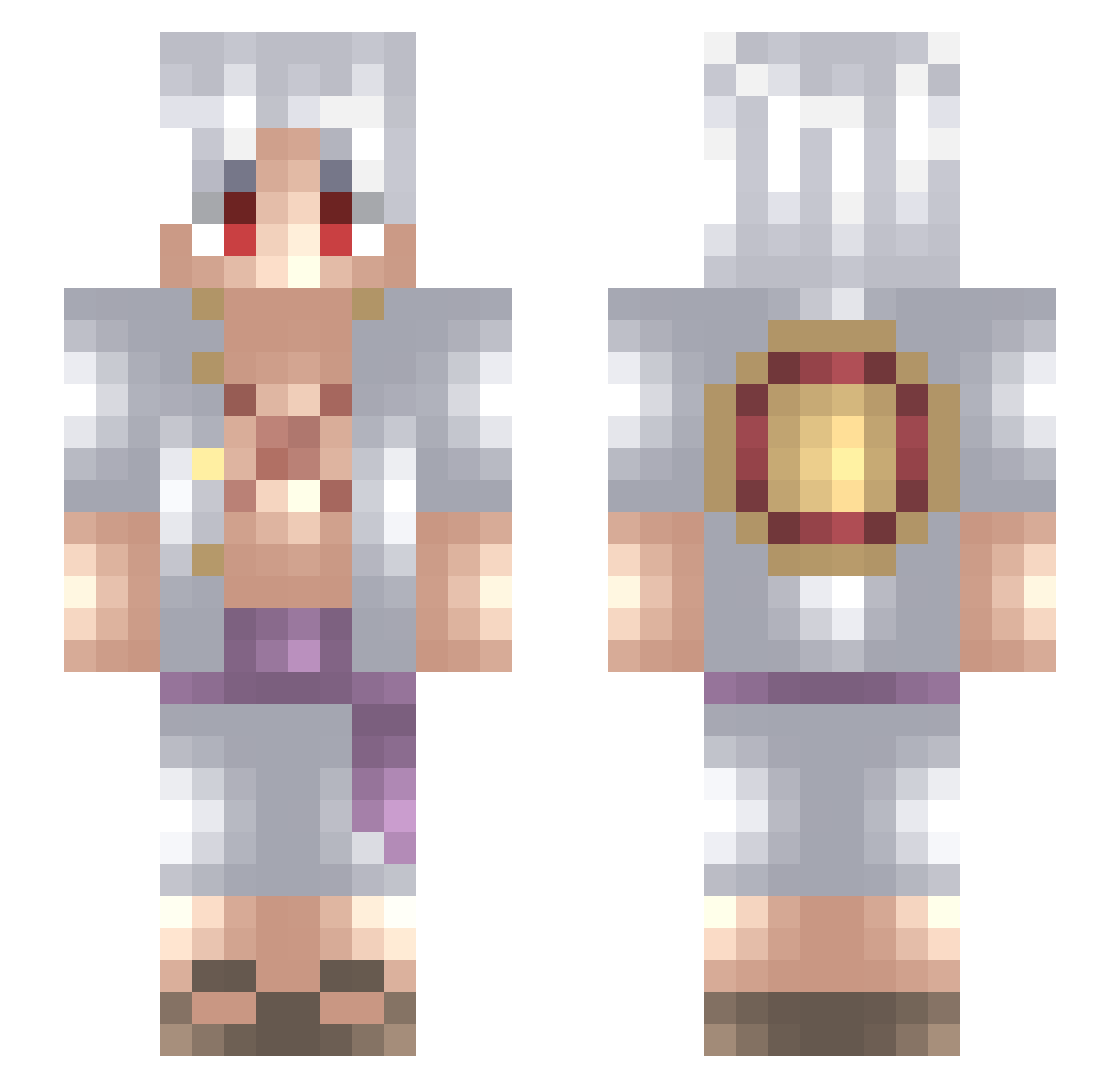
Current Minecraft skin of the player GURU_0710, loaded from the official Mojang API. Rotate the 3D model with your mouse or finger, then download the skin as a PNG file and use it in Minecraft: Bedrock Edition or Java Edition for free. When GURU_0710 changes their skin, this page updates automatically and the old skin stays in the history below.
Other players with this skin (727)
GURU_0710 was the 535th player we have seen with this skin, first spotted on 13.10.2026. The same skin was seen on these players. Open a nickname to see their current skin and skin history.
 bensoull GloryV7 Sanfrouu Aki04e TwistyRaft ShadowKage1221 Gollito1 luiswasted xJoshuaaa Kasztan1_1 Louuiss13 RaginCanadian21 Alexanz_00 totinelli Uaderion_ IlMonkeyDLuffylI janeeiei Aichi06 snowday0815 HaSNoww Luchove Natsu_luffysama BlackTsubaki77 ADELKIRA goodspeed93 Panig9 Slxpy_Hydra Darkmad_ errenzo Staupid GalaMeDimitriaka Jimmy59220 Durakin CringyFalls OnYx68 OFF518 RyanLive02 DARKIDO PepardoZX Dio_Brando_Za_Wa Dealer4200 caballerojorge GOD_KAZUMA theo_ctr LetWanoCook ShadowFall94 Cosmicz2208 S0up_alphabet StuartLil28 uareperfecttome Jarhead_Torben IceGuddi Debucci Kirill1987 MightyHan KKitano MEJOluis holy_alexis SupaSaiyanGage blakshado2
More Monkey D Luffy Minecraft skins
See all 967 Monkey D Luffy skins
How to install the GURU_0710 skin
- Press the Download button above to save the skin as a PNG file.
- Minecraft: Bedrock Edition (PE): open the Dressing Room from the main menu (or tap your character → Edit Character), go to Classic Skins → Owned, press the + (new skin) button, choose the downloaded PNG and pick the Slim (Alex) model. Works on PC and mobile; consoles cannot import custom skins.
- Minecraft: Java Edition: open the Minecraft Launcher, go to the Skins tab, click New Skin, load the PNG, pick the Slim (Alex) model and press Save & Use. You can also upload it at minecraft.net → Profile → Change Skin.
The skin does not show up after import - what should I do?
Restart Minecraft and open the Dressing Room again - imported skins sometimes appear only after a restart. Also make sure you selected the imported skin and picked the Slim (Alex) model.
Which model should I choose, Classic or Slim?
This skin is designed for the Slim (Alex) model. If you pick the wrong model, the arms of the skin will look stretched or squeezed.
Is the skin of GURU_0710 free to download?
Yes. Press Download, save the PNG file and use it in Minecraft: Bedrock Edition or Java Edition - no payment or registration needed. The skin also works on multiplayer servers and Realms.
More skins
Looking for more? Go back to all Minecraft skins and check the top skins of the week, month and all time, or find any player's skin by nickname.