
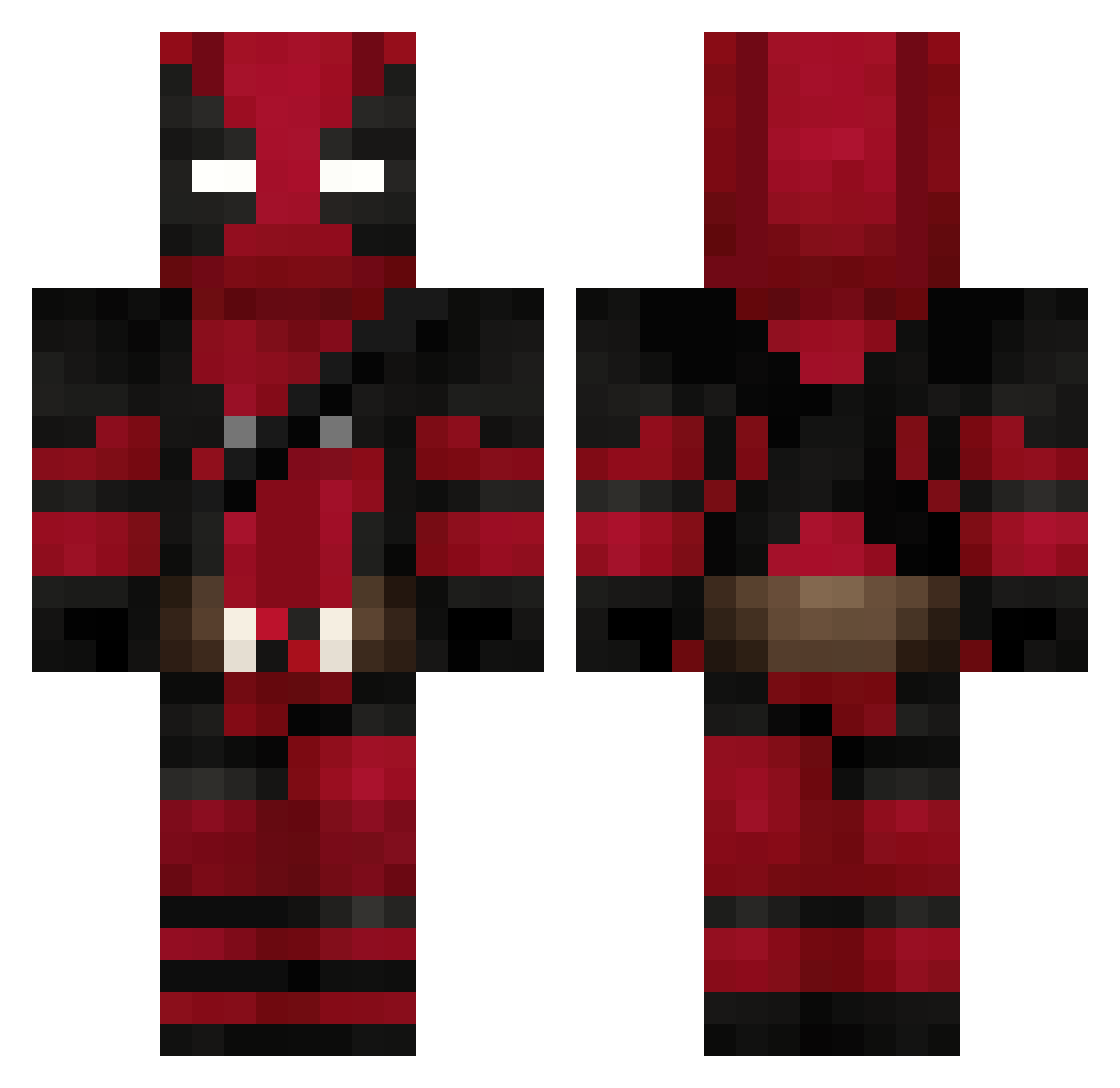
Current Minecraft skin of the player Fuss3lduss3l, loaded from the official Mojang API. Rotate the 3D model with your mouse or finger, then download the skin as a PNG file and use it in Minecraft: Bedrock Edition or Java Edition for free. When Fuss3lduss3l changes their skin, this page updates automatically and the old skin stays in the history below.
Other players with this skin (72)
Fuss3lduss3l was the 42nd player we have seen with this skin, first spotted on 12.09.2026. The same skin was seen on these players. Open a nickname to see their current skin and skin history.
 gstaats King_epdic swiftxp Lydia_dustin tomhd007 Hafki ImCarryS Aidaho47 xXMarvin2Xx ImGioo_ Roariey electricbopeep FNS_Hacking deadpool_wham Cintho Stryper29 Andreovski77 Amir8876 _JayDef_ Szalma PandaYoan Assassindu64 xxDeadpoolxxl wapalove matjac charlofilou DaRed MessiGamer2004 KOUKING0926 Holy_L8 viniciustonello Lexman06 sveniboy_ playeraci mastercraft2910 Kelborn913 SeSema m0hed0n quantumxi k4geee RayP90 ExpectoPatronum8 GEstRuepp cskid1 sekainitoutch Maxiplayer69 Carlo_somo SKITELS03 altaNnn OCEAN_mm Loskun herobrin_01 Dead_Poop krcald Dupuis02 wyatt93m alexandrePT25 Ryu929 ShaLlenger SKRUEMASKINE
More Deadpool Minecraft skins
How to install the Fuss3lduss3l skin
- Press the Download button above to save the skin as a PNG file.
- Minecraft: Bedrock Edition (PE): open the Dressing Room from the main menu (or tap your character → Edit Character), go to Classic Skins → Owned, press the + (new skin) button, choose the downloaded PNG and pick the Classic (Steve) model. Works on PC and mobile; consoles cannot import custom skins.
- Minecraft: Java Edition: open the Minecraft Launcher, go to the Skins tab, click New Skin, load the PNG, pick the Classic (Steve) model and press Save & Use. You can also upload it at minecraft.net → Profile → Change Skin.
The skin does not show up after import - what should I do?
Restart Minecraft and open the Dressing Room again - imported skins sometimes appear only after a restart. Also make sure you selected the imported skin and picked the Classic (Steve) model.
Which model should I choose, Classic or Slim?
This skin is designed for the Classic (Steve) model. If you pick the wrong model, the arms of the skin will look stretched or squeezed.
Is the skin of Fuss3lduss3l free to download?
Yes. Press Download, save the PNG file and use it in Minecraft: Bedrock Edition or Java Edition - no payment or registration needed. The skin also works on multiplayer servers and Realms.
More skins
Looking for more? Go back to all Minecraft skins and check the top skins of the week, month and all time, or find any player's skin by nickname.