
Furyus978 - Minecraft Skins & Skin History
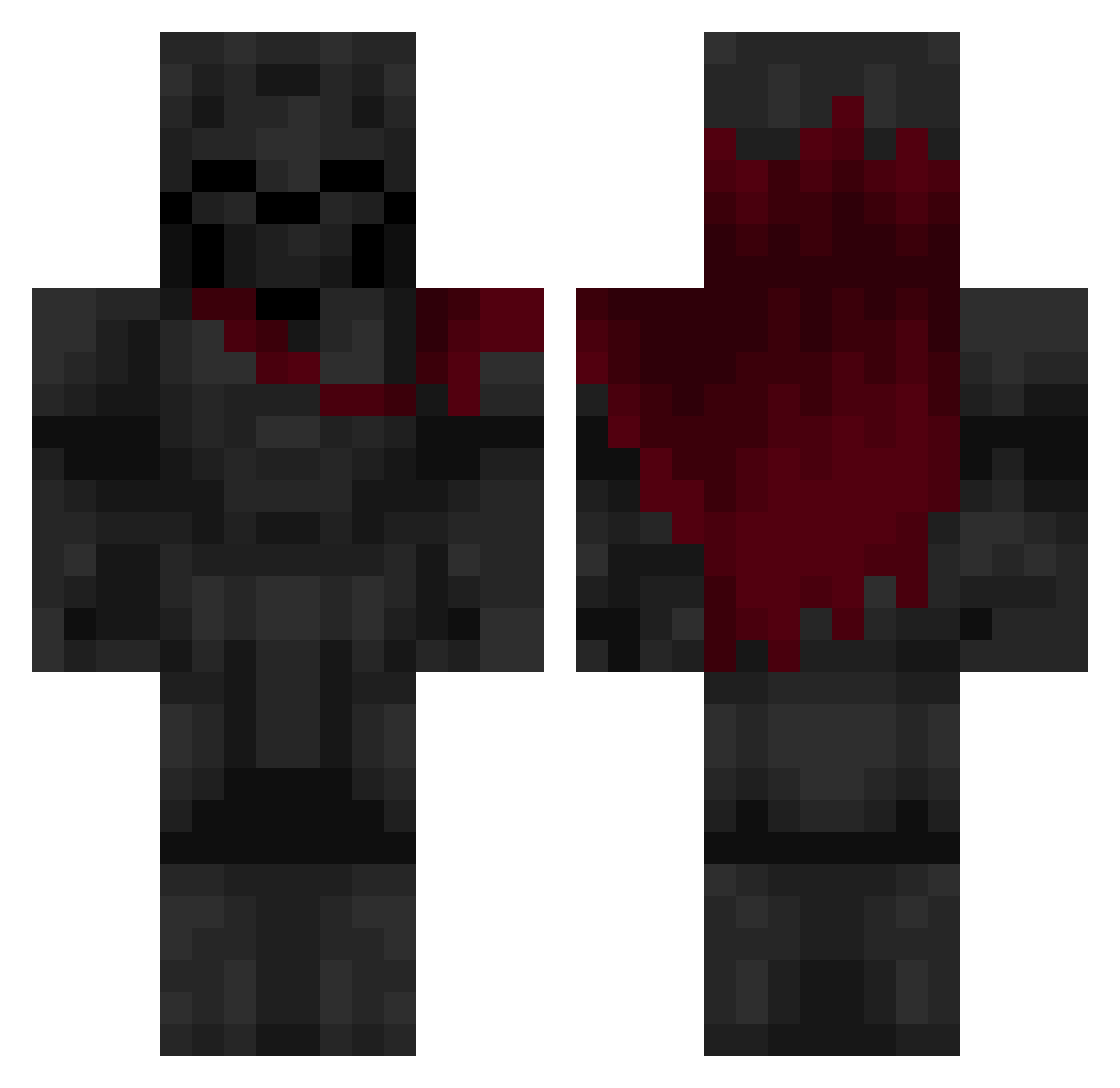
Current Minecraft skin of the player Furyus978, loaded from the official Mojang API. Rotate the 3D model with your mouse or finger, then download the skin as a PNG file and use it in Minecraft: Bedrock Edition or Java Edition for free. When Furyus978 changes their skin, this page updates automatically and the old skin stays in the history below.
Other players with this skin (640)
Furyus978 was the 86th player we have seen with this skin, first spotted on 07.08.2026. The same skin was seen on these players. Open a nickname to see their current skin and skin history.
 Big_Jesus_
 iJexra Zayankhan ExplainSilver
 muffinmunch12 Blunt420Hound Splorfus keepittalk Jayesde Pinemu1337 Sharky1611 Times7ar __Wyattt__ AntoineMon LiveStreamer TheTomex Mr_Moostashio Vernni123 DCTNTIB
 Chico_Boy Snowsong08 Vjun01 CsubeeKa johnnywest2013 HOLAQ1 Enverabd Grivth Cemylcng
 EctroSurge 3snajper Sc4llion
 wiihxhx4 xNovacane TalkiestHeart5 Rouroule Jelly2197 G1imS0L JXR007 Straightfishu TNLONE NightOrFart Drako04 XxclypexX xZO1996 Leesus666 Boston_12 CYCLONE1255 FirstFromAbove 10A_8579 k1mple YacineRG 1KIRA Beaver_ca enddragon65 Baked_like_bread WIZ2ARD EternalFlameVR Kaynup
 ItzRealMancoGX Batoncik14
More Knight Minecraft skins
How to install the Furyus978 skin
- Press the Download button above to save the skin as a PNG file.
- Minecraft: Bedrock Edition (PE): open the Dressing Room from the main menu (or tap your character → Edit Character), go to Classic Skins → Owned, press the + (new skin) button, choose the downloaded PNG and pick the Classic (Steve) model. Works on PC and mobile; consoles cannot import custom skins.
- Minecraft: Java Edition: open the Minecraft Launcher, go to the Skins tab, click New Skin, load the PNG, pick the Classic (Steve) model and press Save & Use. You can also upload it at minecraft.net → Profile → Change Skin.
The skin does not show up after import - what should I do?
Restart Minecraft and open the Dressing Room again - imported skins sometimes appear only after a restart. Also make sure you selected the imported skin and picked the Classic (Steve) model.
Which model should I choose, Classic or Slim?
This skin is designed for the Classic (Steve) model. If you pick the wrong model, the arms of the skin will look stretched or squeezed.
Is the skin of Furyus978 free to download?
Yes. Press Download, save the PNG file and use it in Minecraft: Bedrock Edition or Java Edition - no payment or registration needed. The skin also works on multiplayer servers and Realms.
More skins
Looking for more? Go back to all Minecraft skins and check the top skins of the week, month and all time, or find any player's skin by nickname.