
FluFFy2_2 - Minecraft Skins & Skin History
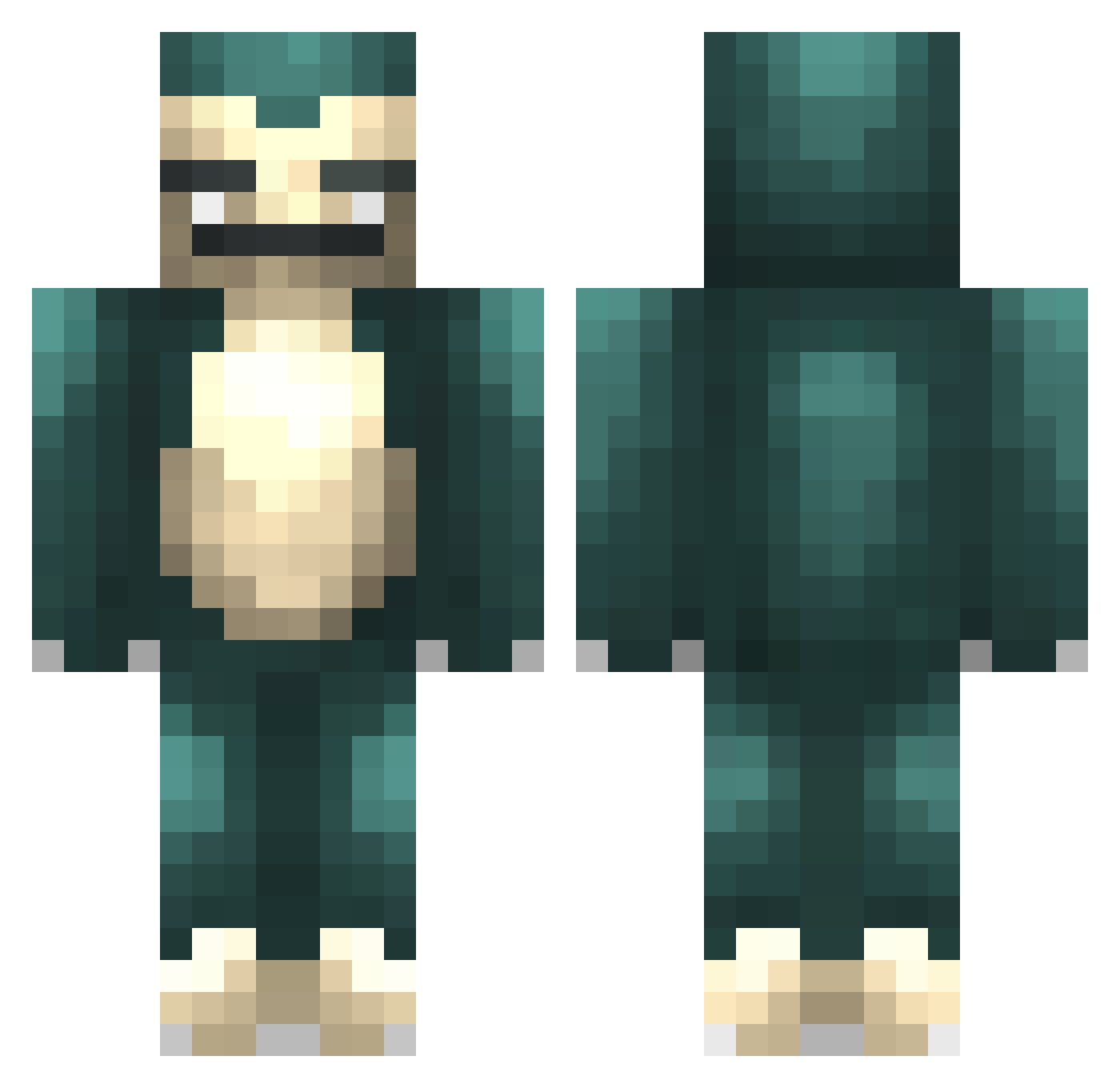
Current Minecraft skin of the player FluFFy2_2, loaded from the official Mojang API. Rotate the 3D model with your mouse or finger, then download the skin as a PNG file and use it in Minecraft: Bedrock Edition or Java Edition for free. When FluFFy2_2 changes their skin, this page updates automatically and the old skin stays in the history below.
Other players with this skin (280)
FluFFy2_2 was the 178th player we have seen with this skin, first spotted on 01.10.2026. The same skin was seen on these players. Open a nickname to see their current skin and skin history.
 FeelsGroovy bugg420 Grif1n Kashia89 ItzSnorLex jylyppy Mensoon VydeZen Kicu1234 jungsung3419 jon_123 chanfles kayljuice SWEEDOOW Snorlax0712 xxxShu Demonix74 heany CaptainFarkles TobbePH Hitokage9166 KrypticMe asianchonker jin_n_tonic Gildoxy xTeaPowerr SephNorto Mr_Yu StrohhutDave 5POOF lovejieuniya sabinedjn Frankcarlis KanyesToes Rei_RHW Ingeboorg Uncircled Woongbi98 sach_kata_larana Johanowitz kaBiso SN0RLAXXX Alexmagister greenphs1007 Lealll ruliorocks ChocCoCh Sn0rlaX666 SuperClara bladerunner_2011 boochip Snorlock_ B1G_J1224 cp_p kobekennes fartinurmouth Driddon IKERRR_ tsummii Greenwize
More Snorlax Minecraft skins
How to install the FluFFy2_2 skin
- Press the Download button above to save the skin as a PNG file.
- Minecraft: Bedrock Edition (PE): open the Dressing Room from the main menu (or tap your character → Edit Character), go to Classic Skins → Owned, press the + (new skin) button, choose the downloaded PNG and pick the Classic (Steve) model. Works on PC and mobile; consoles cannot import custom skins.
- Minecraft: Java Edition: open the Minecraft Launcher, go to the Skins tab, click New Skin, load the PNG, pick the Classic (Steve) model and press Save & Use. You can also upload it at minecraft.net → Profile → Change Skin.
The skin does not show up after import - what should I do?
Restart Minecraft and open the Dressing Room again - imported skins sometimes appear only after a restart. Also make sure you selected the imported skin and picked the Classic (Steve) model.
Which model should I choose, Classic or Slim?
This skin is designed for the Classic (Steve) model. If you pick the wrong model, the arms of the skin will look stretched or squeezed.
Is the skin of FluFFy2_2 free to download?
Yes. Press Download, save the PNG file and use it in Minecraft: Bedrock Edition or Java Edition - no payment or registration needed. The skin also works on multiplayer servers and Realms.
More skins
Looking for more? Go back to all Minecraft skins and check the top skins of the week, month and all time, or find any player's skin by nickname.