
Flaubius - Minecraft Skins & Skin History
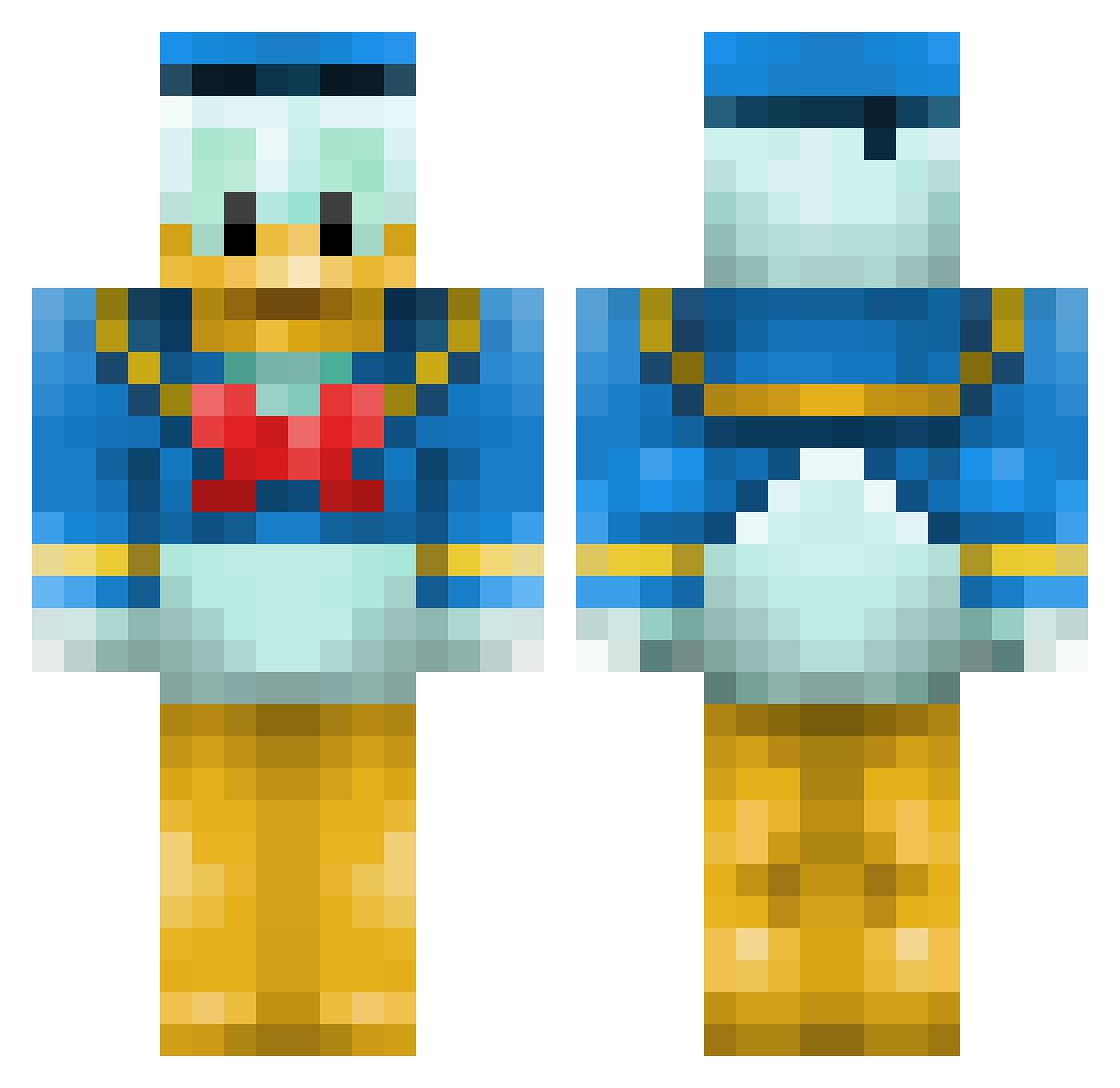
Current Minecraft skin of the player Flaubius, loaded from the official Mojang API. Rotate the 3D model with your mouse or finger, then download the skin as a PNG file and use it in Minecraft: Bedrock Edition or Java Edition for free. When Flaubius changes their skin, this page updates automatically and the old skin stays in the history below.
Other players with this skin (660)
Flaubius was the 440th player we have seen with this skin, first spotted on 07.10.2026. The same skin was seen on these players. Open a nickname to see their current skin and skin history.
 kaczor1210 D4gob3rt jacknormal lexa94 sondre65 MaxtheSkater Ketchup29200 blackmarch jorisachard technicontrast Finner42 chat_28 kingmickey003 Five1999 rew4slw zcupayday_yt Nytros95 bakedbear enyxx IceBoost KingFredYo marksimmerson Slameck Papamaus Squirelord damepon Clifford22 DiddyKong111 gpeS ctyfrmr Kraftler991 cartography Mastro_into notolito Powersweetie jwjones96 NaturianCV Wilson_C SAM_CROCKPOT felynou HookMook frick38 yuminator jackblack19 _DEATHWALKER_ Killahbonzai gnus_ Boss_701 antonsalmi iBlou stpetvet Calmettes AitoNakki Nonolski SilverBulleter FCH Krenuo Eliasderechtee sakoope HomePoint
More Donald Duck Minecraft skins
How to install the Flaubius skin
- Press the Download button above to save the skin as a PNG file.
- Minecraft: Bedrock Edition (PE): open the Dressing Room from the main menu (or tap your character → Edit Character), go to Classic Skins → Owned, press the + (new skin) button, choose the downloaded PNG and pick the Classic (Steve) model. Works on PC and mobile; consoles cannot import custom skins.
- Minecraft: Java Edition: open the Minecraft Launcher, go to the Skins tab, click New Skin, load the PNG, pick the Classic (Steve) model and press Save & Use. You can also upload it at minecraft.net → Profile → Change Skin.
The skin does not show up after import - what should I do?
Restart Minecraft and open the Dressing Room again - imported skins sometimes appear only after a restart. Also make sure you selected the imported skin and picked the Classic (Steve) model.
Which model should I choose, Classic or Slim?
This skin is designed for the Classic (Steve) model. If you pick the wrong model, the arms of the skin will look stretched or squeezed.
Is the skin of Flaubius free to download?
Yes. Press Download, save the PNG file and use it in Minecraft: Bedrock Edition or Java Edition - no payment or registration needed. The skin also works on multiplayer servers and Realms.
More skins
Looking for more? Go back to all Minecraft skins and check the top skins of the week, month and all time, or find any player's skin by nickname.