
Flaaqu - Minecraft Skins & Skin History
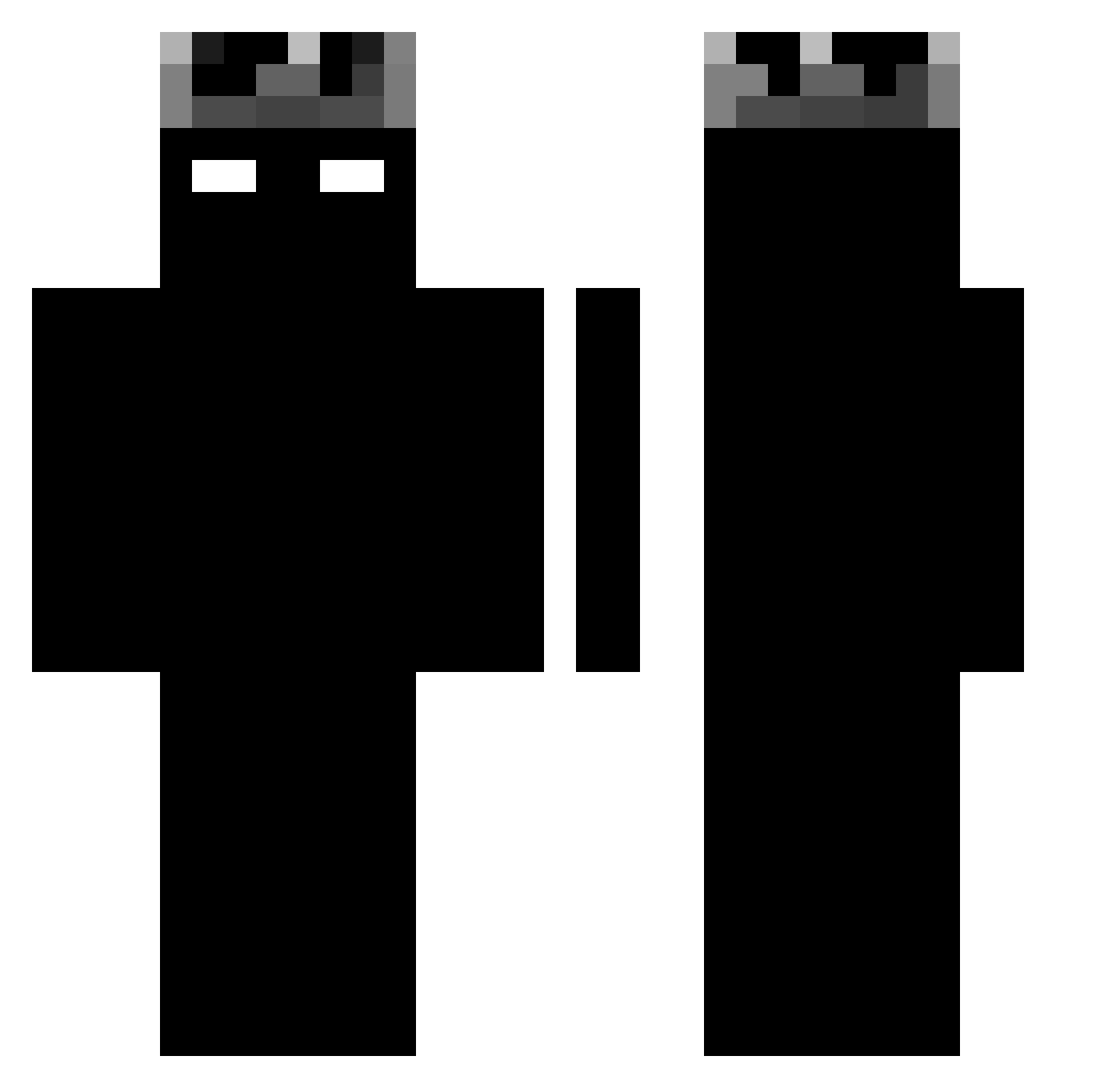
Current Minecraft skin of the player Flaaqu, loaded from the official Mojang API. Rotate the 3D model with your mouse or finger, then download the skin as a PNG file and use it in Minecraft: Bedrock Edition or Java Edition for free. When Flaaqu changes their skin, this page updates automatically and the old skin stays in the history below.
Other players with this skin (1362)
Flaaqu was the 1276th player we have seen with this skin, first spotted on 12.11.2026. The same skin was seen on these players. Open a nickname to see their current skin and skin history.
 YaSHivaDa zLite9 marsi332 JTSpeCta Rogeriod4 Sxnyx Lucazzzb chesox_ 3bdoal8we AlochaS2122 Wojtulo15 Rus3z Dachi777 KaiserOsna wievior04_ __myb__ Mrbamba01 EmirCraft Chisguete01 Godpoint3 Killazz419 craftmaster_lc YesSir89 Mush4346 Sxalify Juli3v M66XZ vanitran ANDZIU1221 SidKids Lobbuu IgnaGamer802 xzxyz__ IamBlayze123 Senkiah Carlosxzl_ min0kawa Disestrel Aaronglezz Cloneeyy Sloth1X 666Ex Silucca MistkiLL szajni11 LionelMessi0405 BLOUFAS MAIKEL777 Chap456 void3006 migss1001 bonnemai _Xpokrzywxa_ DANFUSONG Lian_21 pinapio marcospjl DarkLucidDream GavinBalfour EfehanBey
More Shadow Minecraft skins
How to install the Flaaqu skin
- Press the Download button above to save the skin as a PNG file.
- Minecraft: Bedrock Edition (PE): open the Dressing Room from the main menu (or tap your character → Edit Character), go to Classic Skins → Owned, press the + (new skin) button, choose the downloaded PNG and pick the Classic (Steve) model. Works on PC and mobile; consoles cannot import custom skins.
- Minecraft: Java Edition: open the Minecraft Launcher, go to the Skins tab, click New Skin, load the PNG, pick the Classic (Steve) model and press Save & Use. You can also upload it at minecraft.net → Profile → Change Skin.
The skin does not show up after import - what should I do?
Restart Minecraft and open the Dressing Room again - imported skins sometimes appear only after a restart. Also make sure you selected the imported skin and picked the Classic (Steve) model.
Which model should I choose, Classic or Slim?
This skin is designed for the Classic (Steve) model. If you pick the wrong model, the arms of the skin will look stretched or squeezed.
Is the skin of Flaaqu free to download?
Yes. Press Download, save the PNG file and use it in Minecraft: Bedrock Edition or Java Edition - no payment or registration needed. The skin also works on multiplayer servers and Realms.
More skins
Looking for more? Go back to all Minecraft skins and check the top skins of the week, month and all time, or find any player's skin by nickname.