
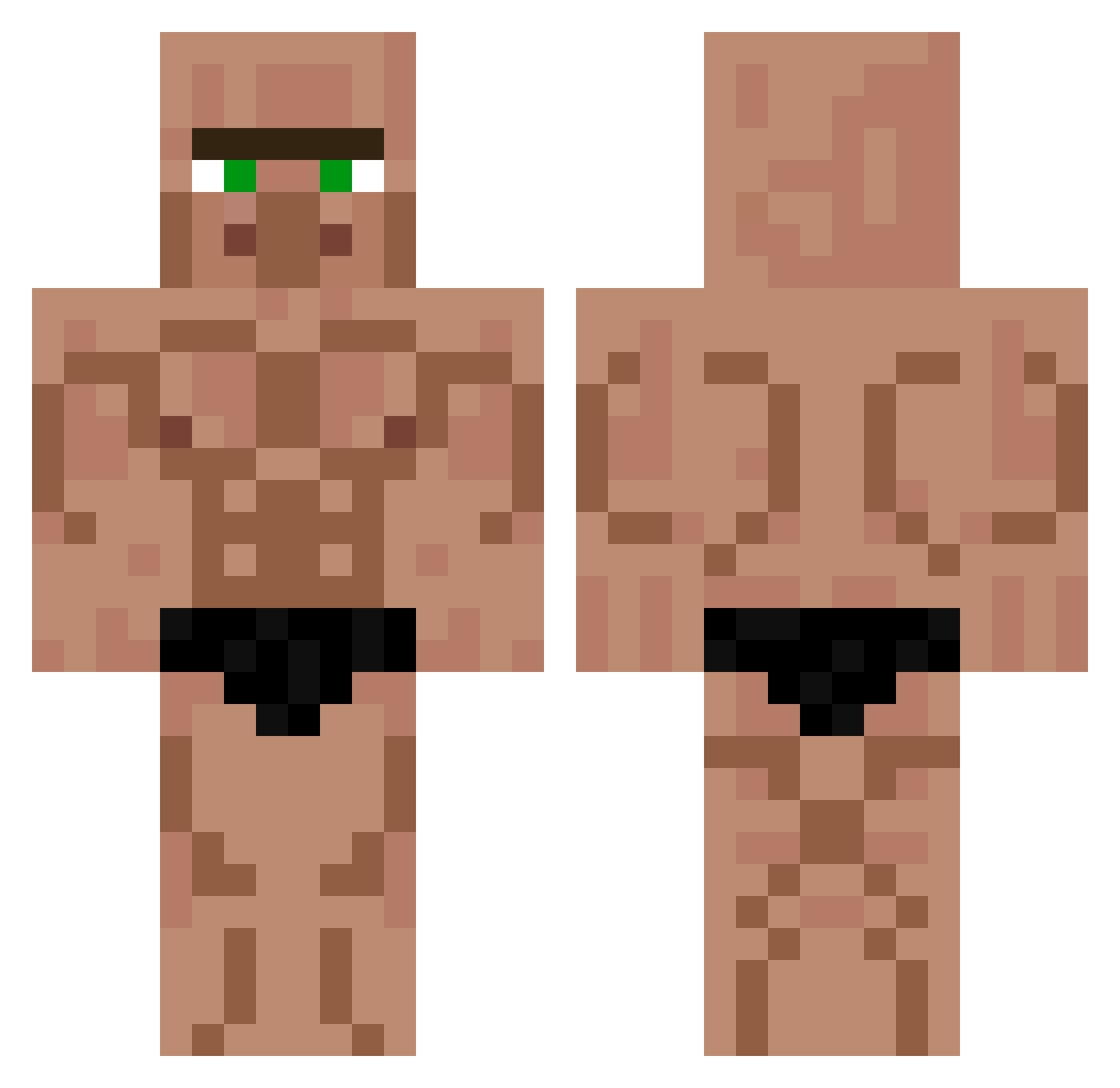
Current Minecraft skin of the player FilouxxTwtch, loaded from the official Mojang API. Rotate the 3D model with your mouse or finger, then download the skin as a PNG file and use it in Minecraft: Bedrock Edition or Java Edition for free. When FilouxxTwtch changes their skin, this page updates automatically and the old skin stays in the history below.
Other players with this skin (529)
FilouxxTwtch was the 163rd player we have seen with this skin, first spotted on 23.08.2026. The same skin was seen on these players. Open a nickname to see their current skin and skin history.
 Raamsees AkaruiSpark InvisivelMan xXcrazyphil22 7338_ Barack_Ollama_ minsu1101 unleqitluis xkatzuki ElioSterconi99 Smokycatg1103503 SDROGO95 Cowboyjek leolikesAnime Supalele kimminsik05 ManMetDeKetting LaFuriaDelFenix G4OT Pepito117 moyashi298 CoolKidFrosty Odder_ patatore8000 shorwan0 aizr DanielFern2006 Ersucu GoldMooer thepotatogod21 BlueOllie02 Mr_Zeman Poseyzin flypotato07 masterlind Gongten Cumill kulledjuret xDerWinter professorKalkyl_ Eisversteck420 bc_24 BerRE1234 SRNKITSUNE Vespatti Drywson General_Reagan Aso_Reis Th0r_111 kakonoeko TeeRedsmall Aardappel123 lerbear BananasGaming Second_2 VODKAmichi Blescape koichi2002 Cheemki Mini_Man85
More Buff Minecraft skins
How to install the FilouxxTwtch skin
- Press the Download button above to save the skin as a PNG file.
- Minecraft: Bedrock Edition (PE): open the Dressing Room from the main menu (or tap your character → Edit Character), go to Classic Skins → Owned, press the + (new skin) button, choose the downloaded PNG and pick the Classic (Steve) model. Works on PC and mobile; consoles cannot import custom skins.
- Minecraft: Java Edition: open the Minecraft Launcher, go to the Skins tab, click New Skin, load the PNG, pick the Classic (Steve) model and press Save & Use. You can also upload it at minecraft.net → Profile → Change Skin.
The skin does not show up after import - what should I do?
Restart Minecraft and open the Dressing Room again - imported skins sometimes appear only after a restart. Also make sure you selected the imported skin and picked the Classic (Steve) model.
Which model should I choose, Classic or Slim?
This skin is designed for the Classic (Steve) model. If you pick the wrong model, the arms of the skin will look stretched or squeezed.
Is the skin of FilouxxTwtch free to download?
Yes. Press Download, save the PNG file and use it in Minecraft: Bedrock Edition or Java Edition - no payment or registration needed. The skin also works on multiplayer servers and Realms.
More skins
Looking for more? Go back to all Minecraft skins and check the top skins of the week, month and all time, or find any player's skin by nickname.