
Feikki_Fellu - Minecraft Skins & Skin History
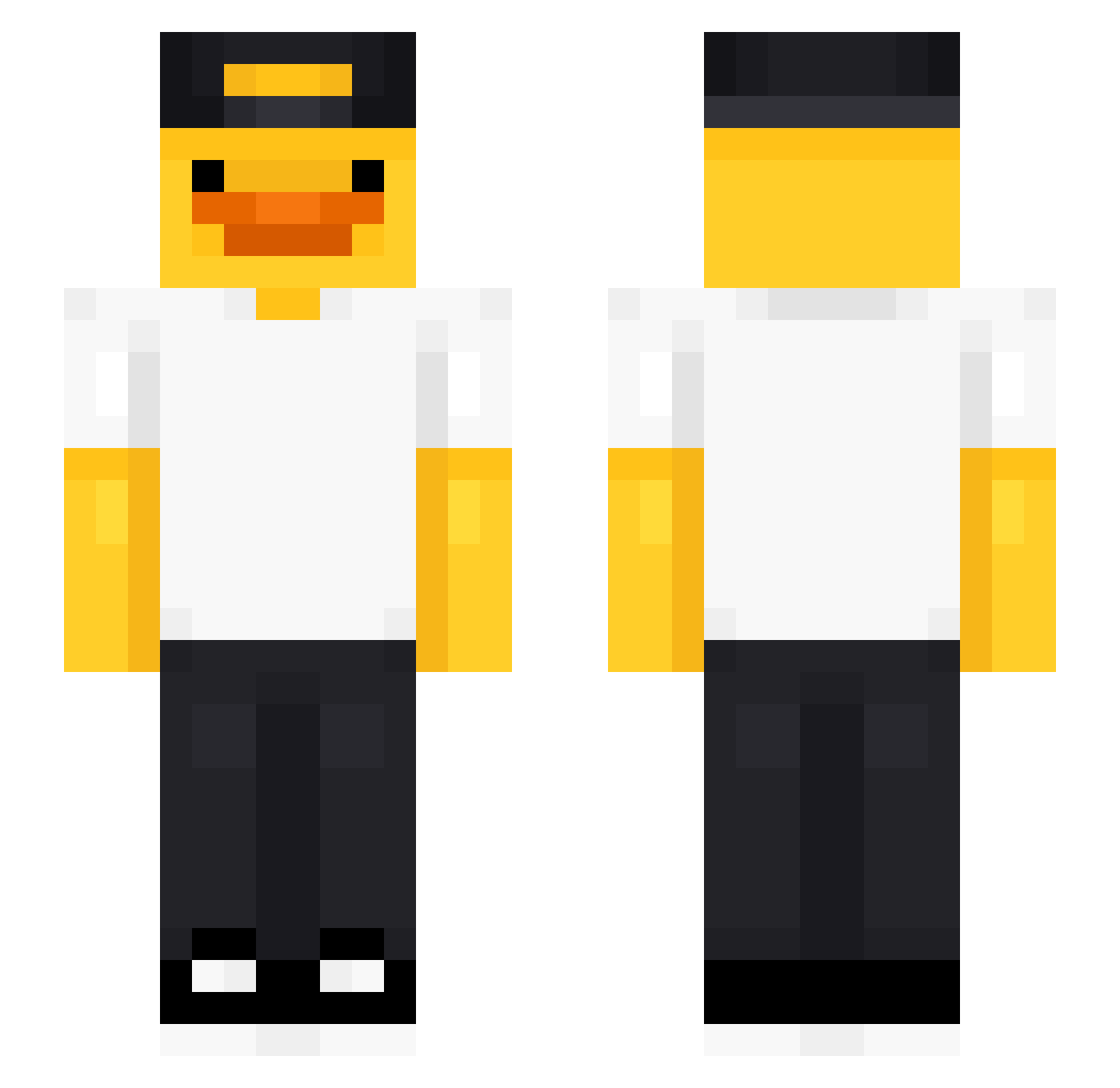
Current Minecraft skin of the player Feikki_Fellu, loaded from the official Mojang API. Rotate the 3D model with your mouse or finger, then download the skin as a PNG file and use it in Minecraft: Bedrock Edition or Java Edition for free. When Feikki_Fellu changes their skin, this page updates automatically and the old skin stays in the history below.
Other players with this skin (475)
Feikki_Fellu was the 288th player we have seen with this skin, first spotted on 29.09.2026. The same skin was seen on these players. Open a nickname to see their current skin and skin history.
 Buskberra Barto52 Smooshy69 L1px_ bas000 Ilove_Elizabeth_ enderbbc hypnoticdata RangoDance7 WOLF_525 jybyn yUyarain HBKFTGO ilivedinthis Latex_Duck JohnMarston101 ChzBr colby_3 crulili Erik14444 nongpik emmaatjeh Max_ztzk Ninjafavoretto TOMATO_32 Snazucells4 kinggamerleon _Abbyyss_ dac_881 elliebeans3 ARMMERX SillySinner elnicke10 Runnerbelz AdrianFlr2 Rune_Eeck Giacomino0 Alin2433 Bannanaboy444 Harold619 BAREL1 ponyo222 Koostillar SoccerMonkey55 LEKSA69 Vini_RL Atsikrana JOYURI__1022 Qiesta1123 Falxin iiMiist eagle301218pj Riubys jhc0804 n_o_l_e_M Maksymiliann Ogabriel001 Jontuspontus Maddispaddis1 maxi7806
More Cap Minecraft skins
How to install the Feikki_Fellu skin
- Press the Download button above to save the skin as a PNG file.
- Minecraft: Bedrock Edition (PE): open the Dressing Room from the main menu (or tap your character → Edit Character), go to Classic Skins → Owned, press the + (new skin) button, choose the downloaded PNG and pick the Slim (Alex) model. Works on PC and mobile; consoles cannot import custom skins.
- Minecraft: Java Edition: open the Minecraft Launcher, go to the Skins tab, click New Skin, load the PNG, pick the Slim (Alex) model and press Save & Use. You can also upload it at minecraft.net → Profile → Change Skin.
The skin does not show up after import - what should I do?
Restart Minecraft and open the Dressing Room again - imported skins sometimes appear only after a restart. Also make sure you selected the imported skin and picked the Slim (Alex) model.
Which model should I choose, Classic or Slim?
This skin is designed for the Slim (Alex) model. If you pick the wrong model, the arms of the skin will look stretched or squeezed.
Is the skin of Feikki_Fellu free to download?
Yes. Press Download, save the PNG file and use it in Minecraft: Bedrock Edition or Java Edition - no payment or registration needed. The skin also works on multiplayer servers and Realms.
More skins
Looking for more? Go back to all Minecraft skins and check the top skins of the week, month and all time, or find any player's skin by nickname.