
FakerZ - Minecraft Skins & Skin History
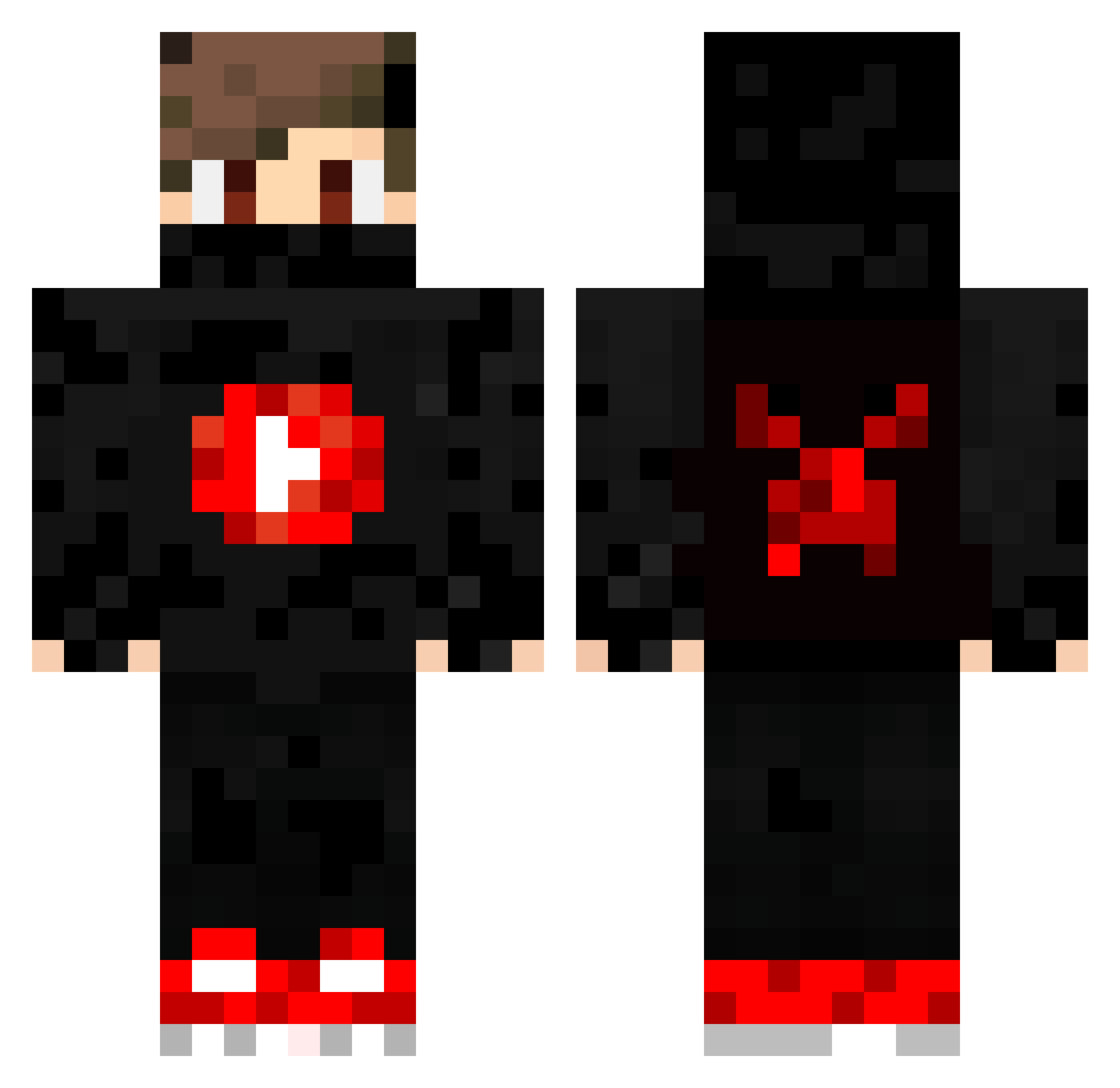
Current Minecraft skin of the player FakerZ, loaded from the official Mojang API. Rotate the 3D model with your mouse or finger, then download the skin as a PNG file and use it in Minecraft: Bedrock Edition or Java Edition for free. When FakerZ changes their skin, this page updates automatically and the old skin stays in the history below.
Other players with this skin (354)
FakerZ was the 178th player we have seen with this skin, first spotted on 18.09.2026. The same skin was seen on these players. Open a nickname to see their current skin and skin history.
 patbland9011 xX_HUN07_Xx fortniteking10 cocona1 Johnny_112 MoysesOliveira Warren9112 IG100_MagnaGuard weeexard Edwic AldriQ paulowsky9 AdyBOOS123 Ali_Gaming111 ApenSnoet SiphoLax Jannis0707 FrankasTankas 8_GHOST_8 TheMiraxes F4iz_ morgano22 khairogames matthewshh Fandanator Tomochris818 noah_bg_ Davidkor MrBadGuy_544 VELpro228 brecherknochen TryharderShadow Mac42 Yukizi_226 EntityWGF okanzack ViviDGhoSt Camposspl __YuSuF_PvP__ marc_3d leakyakisolo 1337Parox MAURIZIO1977 kawaii_cat48 Hounnnd Talon1804 Smok0311 RuzgarKahramanTR falme132 Ninjarebell DasIstSwagger sibbeWitDaGuap KaanSRTL diveopera THEIS_FAMILY_V2 EmilianoAlvarez Lsimon8 ahmad20055 xgame31 krozen_UA
More Mask Minecraft skins
How to install the FakerZ skin
- Press the Download button above to save the skin as a PNG file.
- Minecraft: Bedrock Edition (PE): open the Dressing Room from the main menu (or tap your character → Edit Character), go to Classic Skins → Owned, press the + (new skin) button, choose the downloaded PNG and pick the Classic (Steve) model. Works on PC and mobile; consoles cannot import custom skins.
- Minecraft: Java Edition: open the Minecraft Launcher, go to the Skins tab, click New Skin, load the PNG, pick the Classic (Steve) model and press Save & Use. You can also upload it at minecraft.net → Profile → Change Skin.
The skin does not show up after import - what should I do?
Restart Minecraft and open the Dressing Room again - imported skins sometimes appear only after a restart. Also make sure you selected the imported skin and picked the Classic (Steve) model.
Which model should I choose, Classic or Slim?
This skin is designed for the Classic (Steve) model. If you pick the wrong model, the arms of the skin will look stretched or squeezed.
Is the skin of FakerZ free to download?
Yes. Press Download, save the PNG file and use it in Minecraft: Bedrock Edition or Java Edition - no payment or registration needed. The skin also works on multiplayer servers and Realms.
More skins
Looking for more? Go back to all Minecraft skins and check the top skins of the week, month and all time, or find any player's skin by nickname.