
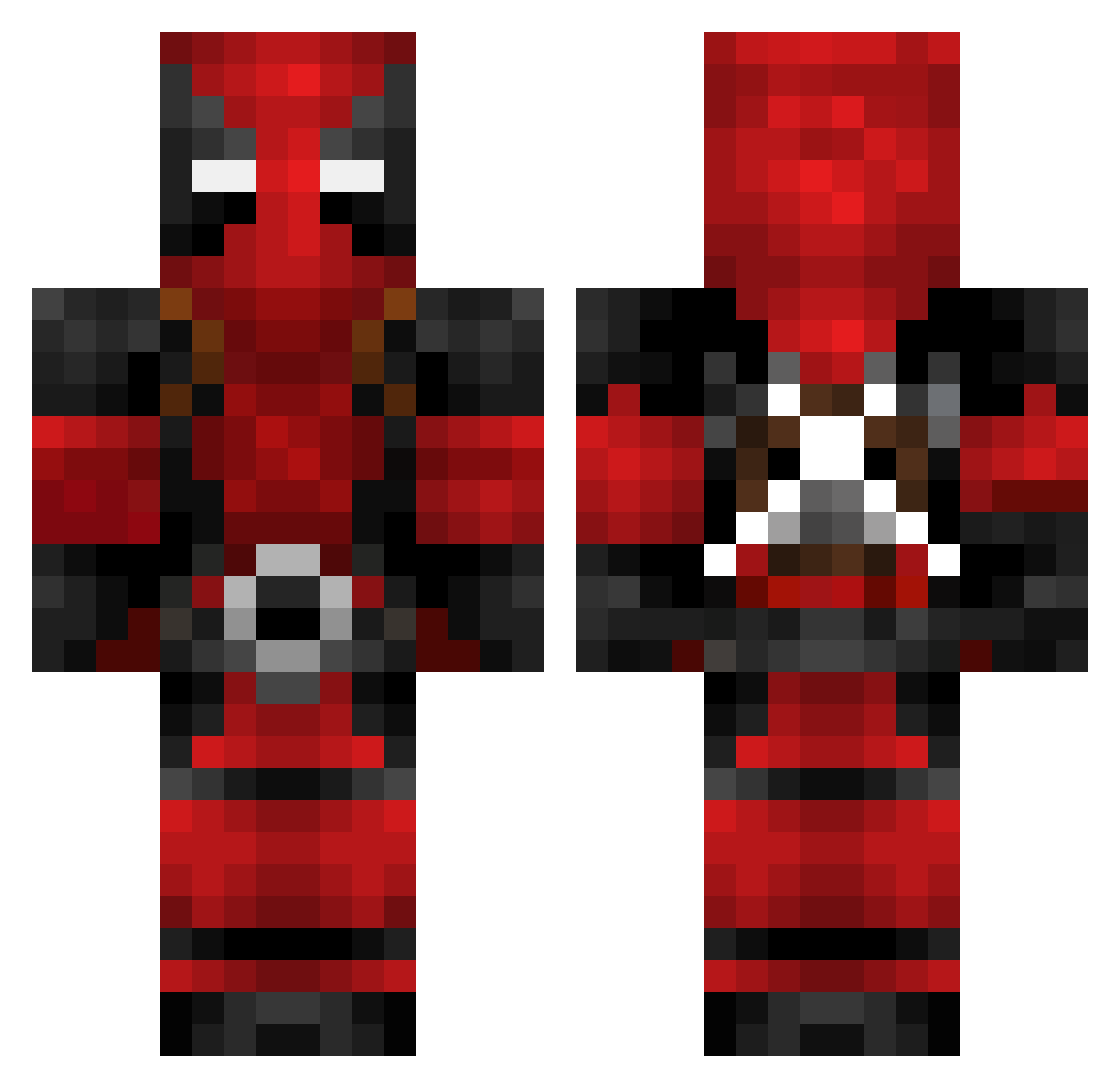
Current Minecraft skin of the player EmilDreifachduck, loaded from the official Mojang API. Rotate the 3D model with your mouse or finger, then download the skin as a PNG file and use it in Minecraft: Bedrock Edition or Java Edition for free. When EmilDreifachduck changes their skin, this page updates automatically and the old skin stays in the history below.
Other players with this skin (84)
EmilDreifachduck was the 40th player we have seen with this skin, first spotted on 31.08.2026. The same skin was seen on these players. Open a nickname to see their current skin and skin history.
 oscar200013 sgcc jonasistgeil Samuelson5 dude_fred fin656 KingMarrz ThatGeekyDad PaperBoyEST DyreW0lf 87ter _Inf__ Lokibane CookieMonsta333 COKECAN23 maximu13 SquishySteve springhillcam cold_garbage GoD_Jack NunoRibeiro redgator12 LiqwdE LordTheCAndy Yey92 Viinantti E_manny burnsyonfire FL3TO Cruz_1213 Luke_B_02 varin168 skythekidjr9 Blessed_Kiwi xMiqlux Phielix x_Snaka NicoMas23 schuywaka TechaTron Widozen blacklistone74 cureforboredom Genome2908 BlackMatrix85 Deezil80 xMount flankardoo Gamerboy3111 4Mon3yman4 JJFrat caseyj177 eastonhock008 FaZZaKing kronikwisdom Sallaris Anthony64GT CallistoNTG connorsuzuki 8AaNleX8
More Deadpool Minecraft skins
How to install the EmilDreifachduck skin
- Press the Download button above to save the skin as a PNG file.
- Minecraft: Bedrock Edition (PE): open the Dressing Room from the main menu (or tap your character → Edit Character), go to Classic Skins → Owned, press the + (new skin) button, choose the downloaded PNG and pick the Classic (Steve) model. Works on PC and mobile; consoles cannot import custom skins.
- Minecraft: Java Edition: open the Minecraft Launcher, go to the Skins tab, click New Skin, load the PNG, pick the Classic (Steve) model and press Save & Use. You can also upload it at minecraft.net → Profile → Change Skin.
The skin does not show up after import - what should I do?
Restart Minecraft and open the Dressing Room again - imported skins sometimes appear only after a restart. Also make sure you selected the imported skin and picked the Classic (Steve) model.
Which model should I choose, Classic or Slim?
This skin is designed for the Classic (Steve) model. If you pick the wrong model, the arms of the skin will look stretched or squeezed.
Is the skin of EmilDreifachduck free to download?
Yes. Press Download, save the PNG file and use it in Minecraft: Bedrock Edition or Java Edition - no payment or registration needed. The skin also works on multiplayer servers and Realms.
More skins
Looking for more? Go back to all Minecraft skins and check the top skins of the week, month and all time, or find any player's skin by nickname.