
Elvin_Awesome - Minecraft Skins & Skin History
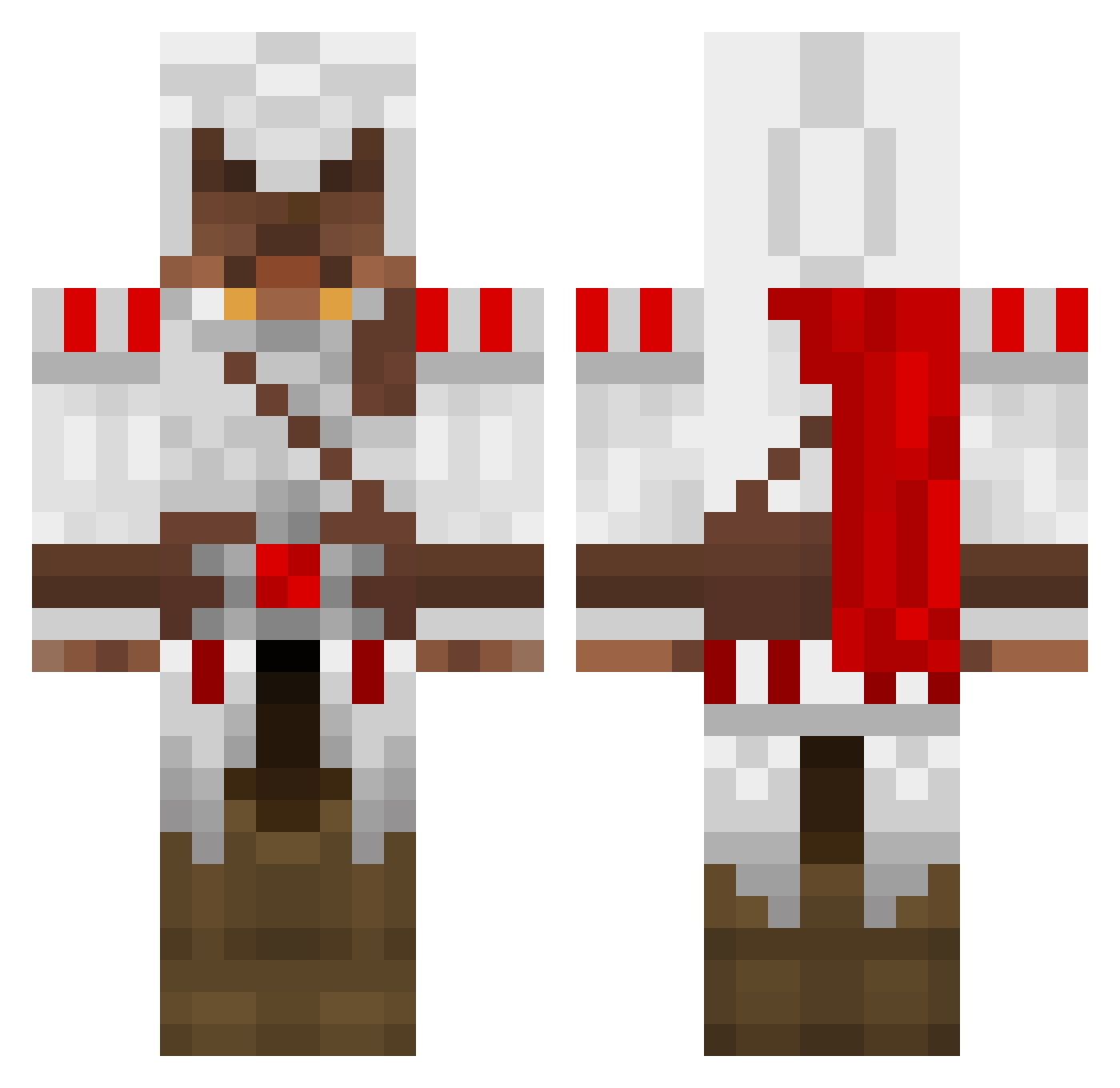
Current Minecraft skin of the player Elvin_Awesome, loaded from the official Mojang API. Rotate the 3D model with your mouse or finger, then download the skin as a PNG file and use it in Minecraft: Bedrock Edition or Java Edition for free. When Elvin_Awesome changes their skin, this page updates automatically and the old skin stays in the history below.
Other players with this skin (1388)
Elvin_Awesome was the 1186th player we have seen with this skin, first spotted on 19.10.2026. The same skin was seen on these players. Open a nickname to see their current skin and skin history.
 laxdude001 rik9972 euancadle XxKiingHadesxX Tehann101 MrVtt51 AhNoneeMoose CsShadow8994 Your_mum9213 TrippleP Spooky_Dathan gman7787 Micromidget777 minimidget219 Montecore11 Nostromo0815 propolarbear bob36045 Zetec1989 nknknknk MegaMudda Namastre Blazej11 Invader_Boris nebsta929 maciek1816 JayNayNay Spratti0000 xDolman Legilan GiantPinkDildo kiloroy hebrewhamm3r lucho2709 andy12445566 madipants12 Kev_in werewolf_nr rock401 100cotton TehYack GeminiDreamer22 Ruanpo1 littlewolf2000 IndyUnited briand505 Unknown_Poptart hmaho10 lanepwnage94 Mr_Staxbox jst2bored SamiLeo GaStON_94 Vipertron Yug0h Nazgulator Slothunter copainilm PrestonC69 jordanadams1
More Altair Ibn La Ahad Minecraft skins
See all 196 Altair Ibn La Ahad skins
How to install the Elvin_Awesome skin
- Press the Download button above to save the skin as a PNG file.
- Minecraft: Bedrock Edition (PE): open the Dressing Room from the main menu (or tap your character → Edit Character), go to Classic Skins → Owned, press the + (new skin) button, choose the downloaded PNG and pick the Classic (Steve) model. Works on PC and mobile; consoles cannot import custom skins.
- Minecraft: Java Edition: open the Minecraft Launcher, go to the Skins tab, click New Skin, load the PNG, pick the Classic (Steve) model and press Save & Use. You can also upload it at minecraft.net → Profile → Change Skin.
The skin does not show up after import - what should I do?
Restart Minecraft and open the Dressing Room again - imported skins sometimes appear only after a restart. Also make sure you selected the imported skin and picked the Classic (Steve) model.
Which model should I choose, Classic or Slim?
This skin is designed for the Classic (Steve) model. If you pick the wrong model, the arms of the skin will look stretched or squeezed.
Is the skin of Elvin_Awesome free to download?
Yes. Press Download, save the PNG file and use it in Minecraft: Bedrock Edition or Java Edition - no payment or registration needed. The skin also works on multiplayer servers and Realms.
More skins
Looking for more? Go back to all Minecraft skins and check the top skins of the week, month and all time, or find any player's skin by nickname.