
EliteLaser1762 - Minecraft Skins & Skin History
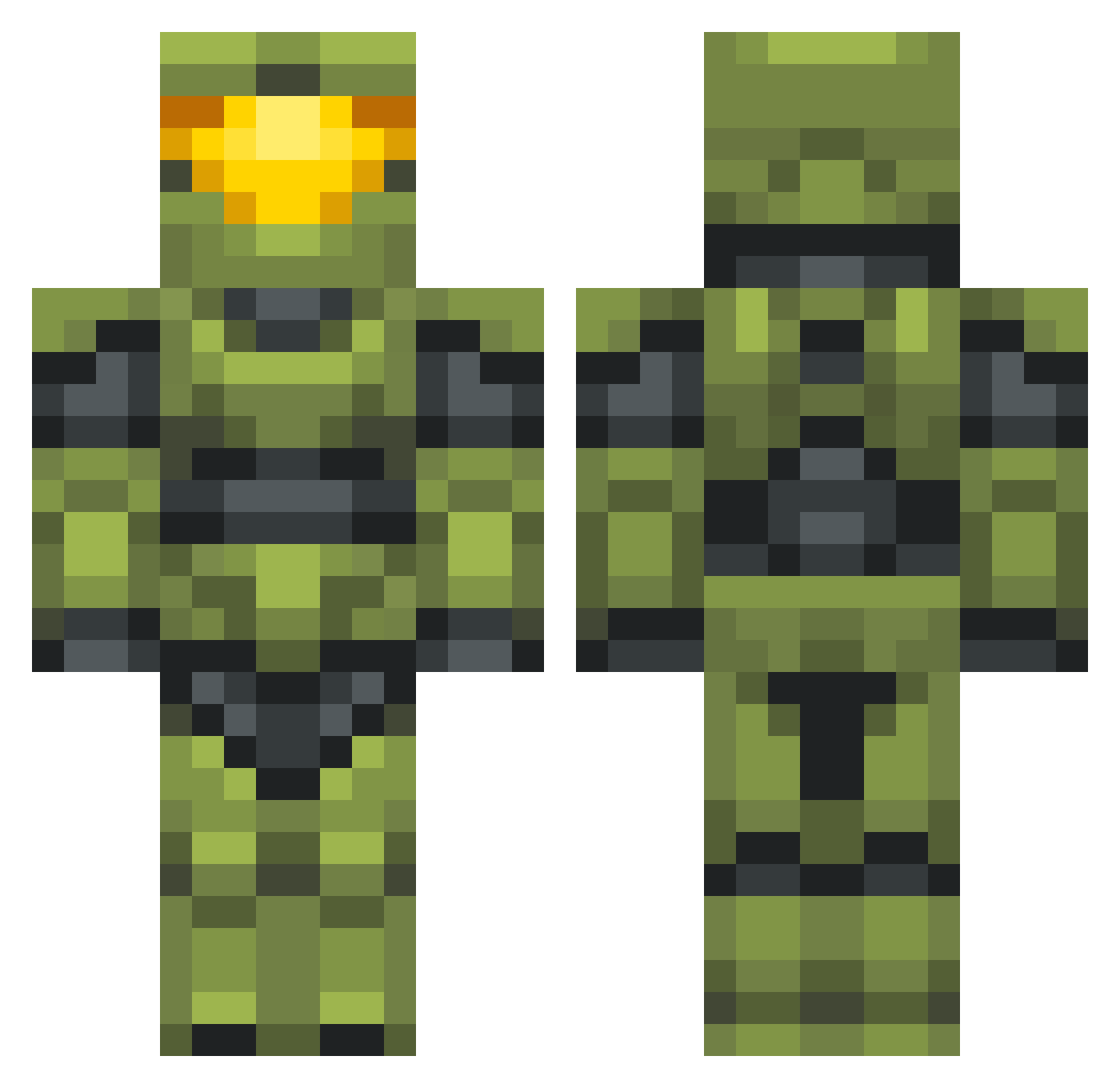
Current Minecraft skin of the player EliteLaser1762, loaded from the official Mojang API. Rotate the 3D model with your mouse or finger, then download the skin as a PNG file and use it in Minecraft: Bedrock Edition or Java Edition for free. When EliteLaser1762 changes their skin, this page updates automatically and the old skin stays in the history below.
Other players with this skin (702)
EliteLaser1762 was the 503rd player we have seen with this skin, first spotted on 13.10.2026. The same skin was seen on these players. Open a nickname to see their current skin and skin history.
 PigeonCheese Galaxy12980 Danat1 Stigmatoxin blockberry1234 GamingLegend15 lesleyred1 Ginnsultius TheWiez Boog24 SPARTANZzZ725 KamixSam 2stubz CosmicAbyss14 Sekanashi 6RQuen Fatebringer489 CoolOliver2000 DiegoCrack_12 TruuuDrew Theplantcat SPARTAN1260 MudCrabWarriorr jettyjohnson Okilian KriisoT Robotnab WillisGreat acrazyscotsman83 tasteless564 Brian3_ SweptSquash iykyk18 izzy4107 ZDrummer fundaraiser Soitsyou Konig_Eisen ExExtreme21 HoneyBader Kiddjt89 Trainsz thegreatjaadoo leanvcc GameFreak338 Bocano Alpha_Kelo Killeralibi Mikachelus Names_Joey Nobu117 MiniVanxoxo SLASOchist tippy305 Bman_9975 TheCobwebHotel jky2003 SavingCreation lil_data Gurt1706
More Master Chief Minecraft skins
See all 538 Master Chief skins
How to install the EliteLaser1762 skin
- Press the Download button above to save the skin as a PNG file.
- Minecraft: Bedrock Edition (PE): open the Dressing Room from the main menu (or tap your character → Edit Character), go to Classic Skins → Owned, press the + (new skin) button, choose the downloaded PNG and pick the Classic (Steve) model. Works on PC and mobile; consoles cannot import custom skins.
- Minecraft: Java Edition: open the Minecraft Launcher, go to the Skins tab, click New Skin, load the PNG, pick the Classic (Steve) model and press Save & Use. You can also upload it at minecraft.net → Profile → Change Skin.
The skin does not show up after import - what should I do?
Restart Minecraft and open the Dressing Room again - imported skins sometimes appear only after a restart. Also make sure you selected the imported skin and picked the Classic (Steve) model.
Which model should I choose, Classic or Slim?
This skin is designed for the Classic (Steve) model. If you pick the wrong model, the arms of the skin will look stretched or squeezed.
Is the skin of EliteLaser1762 free to download?
Yes. Press Download, save the PNG file and use it in Minecraft: Bedrock Edition or Java Edition - no payment or registration needed. The skin also works on multiplayer servers and Realms.
More skins
Looking for more? Go back to all Minecraft skins and check the top skins of the week, month and all time, or find any player's skin by nickname.