
Elise_lfz - Minecraft Skins & Skin History
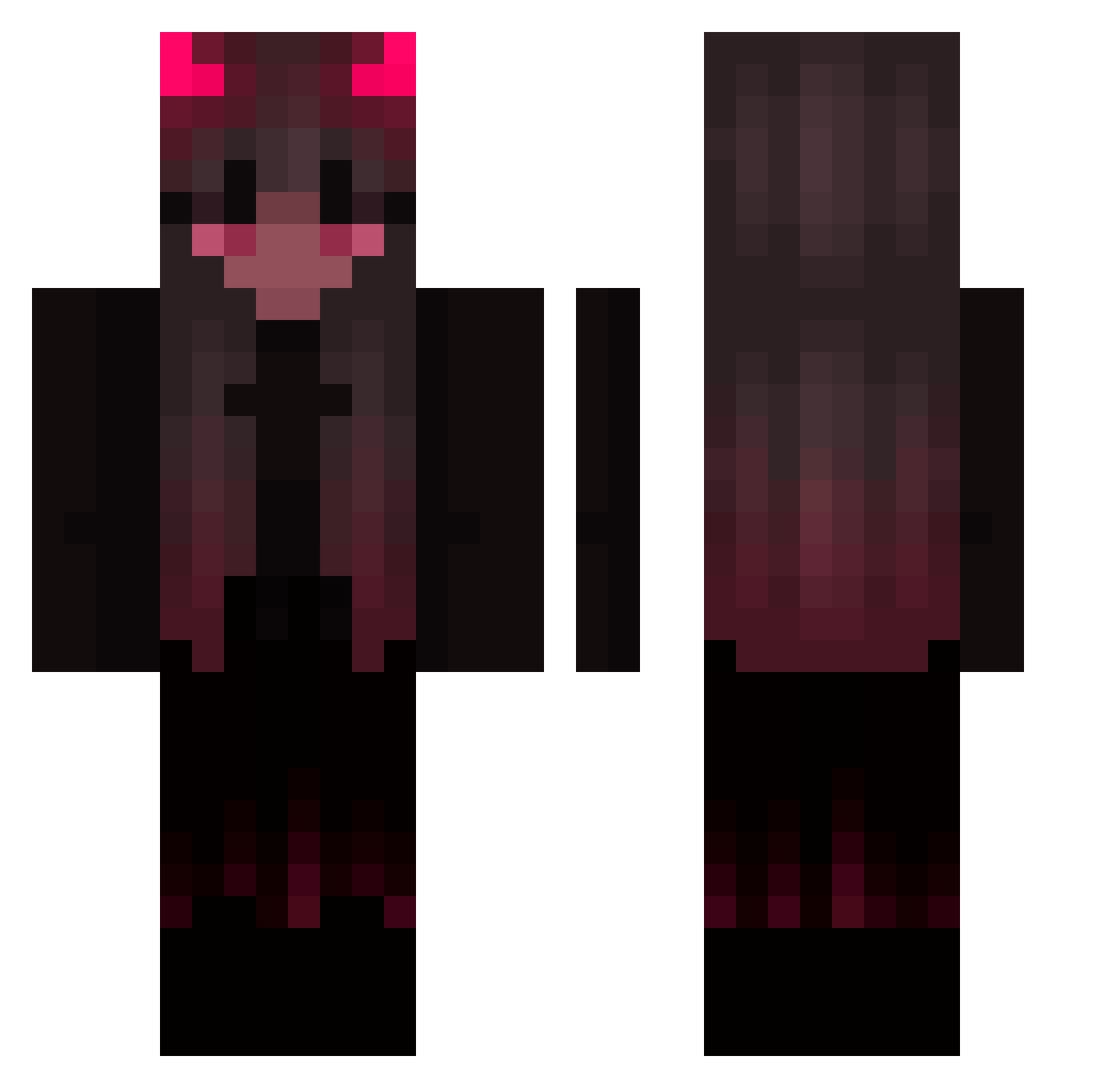
Current Minecraft skin of the player Elise_lfz, loaded from the official Mojang API. Rotate the 3D model with your mouse or finger, then download the skin as a PNG file and use it in Minecraft: Bedrock Edition or Java Edition for free. When Elise_lfz changes their skin, this page updates automatically and the old skin stays in the history below.
Other players with this skin (496)
Elise_lfz was the 465th player we have seen with this skin, first spotted on 12.11.2026. The same skin was seen on these players. Open a nickname to see their current skin and skin history.
 HoldFox pancreaslover valika420 LouizeIsCoool ExtaZiaJu WCcc114514 uwusnuggles Br0ken_Baddie54 KYasuhisa carolagenial ZeroBlank88 0ddynvff Filler_pDCpIn stitcheds0ul Xesxa12 yoyoyeleo sofia_brixtion th3mxtrixz FreakyPeaky M1R7EM1S Articlesonia _wic Cyberpunk_live1 GrounndZero pescador30 OrangeCCCC X_YUKIO_X lucraauwu Duudinhaaa Peadberg _Nals_ LunaNoLife Rm0osh BiancaInnit 170_ms NoNeTam Sxrxh705 Superlazer28 xKlaudia Yxxela Pa1isu sawita27 gardengoose23 JedliczeEnjoyer AnYinSama _BELADONNA_ MercerAdam 01GustI_Out S3RP3NT_XD SkylerL_ Myrefall johann62218 wecrippin j_hun_g1 uwuAya enderbornBA mashdp0tato WER5 ChiliPVP DiorXT
More Demon Minecraft skins
How to install the Elise_lfz skin
- Press the Download button above to save the skin as a PNG file.
- Minecraft: Bedrock Edition (PE): open the Dressing Room from the main menu (or tap your character → Edit Character), go to Classic Skins → Owned, press the + (new skin) button, choose the downloaded PNG and pick the Classic (Steve) model. Works on PC and mobile; consoles cannot import custom skins.
- Minecraft: Java Edition: open the Minecraft Launcher, go to the Skins tab, click New Skin, load the PNG, pick the Classic (Steve) model and press Save & Use. You can also upload it at minecraft.net → Profile → Change Skin.
The skin does not show up after import - what should I do?
Restart Minecraft and open the Dressing Room again - imported skins sometimes appear only after a restart. Also make sure you selected the imported skin and picked the Classic (Steve) model.
Which model should I choose, Classic or Slim?
This skin is designed for the Classic (Steve) model. If you pick the wrong model, the arms of the skin will look stretched or squeezed.
Is the skin of Elise_lfz free to download?
Yes. Press Download, save the PNG file and use it in Minecraft: Bedrock Edition or Java Edition - no payment or registration needed. The skin also works on multiplayer servers and Realms.
More skins
Looking for more? Go back to all Minecraft skins and check the top skins of the week, month and all time, or find any player's skin by nickname.