
Elban4na - Minecraft Skins & Skin History
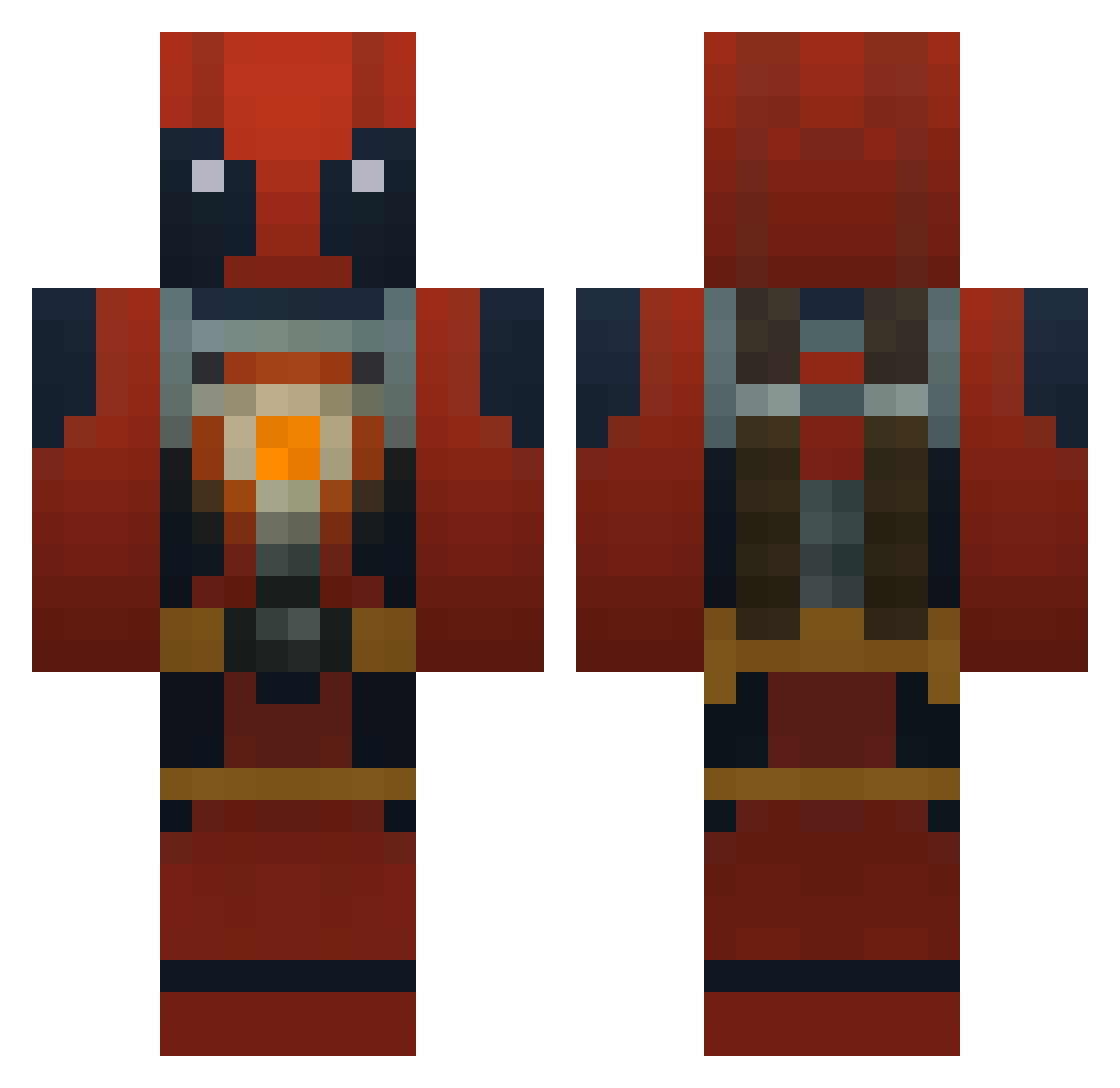
Current Minecraft skin of the player Elban4na, loaded from the official Mojang API. Rotate the 3D model with your mouse or finger, then download the skin as a PNG file and use it in Minecraft: Bedrock Edition or Java Edition for free. When Elban4na changes their skin, this page updates automatically and the old skin stays in the history below.
Other players with this skin (185)
Elban4na was the 102nd player we have seen with this skin, first spotted on 27.09.2026. The same skin was seen on these players. Open a nickname to see their current skin and skin history.
 ydoc___ Markalc9 lucforlife Kanata_eerie backho12 HiMrDeadPool LordBishop mandix1337 Di5turbedZambiE Tonito13012 COFFEECUPCUP RoughLilSlim78 Varjo7209 Walmartgg RMZ006 Damnbigg7713 BanJi1611 ChuckLovesPie augustofms siroyea oddball9971 El_Forni Gomer1129 Ai0xz Fadebeast666 Libralex AnkoHere 1MillionDollarr Ek_2126 Pablog92 highbl3h Roostersaurus Shinig01 Joshoraptor27 Dragonhunt83 MagicCrusher Black_Bloodqk Waazabbi solarboats CH_KU SCLXin Bartekk69 GetDanSarcasm JJPOODLES Luiyit Tadoki_ Badboy0209 BagelCagle JaviG93 Profo87 Ebzy95 gingie941 Johaliii Sharpyyyy_Rite _GreenGrave AEdxly The_Nagg Reggaetuna3 Nyghterror SHARPCHEESEE
More Deadpool Minecraft skins
How to install the Elban4na skin
- Press the Download button above to save the skin as a PNG file.
- Minecraft: Bedrock Edition (PE): open the Dressing Room from the main menu (or tap your character → Edit Character), go to Classic Skins → Owned, press the + (new skin) button, choose the downloaded PNG and pick the Classic (Steve) model. Works on PC and mobile; consoles cannot import custom skins.
- Minecraft: Java Edition: open the Minecraft Launcher, go to the Skins tab, click New Skin, load the PNG, pick the Classic (Steve) model and press Save & Use. You can also upload it at minecraft.net → Profile → Change Skin.
The skin does not show up after import - what should I do?
Restart Minecraft and open the Dressing Room again - imported skins sometimes appear only after a restart. Also make sure you selected the imported skin and picked the Classic (Steve) model.
Which model should I choose, Classic or Slim?
This skin is designed for the Classic (Steve) model. If you pick the wrong model, the arms of the skin will look stretched or squeezed.
Is the skin of Elban4na free to download?
Yes. Press Download, save the PNG file and use it in Minecraft: Bedrock Edition or Java Edition - no payment or registration needed. The skin also works on multiplayer servers and Realms.
More skins
Looking for more? Go back to all Minecraft skins and check the top skins of the week, month and all time, or find any player's skin by nickname.