
Egglain - Minecraft Skins & Skin History
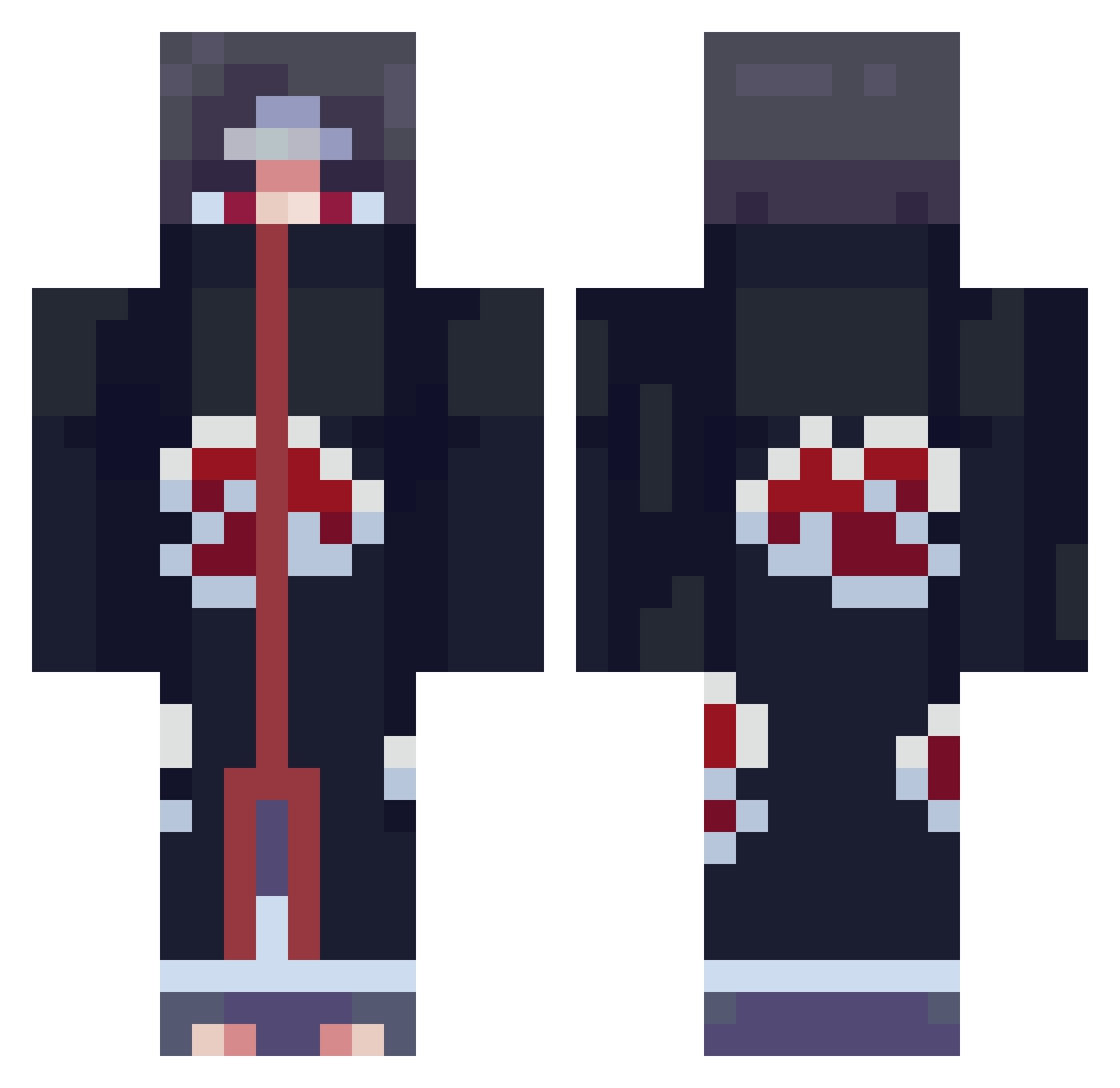
Current Minecraft skin of the player Egglain, loaded from the official Mojang API. Rotate the 3D model with your mouse or finger, then download the skin as a PNG file and use it in Minecraft: Bedrock Edition or Java Edition for free. When Egglain changes their skin, this page updates automatically and the old skin stays in the history below.
Other players with this skin (800)
Egglain was the 565th player we have seen with this skin, first spotted on 07.10.2026. The same skin was seen on these players. Open a nickname to see their current skin and skin history.
 craftjol1 TenYearsLatta POPINAPHEONIXKIT Neruxo anhuipengyuyan elias1760 DuckingLabs _MAN_OF_FIRE_ Lukitium Ca_Milo jvst_henning AlandzBR Locksmith0 Toque63 sonofgoku76 skewryne Kayle9 shisui29 Chic_Matt PicaYewfs tommasomanelli98 pippopluto Kawaxel IKICKASS1315 CLPnightmare HM_7500_ Scanga pang98 AKIRAMENA1 uhhColgate Espio86 izzo_tf Ggapster 0s1ris SkylerSlash LeonidCparta JareseNN ThiccBoiiii_XY ConManSam KOMFA leejun0415 FleksPlay Handsomeme999 IIKENMASTER Ronatime915 MineMuncher02 MC_ASAN spumhole Fixz1 CTNBoxBud refreezys Becks03 Shikouno resertrexo Sulubok xxCapIxx Zyzyd Tabi732 LolzusRodeus AYN707
More Itachi Uchiha Minecraft skins
See all 343 Itachi Uchiha skins
How to install the Egglain skin
- Press the Download button above to save the skin as a PNG file.
- Minecraft: Bedrock Edition (PE): open the Dressing Room from the main menu (or tap your character → Edit Character), go to Classic Skins → Owned, press the + (new skin) button, choose the downloaded PNG and pick the Classic (Steve) model. Works on PC and mobile; consoles cannot import custom skins.
- Minecraft: Java Edition: open the Minecraft Launcher, go to the Skins tab, click New Skin, load the PNG, pick the Classic (Steve) model and press Save & Use. You can also upload it at minecraft.net → Profile → Change Skin.
The skin does not show up after import - what should I do?
Restart Minecraft and open the Dressing Room again - imported skins sometimes appear only after a restart. Also make sure you selected the imported skin and picked the Classic (Steve) model.
Which model should I choose, Classic or Slim?
This skin is designed for the Classic (Steve) model. If you pick the wrong model, the arms of the skin will look stretched or squeezed.
Is the skin of Egglain free to download?
Yes. Press Download, save the PNG file and use it in Minecraft: Bedrock Edition or Java Edition - no payment or registration needed. The skin also works on multiplayer servers and Realms.
More skins
Looking for more? Go back to all Minecraft skins and check the top skins of the week, month and all time, or find any player's skin by nickname.