
Dun_E - Minecraft Skins & Skin History
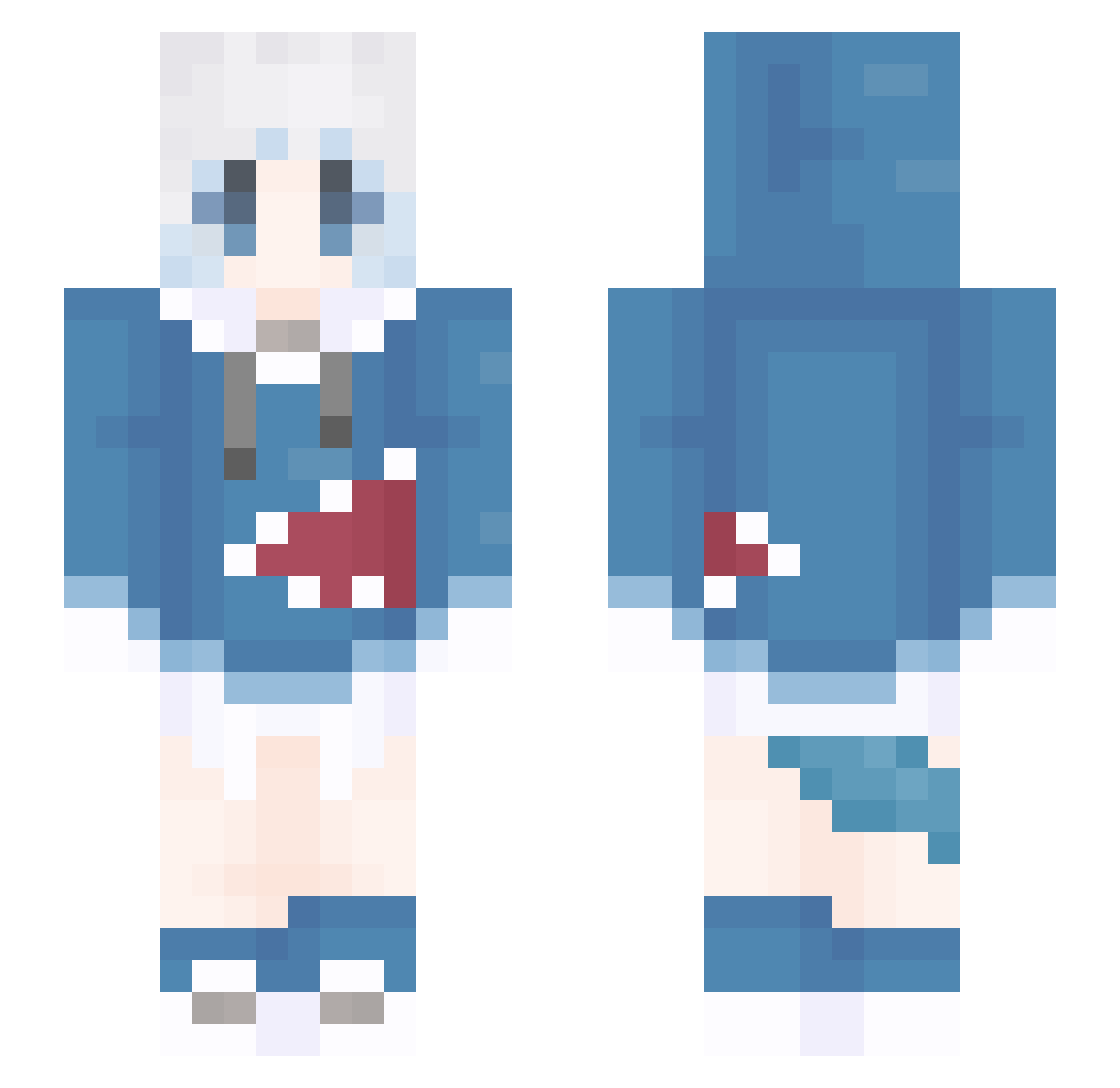
Current Minecraft skin of the player Dun_E, loaded from the official Mojang API. Rotate the 3D model with your mouse or finger, then download the skin as a PNG file and use it in Minecraft: Bedrock Edition or Java Edition for free. When Dun_E changes their skin, this page updates automatically and the old skin stays in the history below.
Other players with this skin (1309)
Dun_E was the 1015th player we have seen with this skin, first spotted on 15.10.2026. The same skin was seen on these players. Open a nickname to see their current skin and skin history.
 cheese_cake_2004 SharkSharkFly DaiDai676 MeatShin Sui_Yia mez2233 lionmeng MoQinAY Blackness661 LOveDaHai_VNoNWo menmou yuyueyuan CATTACON fpda1 7blues x2y3Vz7 Kate6231 Edmond_Targaryen TAKODan kika1577 ArichiAya_ Myuqx YIK1NG wei_me Madcat_UK woju1203 Rencaclo FUYICHEN gaoneng Niweiouo CYCeeese xiaoou521 doris356 kohon01 ChinoMagic 11Evelyn surrrf MtarK11 renji888 Sputnik2022 PlayerAlSt qing_feng02 awdwad SaGoUTo Lshd125 shiza57 guoke12 cql00 Azazvil KaiKaiKai2 smt520 zerimo025 zhouyixuan xie_sama Yiuyiu321 Alanshung mizu_water oiltea134 Yttriumions Riinon124
More Gawr Gura Minecraft skins
How to install the Dun_E skin
- Press the Download button above to save the skin as a PNG file.
- Minecraft: Bedrock Edition (PE): open the Dressing Room from the main menu (or tap your character → Edit Character), go to Classic Skins → Owned, press the + (new skin) button, choose the downloaded PNG and pick the Slim (Alex) model. Works on PC and mobile; consoles cannot import custom skins.
- Minecraft: Java Edition: open the Minecraft Launcher, go to the Skins tab, click New Skin, load the PNG, pick the Slim (Alex) model and press Save & Use. You can also upload it at minecraft.net → Profile → Change Skin.
The skin does not show up after import - what should I do?
Restart Minecraft and open the Dressing Room again - imported skins sometimes appear only after a restart. Also make sure you selected the imported skin and picked the Slim (Alex) model.
Which model should I choose, Classic or Slim?
This skin is designed for the Slim (Alex) model. If you pick the wrong model, the arms of the skin will look stretched or squeezed.
Is the skin of Dun_E free to download?
Yes. Press Download, save the PNG file and use it in Minecraft: Bedrock Edition or Java Edition - no payment or registration needed. The skin also works on multiplayer servers and Realms.
More skins
Looking for more? Go back to all Minecraft skins and check the top skins of the week, month and all time, or find any player's skin by nickname.