
DooLm - Minecraft Skins & Skin History
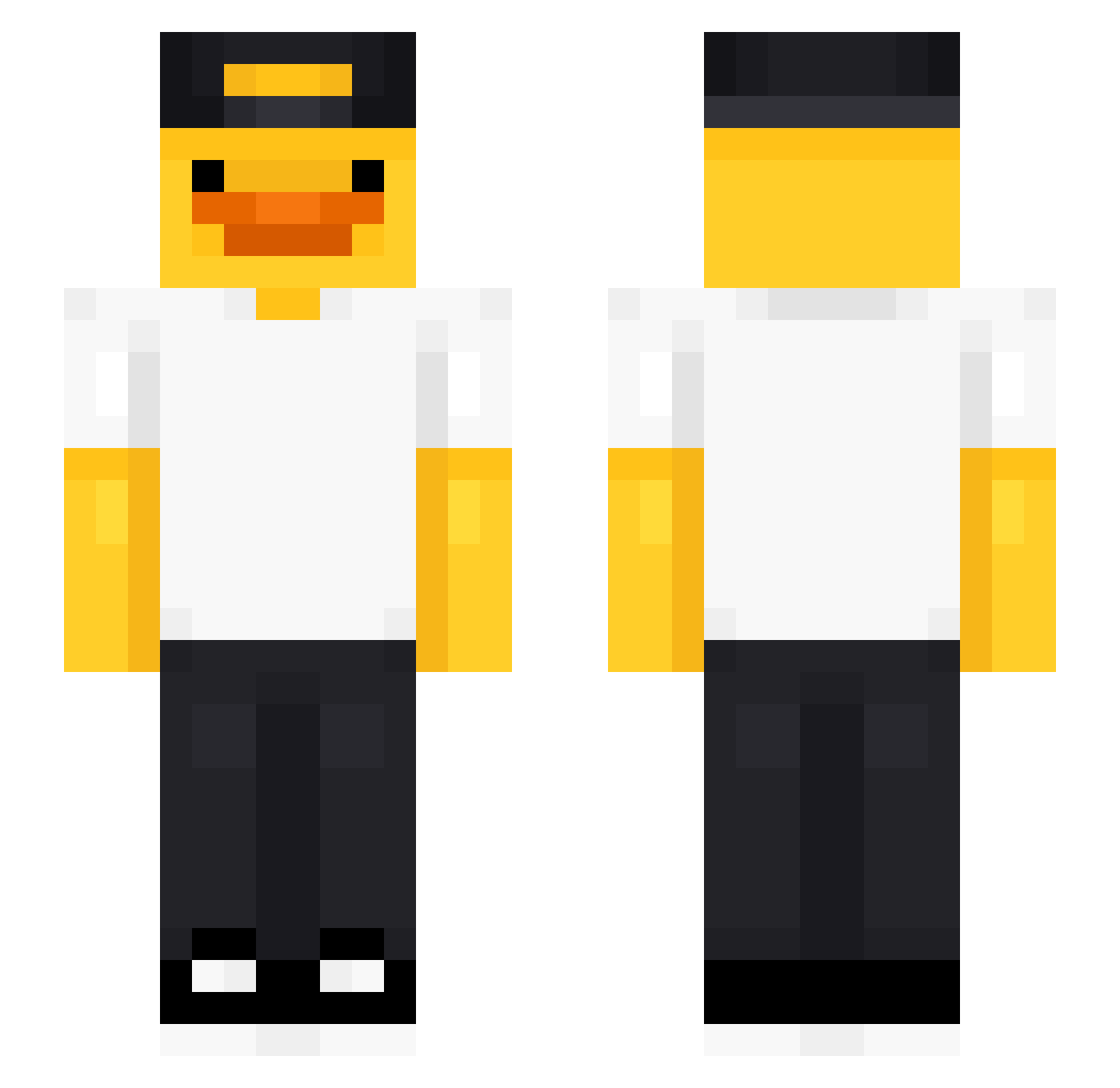
Current Minecraft skin of the player DooLm, loaded from the official Mojang API. Rotate the 3D model with your mouse or finger, then download the skin as a PNG file and use it in Minecraft: Bedrock Edition or Java Edition for free. When DooLm changes their skin, this page updates automatically and the old skin stays in the history below.
Other players with this skin (475)
DooLm was the 342nd player we have seen with this skin, first spotted on 08.10.2026. The same skin was seen on these players. Open a nickname to see their current skin and skin history.
 Zockerstange gom25 Slikkis inthee_ memododiscord123 Mxnjae0706 UniquelySkillful hayrules Freddog13 DlaMnieSiePodoba blueblingk Zorohunter89 queueO_o jjm100215 alfredyfazbear1 realcleax duck444_ AntsWearingPants Popcat1231 mateococidoarg A7aMo2men yjgf KabaineBradley Blyzks simiiixD AwesomeShark686 Lucaseb1f maxi7806 Maddispaddis1 Jzzztin Maksymiliann jhc0804 PatrCDG Humhae Riubys eagle301218pj iiMiist Luxyostream Danglyy Elf_2013 Qiesta1123 Hanash20 JOYURI__1022 Vini_RL Kimera1000 LEKSA69 SoccerMonkey55 denjiy1 Koostillar BAREL1 Harold619 ___Pineapple___ Duck_Boi7 HearHeart Bannanaboy444 Alin2433 Giacomino0 SrTermax Rune_Eeck AdrianFlr2
More Cap Minecraft skins
How to install the DooLm skin
- Press the Download button above to save the skin as a PNG file.
- Minecraft: Bedrock Edition (PE): open the Dressing Room from the main menu (or tap your character → Edit Character), go to Classic Skins → Owned, press the + (new skin) button, choose the downloaded PNG and pick the Slim (Alex) model. Works on PC and mobile; consoles cannot import custom skins.
- Minecraft: Java Edition: open the Minecraft Launcher, go to the Skins tab, click New Skin, load the PNG, pick the Slim (Alex) model and press Save & Use. You can also upload it at minecraft.net → Profile → Change Skin.
The skin does not show up after import - what should I do?
Restart Minecraft and open the Dressing Room again - imported skins sometimes appear only after a restart. Also make sure you selected the imported skin and picked the Slim (Alex) model.
Which model should I choose, Classic or Slim?
This skin is designed for the Slim (Alex) model. If you pick the wrong model, the arms of the skin will look stretched or squeezed.
Is the skin of DooLm free to download?
Yes. Press Download, save the PNG file and use it in Minecraft: Bedrock Edition or Java Edition - no payment or registration needed. The skin also works on multiplayer servers and Realms.
More skins
Looking for more? Go back to all Minecraft skins and check the top skins of the week, month and all time, or find any player's skin by nickname.