
Dizzleyo - Minecraft Skins & Skin History
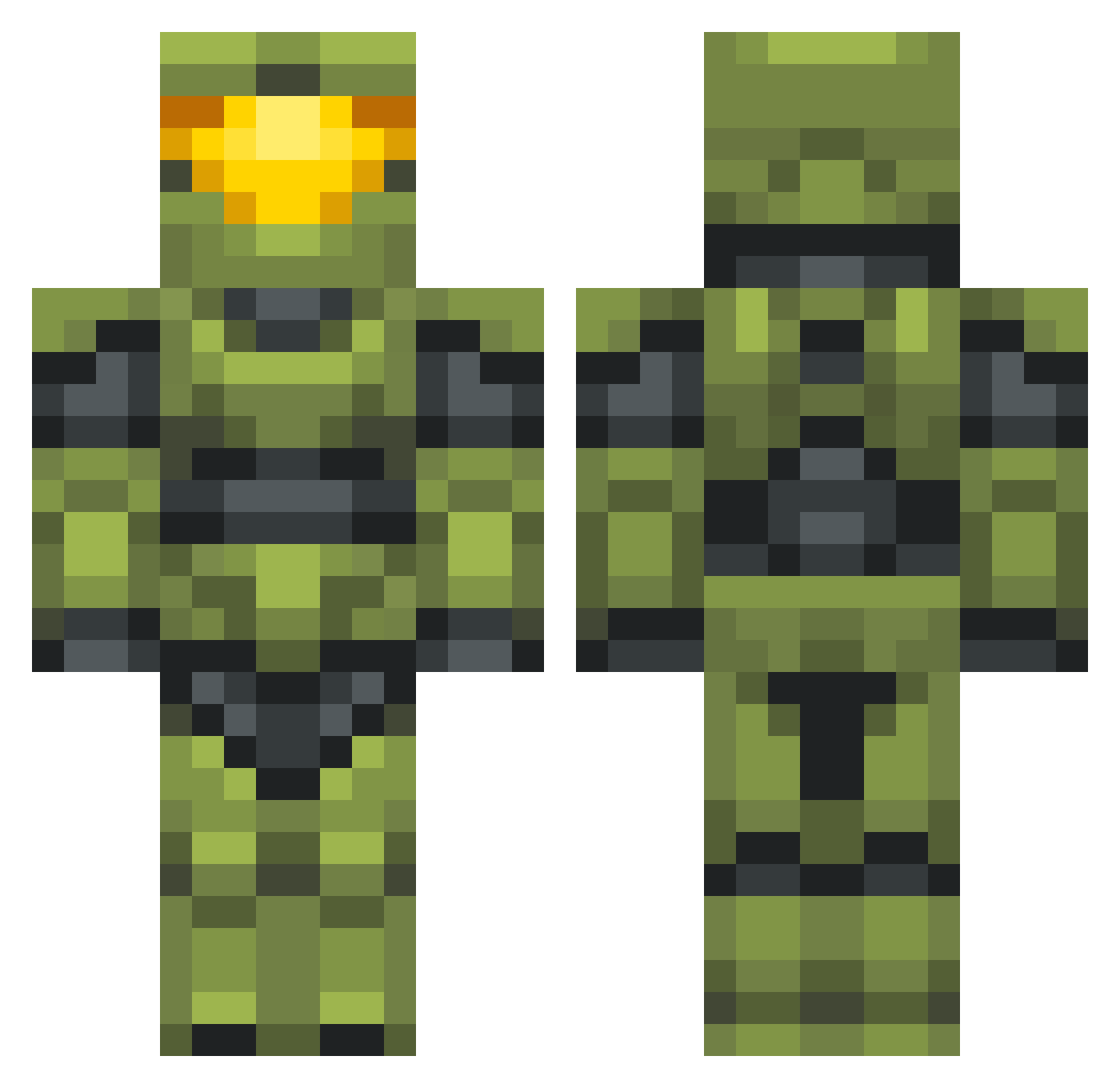
Current Minecraft skin of the player Dizzleyo, loaded from the official Mojang API. Rotate the 3D model with your mouse or finger, then download the skin as a PNG file and use it in Minecraft: Bedrock Edition or Java Edition for free. When Dizzleyo changes their skin, this page updates automatically and the old skin stays in the history below.
Other players with this skin (702)
Dizzleyo was the 238th player we have seen with this skin, first spotted on 02.09.2026. The same skin was seen on these players. Open a nickname to see their current skin and skin history.
 XboxDonut XxDirtyZanchezxX DanTheEnd Famous4halo GopniKraft Vanilloid King_Gabagool HamudGotDrip Stonemoss andersonsys CmdrStryker1 txmmytrilfiger Jarude_ JRemmy StairwayToEvan_ DamjanZoric fang45 Renk96 Blowson albeans101 fwubby shade_yuh DunkmasterFresh Geeawf Bertious Stockranger Emolio335 ssstu66 halohater117 BikerSenpai OG_AJAX Jihadisti Curt580 TYinnuo Patty_Mills xlDonJuan Paenscho DTones Xanions GENERAL_SCHMERCH GobiXC Hardcorehero15 _Raze007_ Krimllin ZheroStratos56 jasonjay5 De_a_go NotACello Tman1398 riptide117 thooms456 TotalPostal Mythos95 DBBartje Paninis LowryGT500 Toeslurper24 AimlessSWE Jakex593 Smoked_Salmon27
More Master Chief Minecraft skins
See all 538 Master Chief skins
How to install the Dizzleyo skin
- Press the Download button above to save the skin as a PNG file.
- Minecraft: Bedrock Edition (PE): open the Dressing Room from the main menu (or tap your character → Edit Character), go to Classic Skins → Owned, press the + (new skin) button, choose the downloaded PNG and pick the Classic (Steve) model. Works on PC and mobile; consoles cannot import custom skins.
- Minecraft: Java Edition: open the Minecraft Launcher, go to the Skins tab, click New Skin, load the PNG, pick the Classic (Steve) model and press Save & Use. You can also upload it at minecraft.net → Profile → Change Skin.
The skin does not show up after import - what should I do?
Restart Minecraft and open the Dressing Room again - imported skins sometimes appear only after a restart. Also make sure you selected the imported skin and picked the Classic (Steve) model.
Which model should I choose, Classic or Slim?
This skin is designed for the Classic (Steve) model. If you pick the wrong model, the arms of the skin will look stretched or squeezed.
Is the skin of Dizzleyo free to download?
Yes. Press Download, save the PNG file and use it in Minecraft: Bedrock Edition or Java Edition - no payment or registration needed. The skin also works on multiplayer servers and Realms.
More skins
Looking for more? Go back to all Minecraft skins and check the top skins of the week, month and all time, or find any player's skin by nickname.