
Diegoownsme01 - Minecraft Skins & Skin History
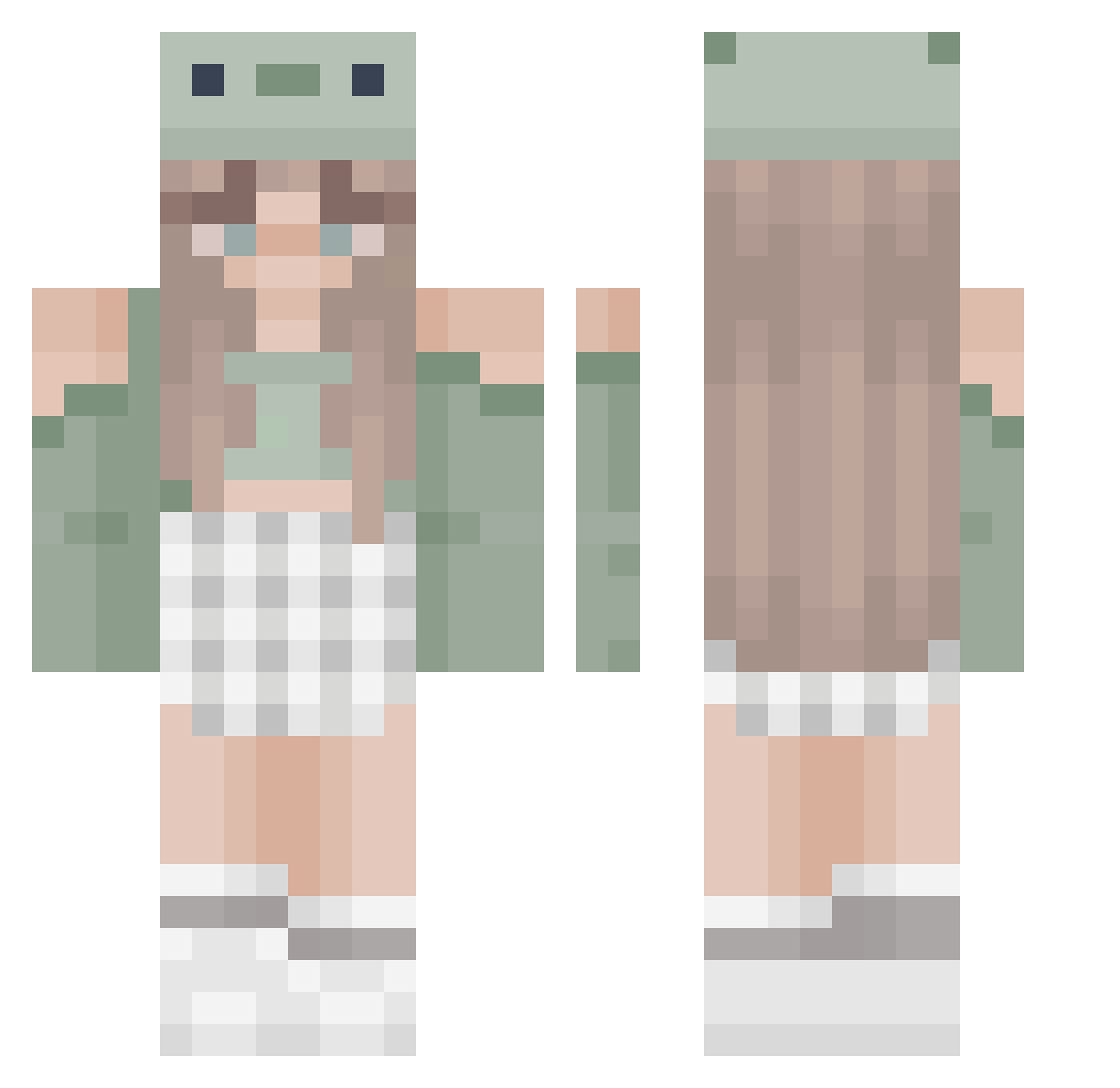
Current Minecraft skin of the player Diegoownsme01, loaded from the official Mojang API. Rotate the 3D model with your mouse or finger, then download the skin as a PNG file and use it in Minecraft: Bedrock Edition or Java Edition for free. When Diegoownsme01 changes their skin, this page updates automatically and the old skin stays in the history below.
Other players with this skin (466)
Diegoownsme01 was the 335th player we have seen with this skin, first spotted on 08.10.2026. The same skin was seen on these players. Open a nickname to see their current skin and skin history.
 hparks Sapphire31 AliaZephyrim _kitkatkot_ Chickenwinggang hiplyketiff elduelo404 Gibbletots madsss06 _ka3lin gamergirl201843 Kiwi0369 Shirley383 Bah_Bah_Sheep Patiszon123 XLauraXCrazy xXDani_GraceXx elisanha JennixMsl ViolettCookie Baby_Bean Janamariek Hailey15413 TheMamaBear69 mayaziyad Leyre189 cherrishh Rarasok AngyB536 NIKA1776 Horsecraft04 pearlheart07 KaleSea_ CogChamp YUTADES03 Mirabelle_1337 mantou15 YamieGamer macylauren annickol Zer0_Binary _Lemoonade_ flinnnyy Pandorozec Rominaaaa xXemmypupsiXx spaceandfrogs Kiratara Detective_nootje Edyta_2 imbartu GR4CEEE VVerka_aferka Slayer6403 dayzen76 sularey0 Ynnikir ShanyRC cfalco Chomis_
More Sage Green Minecraft skins
How to install the Diegoownsme01 skin
- Press the Download button above to save the skin as a PNG file.
- Minecraft: Bedrock Edition (PE): open the Dressing Room from the main menu (or tap your character → Edit Character), go to Classic Skins → Owned, press the + (new skin) button, choose the downloaded PNG and pick the Classic (Steve) model. Works on PC and mobile; consoles cannot import custom skins.
- Minecraft: Java Edition: open the Minecraft Launcher, go to the Skins tab, click New Skin, load the PNG, pick the Classic (Steve) model and press Save & Use. You can also upload it at minecraft.net → Profile → Change Skin.
The skin does not show up after import - what should I do?
Restart Minecraft and open the Dressing Room again - imported skins sometimes appear only after a restart. Also make sure you selected the imported skin and picked the Classic (Steve) model.
Which model should I choose, Classic or Slim?
This skin is designed for the Classic (Steve) model. If you pick the wrong model, the arms of the skin will look stretched or squeezed.
Is the skin of Diegoownsme01 free to download?
Yes. Press Download, save the PNG file and use it in Minecraft: Bedrock Edition or Java Edition - no payment or registration needed. The skin also works on multiplayer servers and Realms.
More skins
Looking for more? Go back to all Minecraft skins and check the top skins of the week, month and all time, or find any player's skin by nickname.