
Dedetto - Minecraft Skins & Skin History
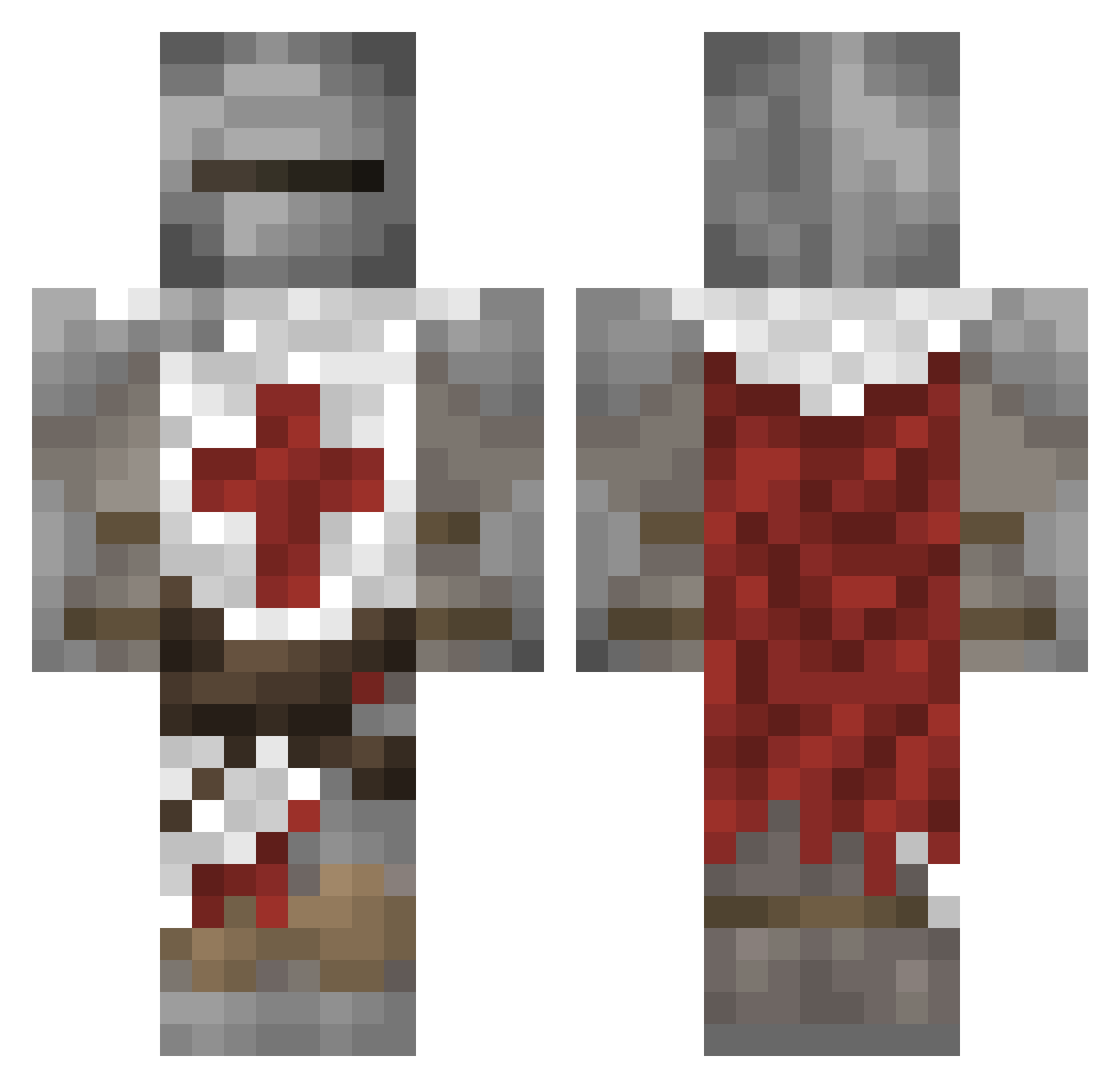
Current Minecraft skin of the player Dedetto, loaded from the official Mojang API. Rotate the 3D model with your mouse or finger, then download the skin as a PNG file and use it in Minecraft: Bedrock Edition or Java Edition for free. When Dedetto changes their skin, this page updates automatically and the old skin stays in the history below.
Other players with this skin (76)
Dedetto was the 47th player we have seen with this skin, first spotted on 04.10.2026. The same skin was seen on these players. Open a nickname to see their current skin and skin history.
 superfatbunny buckshote DeltaHQ_ Chacha0919 TenStepDraw Pretusco6924 realkraft1 RumRaccoon IRVINGPRO1234 Dateix HAYDENSPUBEE qLARP Preleasing scimmietta33 TailTGameR SomeRando72 Oneheir NotFanders elcarlico_ Oreopuff kawaiiprince12 melragon Samubrise RexyExtreme jjack402 BriochePraline _broXy_ maxperso XXMangoXX_ Kyn_AD ArangedAverage Shurupovert112 Spangsters Kandaar Highlow9 GeneralThick hightidepro dima3815 Degenerate UpsetPressure UltraBat4091561 llFlair Ulate_ WinterAsh1 Eidastic le_bowl MILESTATION ALFREDOB ocza022 CORBY1 BelemKnight Fartmunch3er aythepizzahere Sreveurd roguesapien Smokey6397 DrDraken_ cos6red131 Koskenlaskia69 LowIQBird
More Crusader Minecraft skins
How to install the Dedetto skin
- Press the Download button above to save the skin as a PNG file.
- Minecraft: Bedrock Edition (PE): open the Dressing Room from the main menu (or tap your character → Edit Character), go to Classic Skins → Owned, press the + (new skin) button, choose the downloaded PNG and pick the Classic (Steve) model. Works on PC and mobile; consoles cannot import custom skins.
- Minecraft: Java Edition: open the Minecraft Launcher, go to the Skins tab, click New Skin, load the PNG, pick the Classic (Steve) model and press Save & Use. You can also upload it at minecraft.net → Profile → Change Skin.
The skin does not show up after import - what should I do?
Restart Minecraft and open the Dressing Room again - imported skins sometimes appear only after a restart. Also make sure you selected the imported skin and picked the Classic (Steve) model.
Which model should I choose, Classic or Slim?
This skin is designed for the Classic (Steve) model. If you pick the wrong model, the arms of the skin will look stretched or squeezed.
Is the skin of Dedetto free to download?
Yes. Press Download, save the PNG file and use it in Minecraft: Bedrock Edition or Java Edition - no payment or registration needed. The skin also works on multiplayer servers and Realms.
More skins
Looking for more? Go back to all Minecraft skins and check the top skins of the week, month and all time, or find any player's skin by nickname.