
Deckingston - Minecraft Skins & Skin History
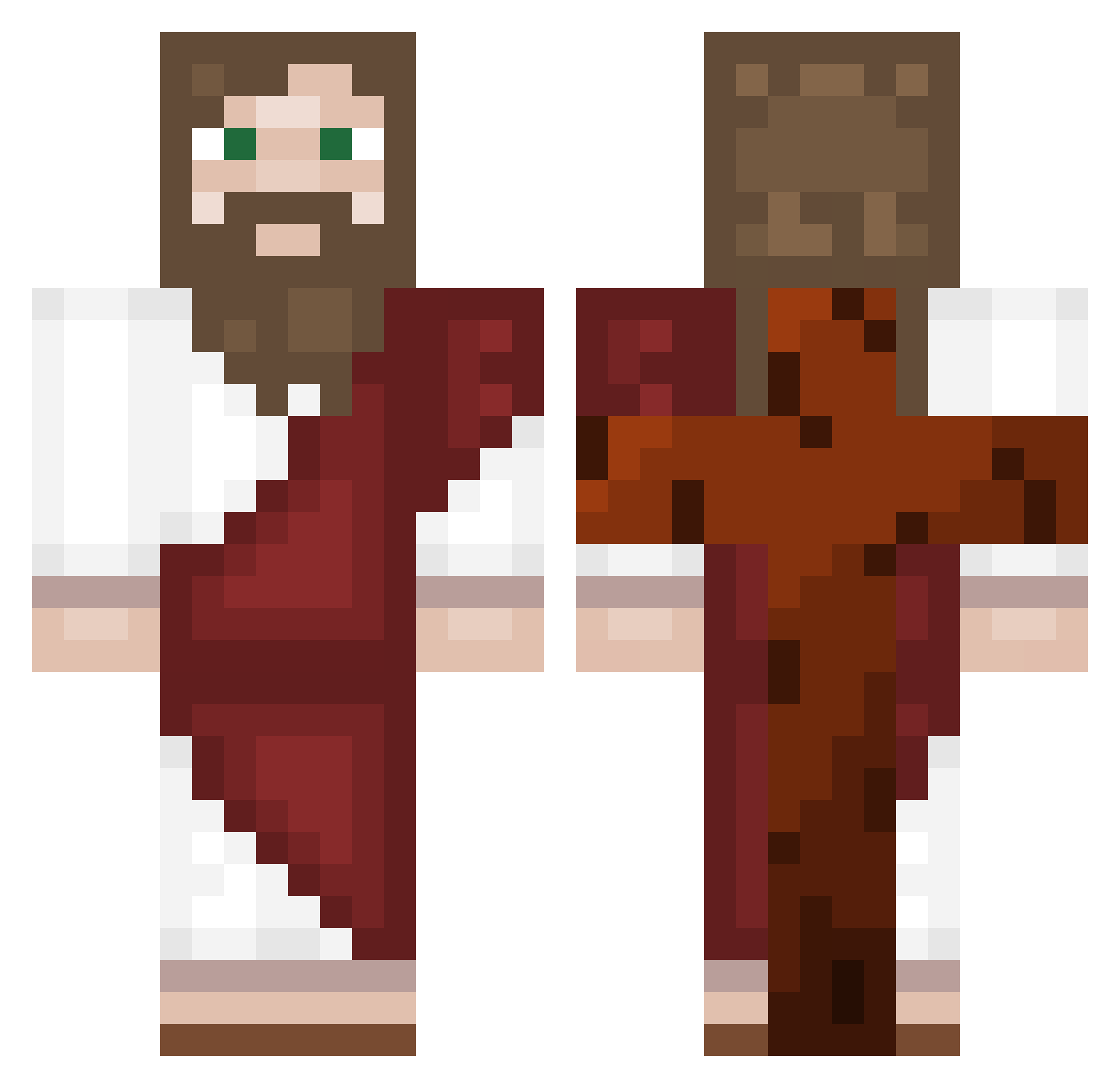
Current Minecraft skin of the player Deckingston, loaded from the official Mojang API. Rotate the 3D model with your mouse or finger, then download the skin as a PNG file and use it in Minecraft: Bedrock Edition or Java Edition for free. When Deckingston changes their skin, this page updates automatically and the old skin stays in the history below.
Other players with this skin (557)
Deckingston was the 319th player we have seen with this skin, first spotted on 24.09.2026. The same skin was seen on these players. Open a nickname to see their current skin and skin history.
 sseey copiiied NewDeadMutant99 few1167 RNGesus_Inc Jeremi99 BlackVeil008 BorisBrejchaa Basicallyj3sus69 Juancho_Pancho BENNnnBEN kadenp5 Zetbones Nikolaos2011 hhg3000 No_Dogg Kermit_King22 Burakzx16 soniiik08 the0boldthebird DAgoldengooner woodydada rolte facu3355 Batera21 ECHOspear Madenki_4U DANIL0C0 JakeDaSquid German2511 eb_the_pleb leonelPA4 Mubibda JvZc01 Bozicapop_xx HIZIR_48 adamezVCTdude Terezinhadafeira manusepulv 1StMarineCorps BrutdesTodes wereasgiorhasofo PatataLoca6 Gouldy99 Turner_Burner_7 ItMythical bloga SAVEboiz Ama_Akuma OCookie20 snooks123 leratsacre fatnan21 BODADO02 JEK002 ssyxus ShyGuy12344000 SpaghettiYesMan ercole703 Myspy
More Biblical Minecraft skins
How to install the Deckingston skin
- Press the Download button above to save the skin as a PNG file.
- Minecraft: Bedrock Edition (PE): open the Dressing Room from the main menu (or tap your character → Edit Character), go to Classic Skins → Owned, press the + (new skin) button, choose the downloaded PNG and pick the Classic (Steve) model. Works on PC and mobile; consoles cannot import custom skins.
- Minecraft: Java Edition: open the Minecraft Launcher, go to the Skins tab, click New Skin, load the PNG, pick the Classic (Steve) model and press Save & Use. You can also upload it at minecraft.net → Profile → Change Skin.
The skin does not show up after import - what should I do?
Restart Minecraft and open the Dressing Room again - imported skins sometimes appear only after a restart. Also make sure you selected the imported skin and picked the Classic (Steve) model.
Which model should I choose, Classic or Slim?
This skin is designed for the Classic (Steve) model. If you pick the wrong model, the arms of the skin will look stretched or squeezed.
Is the skin of Deckingston free to download?
Yes. Press Download, save the PNG file and use it in Minecraft: Bedrock Edition or Java Edition - no payment or registration needed. The skin also works on multiplayer servers and Realms.
More skins
Looking for more? Go back to all Minecraft skins and check the top skins of the week, month and all time, or find any player's skin by nickname.