
DGame12345 - Minecraft Skins & Skin History
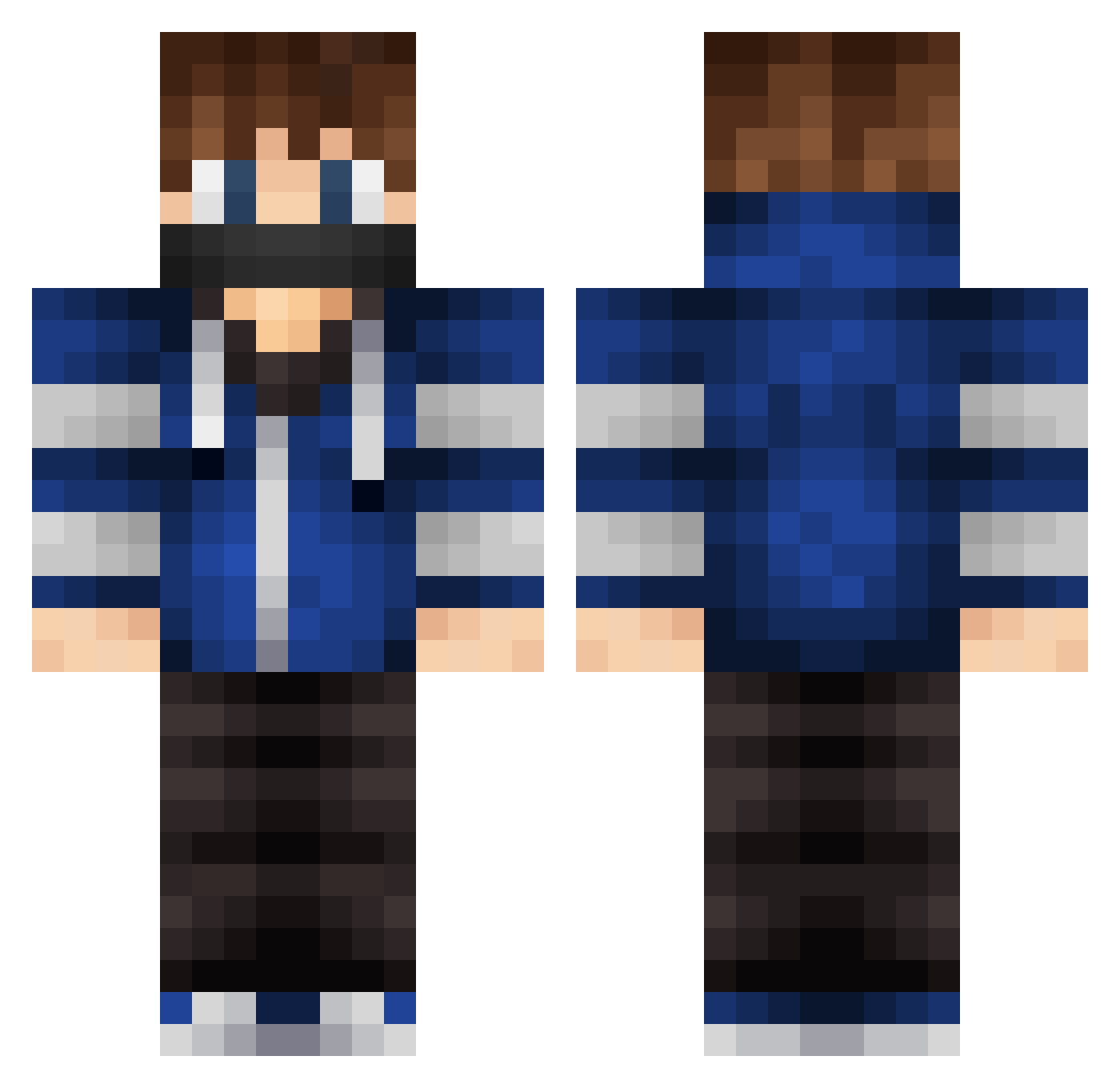
Current Minecraft skin of the player DGame12345, loaded from the official Mojang API. Rotate the 3D model with your mouse or finger, then download the skin as a PNG file and use it in Minecraft: Bedrock Edition or Java Edition for free. When DGame12345 changes their skin, this page updates automatically and the old skin stays in the history below.
Other players with this skin (579)
DGame12345 was the 186th player we have seen with this skin, first spotted on 03.09.2026. The same skin was seen on these players. Open a nickname to see their current skin and skin history.
 Captain_Craft_Jr MaxWho2004 Adrian45 Genforce Slaught3rH0ouse S1mmo AldorS Lionfaceman10 shadows13 Goldmitt88 italsamson T3nni noi11 MartinRL01 lincoln4091 jovanchia123 xTylerPlqyzYT_ psycho_watusi Zimnaco1000 skislider EpicViolin447 w0TAFgT Banebruiser cantouchthis567 Wildcat88 MineCraftMine246 hype789 BladeMasterKT eggyolk7 RepulsiveElf954 Hawkeye22_ iAmTheLegendary Andyy1976 Schnecklass SavAlt12 Lu_Boy_Tv Elliott747 Agh2005 Roz RetrockY Rexatowen Rymdis12 xxHugoxx Noble73 BuilderLars sharpsena xkjp14 Theokilher564 Aurora_KuZey SoccerPro174 yopi_0406 Wildrain ThePrimeCronus choplin69 Screzzy Doozy19 NIXJO10 PluralizeGaming vallejotint SwipeerCraftHD
More Mask Minecraft skins
How to install the DGame12345 skin
- Press the Download button above to save the skin as a PNG file.
- Minecraft: Bedrock Edition (PE): open the Dressing Room from the main menu (or tap your character → Edit Character), go to Classic Skins → Owned, press the + (new skin) button, choose the downloaded PNG and pick the Classic (Steve) model. Works on PC and mobile; consoles cannot import custom skins.
- Minecraft: Java Edition: open the Minecraft Launcher, go to the Skins tab, click New Skin, load the PNG, pick the Classic (Steve) model and press Save & Use. You can also upload it at minecraft.net → Profile → Change Skin.
The skin does not show up after import - what should I do?
Restart Minecraft and open the Dressing Room again - imported skins sometimes appear only after a restart. Also make sure you selected the imported skin and picked the Classic (Steve) model.
Which model should I choose, Classic or Slim?
This skin is designed for the Classic (Steve) model. If you pick the wrong model, the arms of the skin will look stretched or squeezed.
Is the skin of DGame12345 free to download?
Yes. Press Download, save the PNG file and use it in Minecraft: Bedrock Edition or Java Edition - no payment or registration needed. The skin also works on multiplayer servers and Realms.
More skins
Looking for more? Go back to all Minecraft skins and check the top skins of the week, month and all time, or find any player's skin by nickname.