
CrawLorDx - Minecraft Skins & Skin History
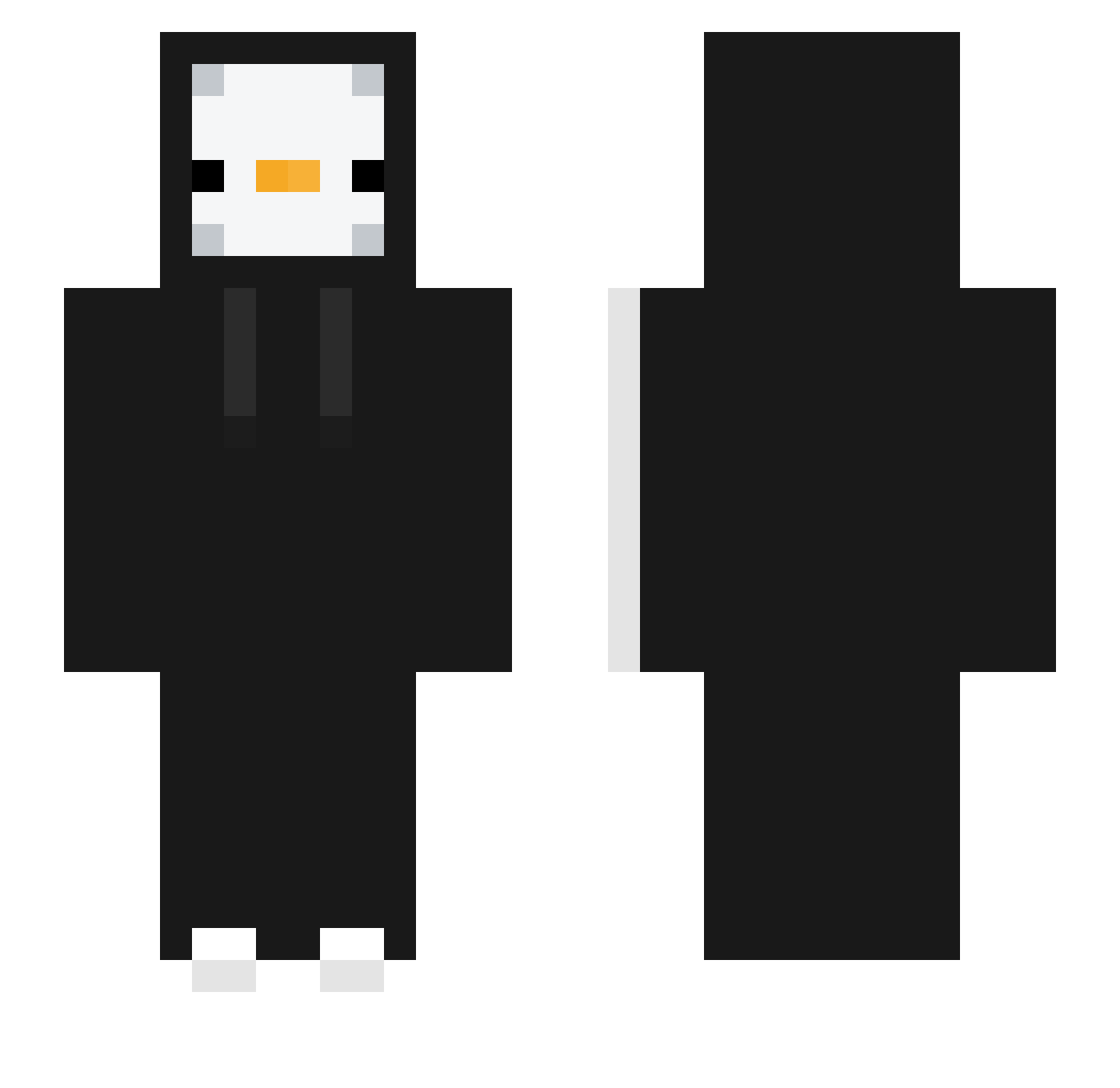
Current Minecraft skin of the player CrawLorDx, loaded from the official Mojang API. Rotate the 3D model with your mouse or finger, then download the skin as a PNG file and use it in Minecraft: Bedrock Edition or Java Edition for free. When CrawLorDx changes their skin, this page updates automatically and the old skin stays in the history below.
Other players with this skin (332)
CrawLorDx was the 145th player we have seen with this skin, first spotted on 13.09.2026. The same skin was seen on these players. Open a nickname to see their current skin and skin history.
 OLAF_RIP necmeddin12 420Milo420 woojin3391 MannyonBestADC Arden_studio_S2 Cloud132356 Grimm486_ kb092901 Bigman_419 Spivisx Duldul3 NoZe00 eojin_LEE kabooki0703 fijose eardi Ravenekk WeirdProfilename pitiful8805 taycovic leo8_ Exn_0 13lv M_yLK Winstonred93 Elgr3nas Yarcher KXZY102 Ehdhli NurJer minjuisjohnwick creeper160715 Robson_SKIZI ljy9917 Juanchoo57 0x_o TST09 GIOS39 erikrke Eastariel Camixz EGGVELO ch1km xiaokang_XK NevrGiveUP Cazarini jamjun_2 JellyBeanGiver chaoswing GhanaChocolate PlagueDoctor750 MoLe3To sehyunski GodAmeng Plus_pls GGgmae s4ix JhonO0Gamer_ MMuum
More Duck Minecraft skins
How to install the CrawLorDx skin
- Press the Download button above to save the skin as a PNG file.
- Minecraft: Bedrock Edition (PE): open the Dressing Room from the main menu (or tap your character → Edit Character), go to Classic Skins → Owned, press the + (new skin) button, choose the downloaded PNG and pick the Slim (Alex) model. Works on PC and mobile; consoles cannot import custom skins.
- Minecraft: Java Edition: open the Minecraft Launcher, go to the Skins tab, click New Skin, load the PNG, pick the Slim (Alex) model and press Save & Use. You can also upload it at minecraft.net → Profile → Change Skin.
The skin does not show up after import - what should I do?
Restart Minecraft and open the Dressing Room again - imported skins sometimes appear only after a restart. Also make sure you selected the imported skin and picked the Slim (Alex) model.
Which model should I choose, Classic or Slim?
This skin is designed for the Slim (Alex) model. If you pick the wrong model, the arms of the skin will look stretched or squeezed.
Is the skin of CrawLorDx free to download?
Yes. Press Download, save the PNG file and use it in Minecraft: Bedrock Edition or Java Edition - no payment or registration needed. The skin also works on multiplayer servers and Realms.
More skins
Looking for more? Go back to all Minecraft skins and check the top skins of the week, month and all time, or find any player's skin by nickname.