
CoinPainter9168 - Minecraft Skins & Skin History
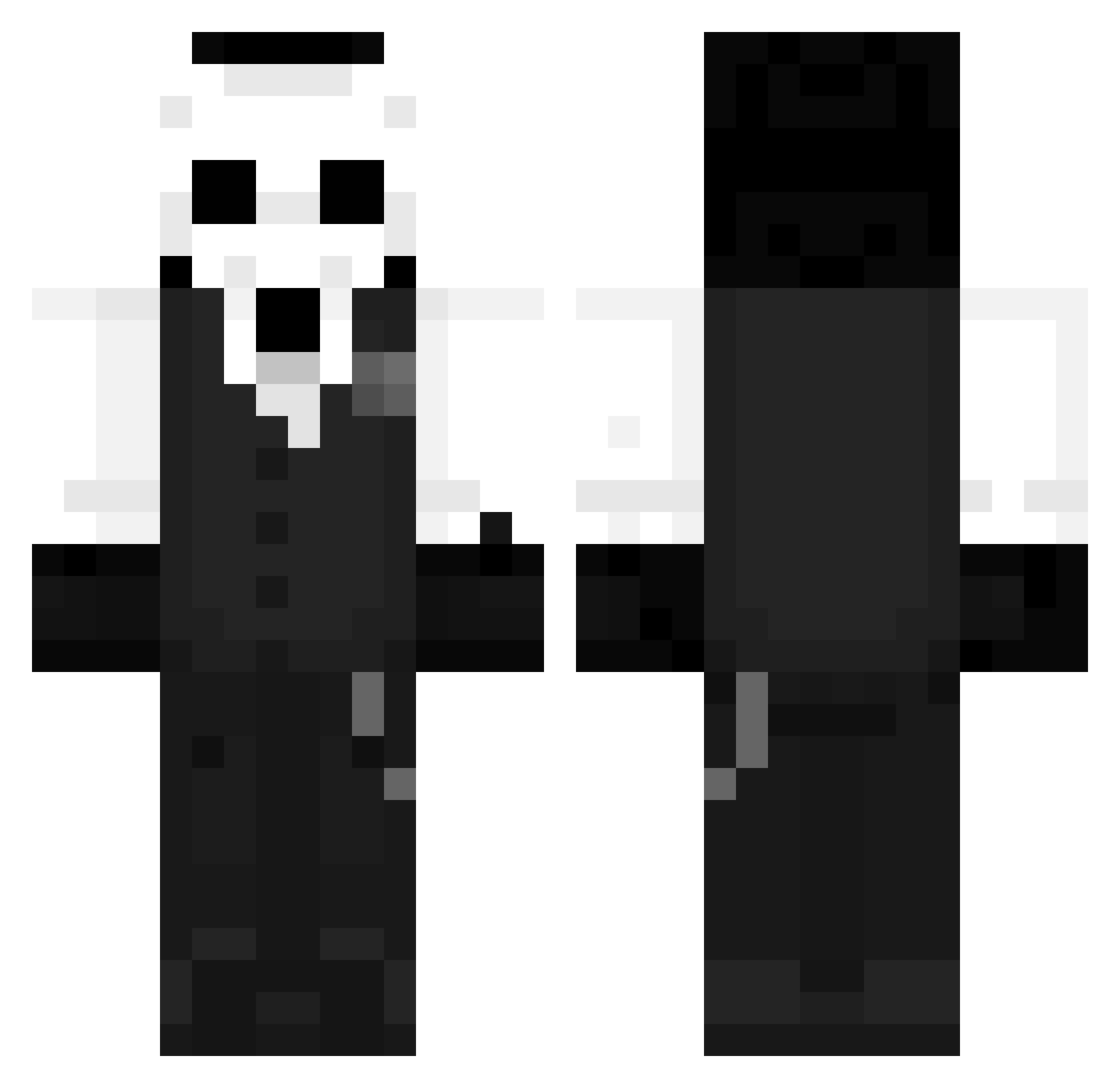
Current Minecraft skin of the player CoinPainter9168, loaded from the official Mojang API. Rotate the 3D model with your mouse or finger, then download the skin as a PNG file and use it in Minecraft: Bedrock Edition or Java Edition for free. When CoinPainter9168 changes their skin, this page updates automatically and the old skin stays in the history below.
Other players with this skin (1260)
CoinPainter9168 was the 778th player we have seen with this skin, first spotted on 02.10.2026. The same skin was seen on these players. Open a nickname to see their current skin and skin history.
 Diefast0 joaoforge kakashy1230 Iblamej MimiPasta MrchongJ Dwotri ItzKrylic vithar9 MortiferVA Kulesza042 Miracle_y Garryman9000 VARB1USa BlackBird_97 Taizer Natsu_Gaming Fox_u Smite25 chunhuge ctioe SaltyHeisenberg BIGTWD ItzzDrX saikoYmir parkdongho WwxH Daibixiaoyao Darkwolf44256 The_Dark_0wl Kaipple Hecrit DanteFPC CaraxTBW Porcoi thenessless Auremax LastEmberofDusk Zx0chi Smykuu Aloha_XQ asaito zemexs ZezinhoZ7 aimlxrdy JovisTheWarrior J04QU1M Amlover4ever kubatak357xd Gabishow Demonfox0702 PatrickEstrela1 EasyMace SergioOMG alt_912 Manualiti Gentle_Demon NatanKing1 VulgoPedro Kosa0690
More Sans Minecraft skins
How to install the CoinPainter9168 skin
- Press the Download button above to save the skin as a PNG file.
- Minecraft: Bedrock Edition (PE): open the Dressing Room from the main menu (or tap your character → Edit Character), go to Classic Skins → Owned, press the + (new skin) button, choose the downloaded PNG and pick the Classic (Steve) model. Works on PC and mobile; consoles cannot import custom skins.
- Minecraft: Java Edition: open the Minecraft Launcher, go to the Skins tab, click New Skin, load the PNG, pick the Classic (Steve) model and press Save & Use. You can also upload it at minecraft.net → Profile → Change Skin.
The skin does not show up after import - what should I do?
Restart Minecraft and open the Dressing Room again - imported skins sometimes appear only after a restart. Also make sure you selected the imported skin and picked the Classic (Steve) model.
Which model should I choose, Classic or Slim?
This skin is designed for the Classic (Steve) model. If you pick the wrong model, the arms of the skin will look stretched or squeezed.
Is the skin of CoinPainter9168 free to download?
Yes. Press Download, save the PNG file and use it in Minecraft: Bedrock Edition or Java Edition - no payment or registration needed. The skin also works on multiplayer servers and Realms.
More skins
Looking for more? Go back to all Minecraft skins and check the top skins of the week, month and all time, or find any player's skin by nickname.