
Cien010 - Minecraft Skins & Skin History
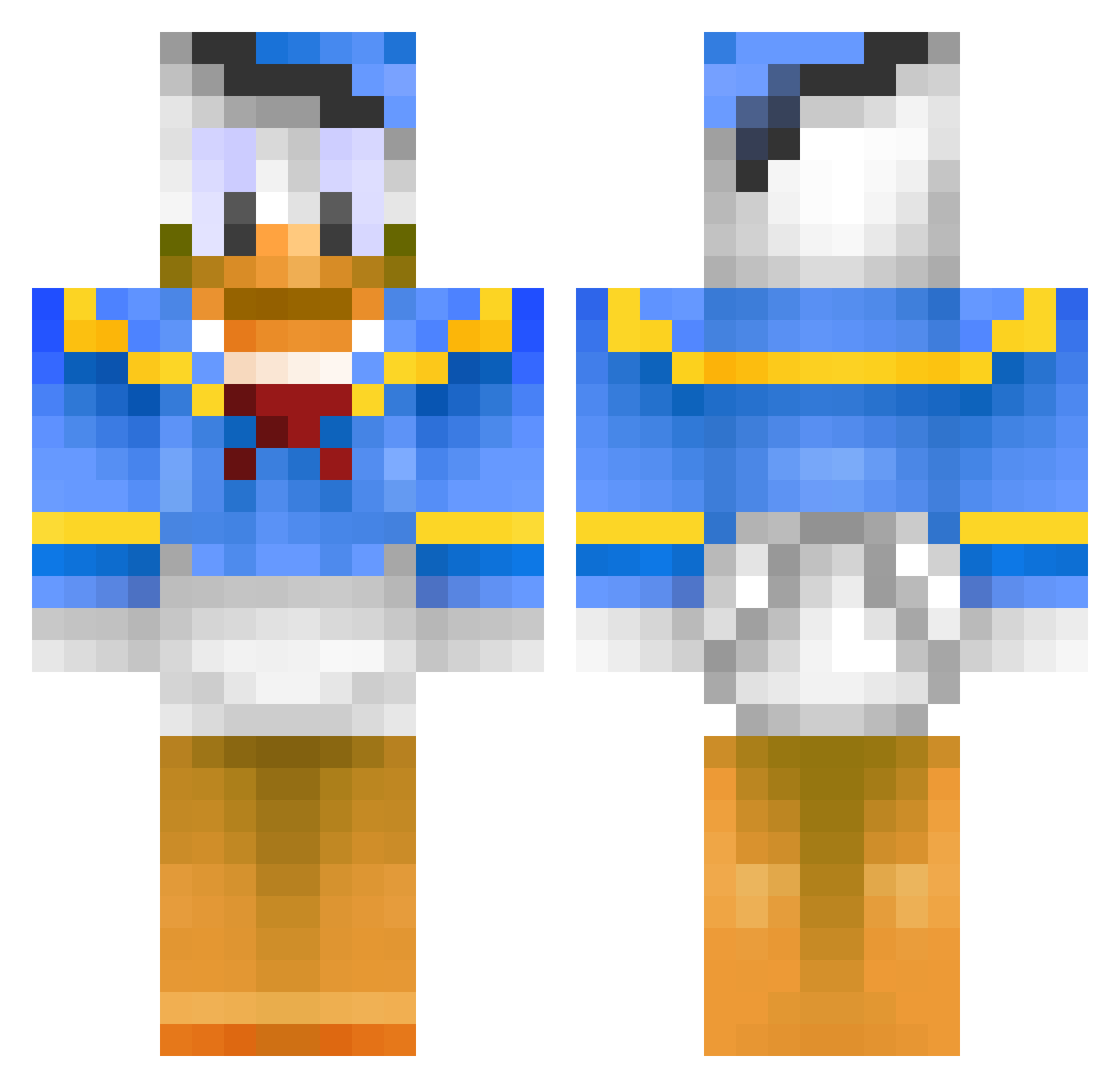
Current Minecraft skin of the player Cien010, loaded from the official Mojang API. Rotate the 3D model with your mouse or finger, then download the skin as a PNG file and use it in Minecraft: Bedrock Edition or Java Edition for free. When Cien010 changes their skin, this page updates automatically and the old skin stays in the history below.
Other players with this skin (146)
Cien010 was the 78th player we have seen with this skin, first spotted on 03.10.2026. The same skin was seen on these players. Open a nickname to see their current skin and skin history.
 beautifulduck14 Konne2018 FutureGladiator Sir_Poulet bonjovi876 agu32 SuperHakS haileyalysse RafickiS cgavinski NixuD BaekeylandGuide Lunaita BOOSTVIBES Komlelise gfgfgfm Donaldon_Duck kissh_kissh V3sta BilesLambee Dat1BaconBoi Purple_Jam ericrs22 wompatti7 Kchanv Flynngalaxy Gontakun134 F0prest bbbyyy123456 Walter_Kwindt burki629 mamyun FfanYy gabriel1231234 oooyyy1 Lif3DarK mBlazer XiuLuoQAQ Zerrow__ Briefkasten01 lbcatcher MCalazans PousHay Varenikos Kui715 xXxRhodoferaxxXx Oldtoycar2 SilasRosen FakerFake BautznerSenf youngoh0 Wudyr Lomartz chaotentrulla bald5381 ZweiFunkel justwin29 ch00jsen yu__na__ BaronRouge1406
More Donald Duck Minecraft skins
How to install the Cien010 skin
- Press the Download button above to save the skin as a PNG file.
- Minecraft: Bedrock Edition (PE): open the Dressing Room from the main menu (or tap your character → Edit Character), go to Classic Skins → Owned, press the + (new skin) button, choose the downloaded PNG and pick the Classic (Steve) model. Works on PC and mobile; consoles cannot import custom skins.
- Minecraft: Java Edition: open the Minecraft Launcher, go to the Skins tab, click New Skin, load the PNG, pick the Classic (Steve) model and press Save & Use. You can also upload it at minecraft.net → Profile → Change Skin.
The skin does not show up after import - what should I do?
Restart Minecraft and open the Dressing Room again - imported skins sometimes appear only after a restart. Also make sure you selected the imported skin and picked the Classic (Steve) model.
Which model should I choose, Classic or Slim?
This skin is designed for the Classic (Steve) model. If you pick the wrong model, the arms of the skin will look stretched or squeezed.
Is the skin of Cien010 free to download?
Yes. Press Download, save the PNG file and use it in Minecraft: Bedrock Edition or Java Edition - no payment or registration needed. The skin also works on multiplayer servers and Realms.
More skins
Looking for more? Go back to all Minecraft skins and check the top skins of the week, month and all time, or find any player's skin by nickname.