
Chino26369 - Minecraft Skins & Skin History
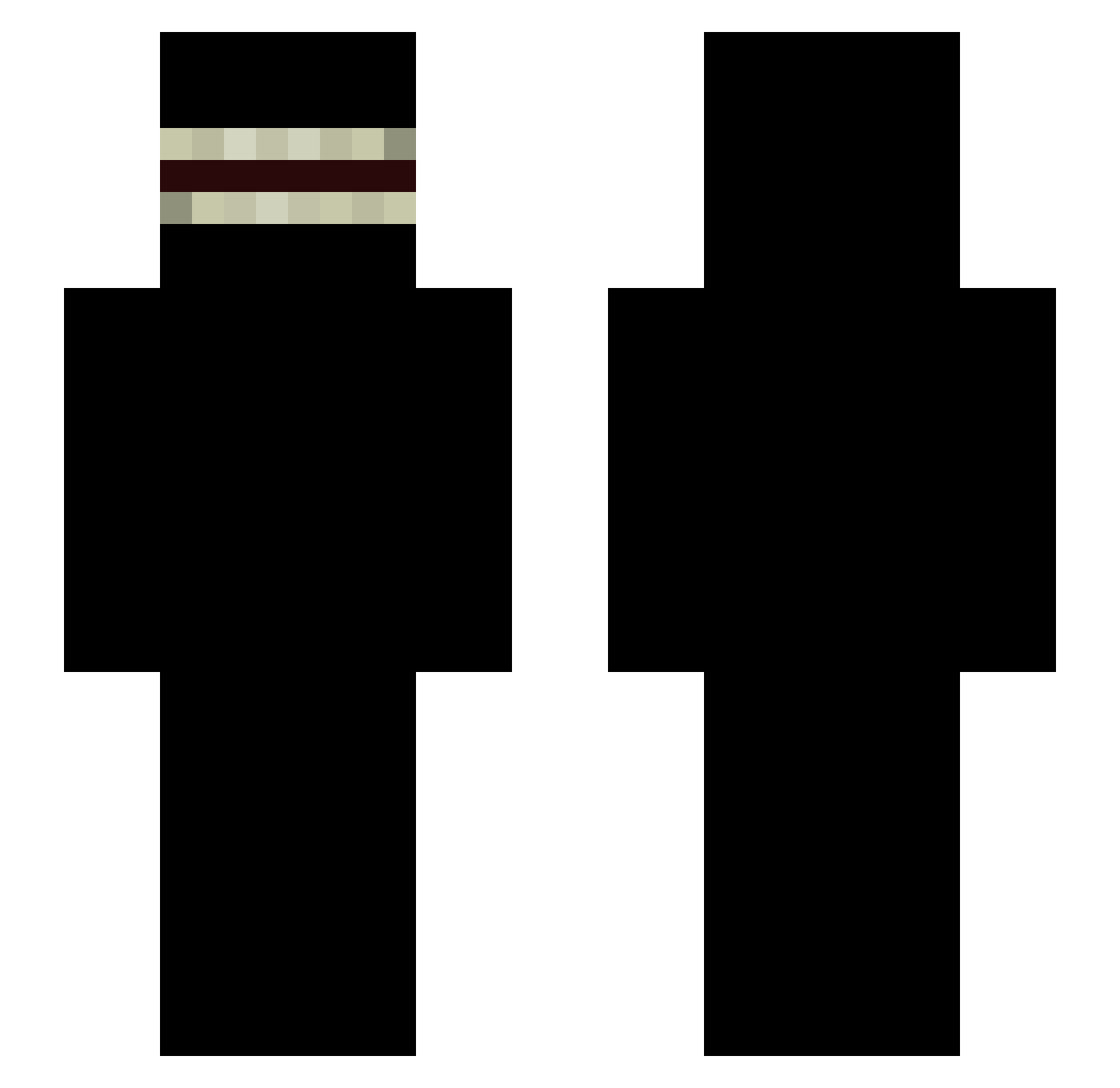
Current Minecraft skin of the player Chino26369, loaded from the official Mojang API. Rotate the 3D model with your mouse or finger, then download the skin as a PNG file and use it in Minecraft: Bedrock Edition or Java Edition for free. When Chino26369 changes their skin, this page updates automatically and the old skin stays in the history below.
Other players with this skin (338)
Chino26369 was the 153rd player we have seen with this skin, first spotted on 09.09.2026. The same skin was seen on these players. Open a nickname to see their current skin and skin history.
 PhilXion Rreedd25 zell961009 SkjeMines CapybaraV mauriciomanga38 Gerardopilots Maru_47 honeydog Xia9jin elsemaja firuxd ZazooKillers Polo566540 takesihumi mojamojaaaa MONOCACHONDO Pklz ChuWee_ R4H33LL MikhailKFC SwirlYlriwS SIyderr r4ysw0rld Kreenox_ Aliboi1105 ggomides Tobinchi_ _Kaizu_ Not_Cybre AmmneZZia iCloudz_ jasso46 blendedrat MenaceMarocaine Obizium Assisticles Basmanov SecondDaySalad rattzmytattz krapo4ka RespectTionnn fakejack204 W1Fl PeneraX gamer12_00 NewQuotient2779 shosefinu St3m4p DeviousPenguinn JhengLin wasabidanillka SecureHat jeere04 Liu_19 BDBA Tooristy DELTAxde THEKILLER666327 AbdoulAuGroBoule
More Shadow Minecraft skins
How to install the Chino26369 skin
- Press the Download button above to save the skin as a PNG file.
- Minecraft: Bedrock Edition (PE): open the Dressing Room from the main menu (or tap your character → Edit Character), go to Classic Skins → Owned, press the + (new skin) button, choose the downloaded PNG and pick the Slim (Alex) model. Works on PC and mobile; consoles cannot import custom skins.
- Minecraft: Java Edition: open the Minecraft Launcher, go to the Skins tab, click New Skin, load the PNG, pick the Slim (Alex) model and press Save & Use. You can also upload it at minecraft.net → Profile → Change Skin.
The skin does not show up after import - what should I do?
Restart Minecraft and open the Dressing Room again - imported skins sometimes appear only after a restart. Also make sure you selected the imported skin and picked the Slim (Alex) model.
Which model should I choose, Classic or Slim?
This skin is designed for the Slim (Alex) model. If you pick the wrong model, the arms of the skin will look stretched or squeezed.
Is the skin of Chino26369 free to download?
Yes. Press Download, save the PNG file and use it in Minecraft: Bedrock Edition or Java Edition - no payment or registration needed. The skin also works on multiplayer servers and Realms.
More skins
Looking for more? Go back to all Minecraft skins and check the top skins of the week, month and all time, or find any player's skin by nickname.