
Chillaxer05 - Minecraft Skins & Skin History
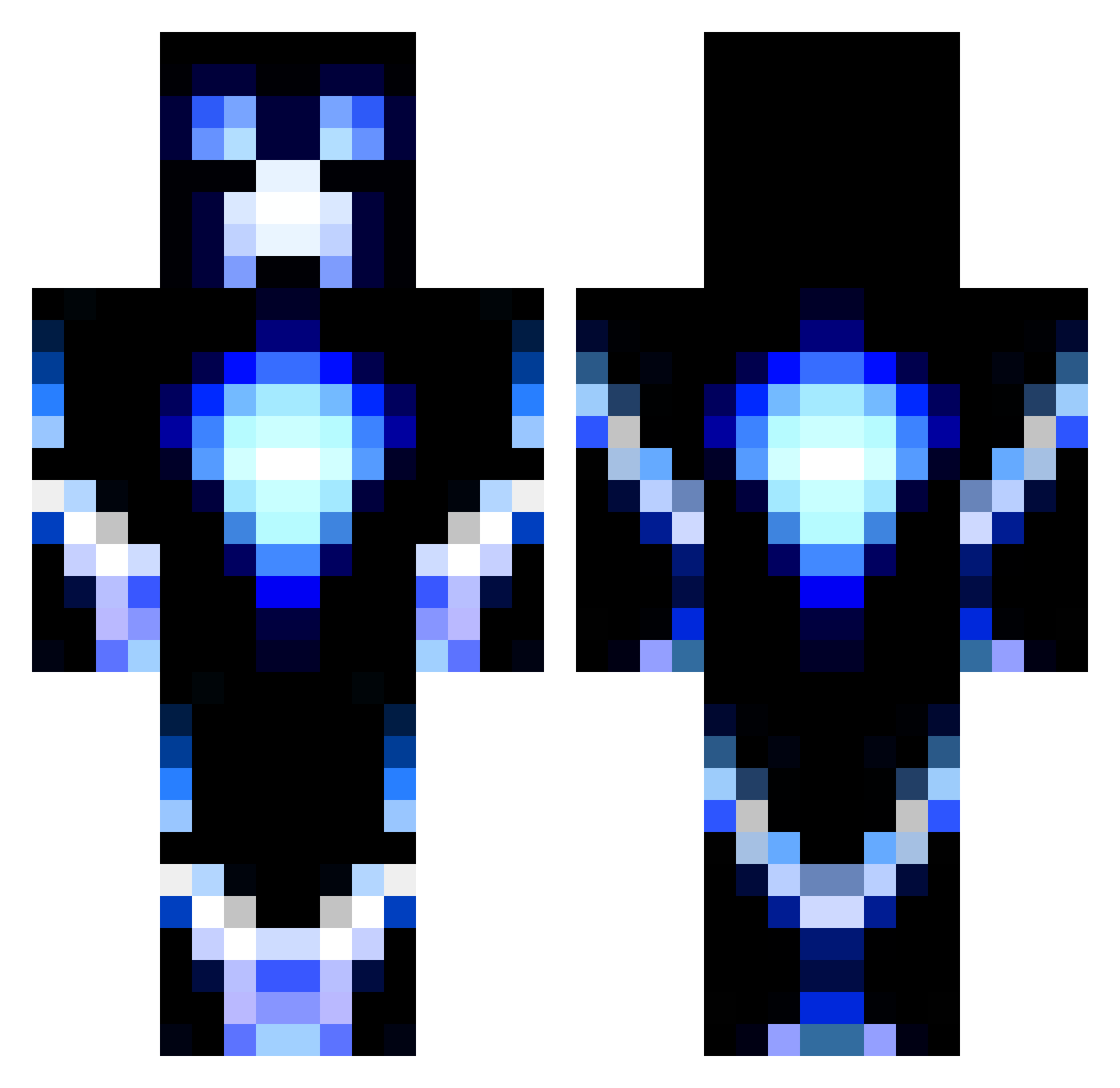
Current Minecraft skin of the player Chillaxer05, loaded from the official Mojang API. Rotate the 3D model with your mouse or finger, then download the skin as a PNG file and use it in Minecraft: Bedrock Edition or Java Edition for free. When Chillaxer05 changes their skin, this page updates automatically and the old skin stays in the history below.
Other players with this skin (104)
Chillaxer05 was the 47th player we have seen with this skin, first spotted on 15.09.2026. The same skin was seen on these players. Open a nickname to see their current skin and skin history.
 angel2704 BRO78 Luminous556 d3monman159 jake270102 GrimReaper12 christoph1002 Canon_power theXman97 hypnoticoolwind1 gamerdude203 bryceman1188 Echtaton aquamaster24 Takabullet Blue_Mayhem cmd6622 TheChuckMasterT grinders_10 ozzy3338 Skillsmen1 Joshuajames1 raycrazy_JR java7803 Awesomejvg mr_swizzer95 Nico_Justin rozario2002 FallingAngels floriswijers14 arigamesYT GOBLING12 theironminer123 BloodyPsyco Joelman05 Smokin_The_Troll ByJW OMGitsSCOTTY maticapo6 Plasma7 RuubyN seikon_art Thomash12345 schmul111 KoentjeNL15 creeperzilla111 FASTASSSLLOOWW Tommatt1234 SpaceCrow21 diamonddragon10 miki2000 Parsafani ElB3ast gsc9011 Spencerzohan fishing2 AaronJ1878 Rnmc123 Heth2003 Royalty_Pain
More Glowing Minecraft skins
How to install the Chillaxer05 skin
- Press the Download button above to save the skin as a PNG file.
- Minecraft: Bedrock Edition (PE): open the Dressing Room from the main menu (or tap your character → Edit Character), go to Classic Skins → Owned, press the + (new skin) button, choose the downloaded PNG and pick the Classic (Steve) model. Works on PC and mobile; consoles cannot import custom skins.
- Minecraft: Java Edition: open the Minecraft Launcher, go to the Skins tab, click New Skin, load the PNG, pick the Classic (Steve) model and press Save & Use. You can also upload it at minecraft.net → Profile → Change Skin.
The skin does not show up after import - what should I do?
Restart Minecraft and open the Dressing Room again - imported skins sometimes appear only after a restart. Also make sure you selected the imported skin and picked the Classic (Steve) model.
Which model should I choose, Classic or Slim?
This skin is designed for the Classic (Steve) model. If you pick the wrong model, the arms of the skin will look stretched or squeezed.
Is the skin of Chillaxer05 free to download?
Yes. Press Download, save the PNG file and use it in Minecraft: Bedrock Edition or Java Edition - no payment or registration needed. The skin also works on multiplayer servers and Realms.
More skins
Looking for more? Go back to all Minecraft skins and check the top skins of the week, month and all time, or find any player's skin by nickname.