
C_M_J_P - Minecraft Skins & Skin History
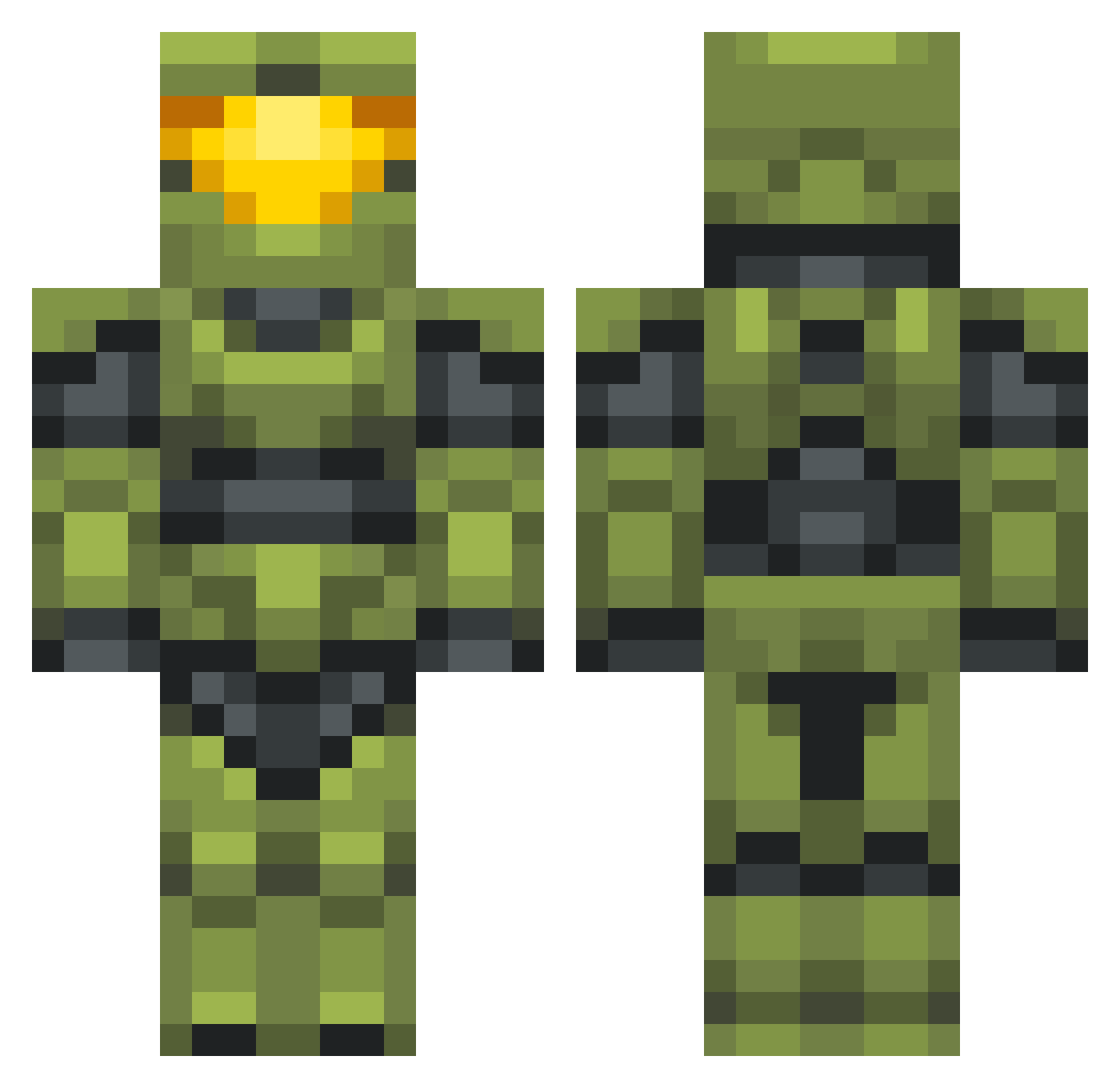
Current Minecraft skin of the player C_M_J_P, loaded from the official Mojang API. Rotate the 3D model with your mouse or finger, then download the skin as a PNG file and use it in Minecraft: Bedrock Edition or Java Edition for free. When C_M_J_P changes their skin, this page updates automatically and the old skin stays in the history below.
Other players with this skin (702)
C_M_J_P was the 387th player we have seen with this skin, first spotted on 26.09.2026. The same skin was seen on these players. Open a nickname to see their current skin and skin history.
 Rivenluv montifisker Hardshard Moses_FPS Daz24 Svennepenne BigSteve2195 SchattenDiamant ChiminoMaster9 Halomaster1987 GoLoTeam Elgugu0 TheNuuV Stempatron Cheese0473 Charliecheeser Macodom FizzyGami HyperCatHunter itsmayhan Asetre5 TheNarwhal BJLAFLARE Flaimen thegreen022 Dolan_356 IGNASIOCG vKillerPanda Mincemeater Coral_Polyps Blanksaelee MixedGreens zormology lekvaroska _Nikk_ KnightHero117 Sebhax21 coltag45 NapWise ReubenHux xxFL1Xxx SprayAndPray360 1V1MeInHalo Sacred_Code KaOzPoNs Introplosion Monkeslol Ha1oFan4Life Kotor13e Noics talpathy Bosstwinn Madmartigan_707 Luxhalcyon IReload95 TearlessBike547 Overkill xFamine Skybuilder2015 KaitKyouma
More Master Chief Minecraft skins
See all 538 Master Chief skins
How to install the C_M_J_P skin
- Press the Download button above to save the skin as a PNG file.
- Minecraft: Bedrock Edition (PE): open the Dressing Room from the main menu (or tap your character → Edit Character), go to Classic Skins → Owned, press the + (new skin) button, choose the downloaded PNG and pick the Classic (Steve) model. Works on PC and mobile; consoles cannot import custom skins.
- Minecraft: Java Edition: open the Minecraft Launcher, go to the Skins tab, click New Skin, load the PNG, pick the Classic (Steve) model and press Save & Use. You can also upload it at minecraft.net → Profile → Change Skin.
The skin does not show up after import - what should I do?
Restart Minecraft and open the Dressing Room again - imported skins sometimes appear only after a restart. Also make sure you selected the imported skin and picked the Classic (Steve) model.
Which model should I choose, Classic or Slim?
This skin is designed for the Classic (Steve) model. If you pick the wrong model, the arms of the skin will look stretched or squeezed.
Is the skin of C_M_J_P free to download?
Yes. Press Download, save the PNG file and use it in Minecraft: Bedrock Edition or Java Edition - no payment or registration needed. The skin also works on multiplayer servers and Realms.
More skins
Looking for more? Go back to all Minecraft skins and check the top skins of the week, month and all time, or find any player's skin by nickname.