
CBRosa - Minecraft Skins & Skin History
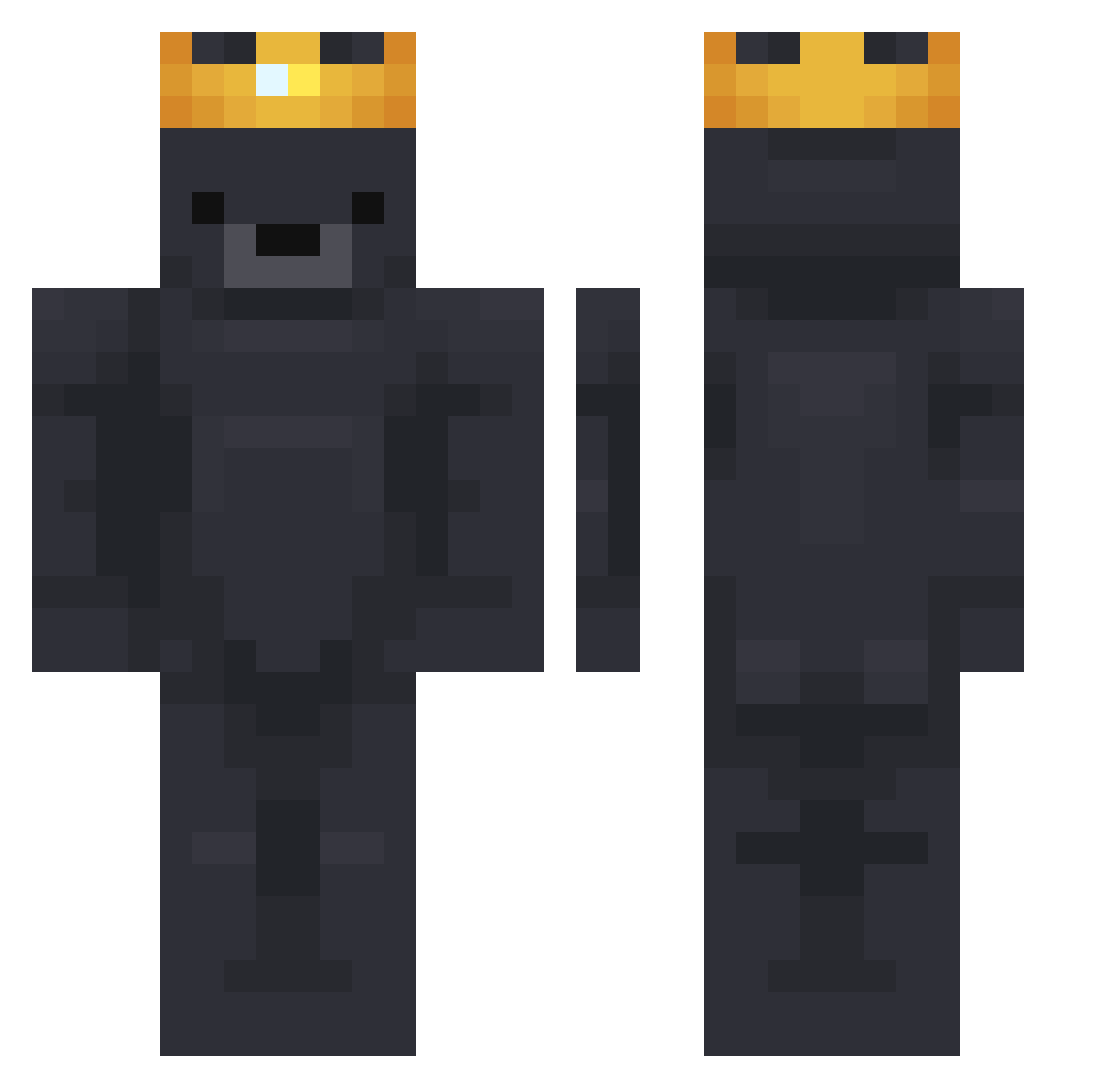
Current Minecraft skin of the player CBRosa, loaded from the official Mojang API. Rotate the 3D model with your mouse or finger, then download the skin as a PNG file and use it in Minecraft: Bedrock Edition or Java Edition for free. When CBRosa changes their skin, this page updates automatically and the old skin stays in the history below.
Other players with this skin (751)
CBRosa was the 709th player we have seen with this skin, first spotted on 26.10.2026. The same skin was seen on these players. Open a nickname to see their current skin and skin history.
 Bambuska82 MaizePainter BearBolt14 Gruenhelm8 ssein shaabooty Hulzyyy Renaat Treeseeker8 davieee_ qpollon just_endzone skryZ 611King Luffynara123 Chienonso flxxxL 0Deun mfanelli DemirSDM Mateja_xD Acko_O BesserAlsDulul BuschKatzeDeluxe Max1410 Kolopalo Mu9Ge cutegoatkr08 DoubtLife ukiyoo____ ElBegone Louisd26 KvB02 mugslikesguys CapitaI FanKon145 DeathBySuduko diego_bas scamontenokq Berrey justin_candas kingZ518 Monkey_Stew Snuif_Duif124 TINYGAMEZ__ Na__Da_ _Orcinus Dirtygerbal GJ0809 zayiss finn_yo InuYasha___ ARANEAE11 kaara1436 Rivershrimper FrOsTs1 Aphelios13 ii7MDii NotDori06 46mm
More Crown Minecraft skins
How to install the CBRosa skin
- Press the Download button above to save the skin as a PNG file.
- Minecraft: Bedrock Edition (PE): open the Dressing Room from the main menu (or tap your character → Edit Character), go to Classic Skins → Owned, press the + (new skin) button, choose the downloaded PNG and pick the Classic (Steve) model. Works on PC and mobile; consoles cannot import custom skins.
- Minecraft: Java Edition: open the Minecraft Launcher, go to the Skins tab, click New Skin, load the PNG, pick the Classic (Steve) model and press Save & Use. You can also upload it at minecraft.net → Profile → Change Skin.
The skin does not show up after import - what should I do?
Restart Minecraft and open the Dressing Room again - imported skins sometimes appear only after a restart. Also make sure you selected the imported skin and picked the Classic (Steve) model.
Which model should I choose, Classic or Slim?
This skin is designed for the Classic (Steve) model. If you pick the wrong model, the arms of the skin will look stretched or squeezed.
Is the skin of CBRosa free to download?
Yes. Press Download, save the PNG file and use it in Minecraft: Bedrock Edition or Java Edition - no payment or registration needed. The skin also works on multiplayer servers and Realms.
More skins
Looking for more? Go back to all Minecraft skins and check the top skins of the week, month and all time, or find any player's skin by nickname.