
BrokenOnion98 - Minecraft Skins & Skin History
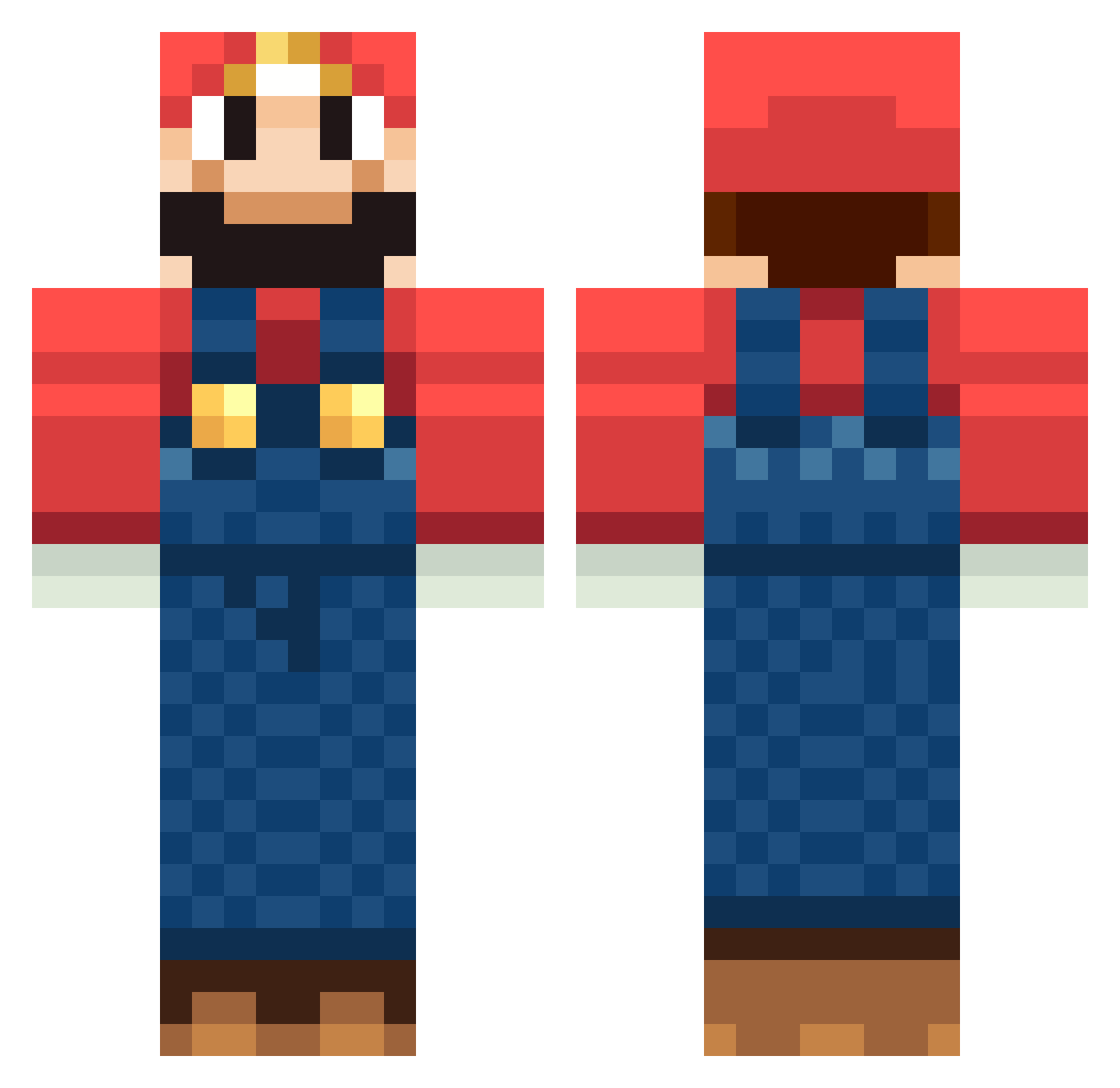
Current Minecraft skin of the player BrokenOnion98, loaded from the official Mojang API. Rotate the 3D model with your mouse or finger, then download the skin as a PNG file and use it in Minecraft: Bedrock Edition or Java Edition for free. When BrokenOnion98 changes their skin, this page updates automatically and the old skin stays in the history below.
Other players with this skin (1265)
BrokenOnion98 was the 518th player we have seen with this skin, first spotted on 08.09.2026. The same skin was seen on these players. Open a nickname to see their current skin and skin history.
 timontimi omerico78 elodinia holli88 bossthe frankoko bmthabr3dg MrAfroman20 nadjadk sandrodoe Mynameisfrosef trudidor Quetzal50 takuro777 marcoca d0se CuTaKeT Vole96 ConnorIsBeast69 SxyBeast234 ccmannen99 Oscar_ronch_lech rtheera jessejoe0903 youyop02 Dreadnaut4 DrBuSe krawiec87 Hedlund417 roloswag Tetrachrome Cyanwarrior_91 Antrax94 ChaoticCoww ks38 XinoFumeiro slayer1189 David4607 Lipeboy EvenGik Pulppu_ Golden_ MiningMaverick00 kristine113 beefissogood chrissieleinchen Jammie1 KaptainDeez Diego201 OrangeMurphyphat nickreinink gomazo12 Nerfman1999 chichik JuiceCandy mrkle paulG24 rehn DcEagle02 BehindSpace
More Mario Minecraft skins
How to install the BrokenOnion98 skin
- Press the Download button above to save the skin as a PNG file.
- Minecraft: Bedrock Edition (PE): open the Dressing Room from the main menu (or tap your character → Edit Character), go to Classic Skins → Owned, press the + (new skin) button, choose the downloaded PNG and pick the Classic (Steve) model. Works on PC and mobile; consoles cannot import custom skins.
- Minecraft: Java Edition: open the Minecraft Launcher, go to the Skins tab, click New Skin, load the PNG, pick the Classic (Steve) model and press Save & Use. You can also upload it at minecraft.net → Profile → Change Skin.
The skin does not show up after import - what should I do?
Restart Minecraft and open the Dressing Room again - imported skins sometimes appear only after a restart. Also make sure you selected the imported skin and picked the Classic (Steve) model.
Which model should I choose, Classic or Slim?
This skin is designed for the Classic (Steve) model. If you pick the wrong model, the arms of the skin will look stretched or squeezed.
Is the skin of BrokenOnion98 free to download?
Yes. Press Download, save the PNG file and use it in Minecraft: Bedrock Edition or Java Edition - no payment or registration needed. The skin also works on multiplayer servers and Realms.
More skins
Looking for more? Go back to all Minecraft skins and check the top skins of the week, month and all time, or find any player's skin by nickname.